LinkedIn Ads B2B refers to using LinkedIn's advertising platform to reach professionals based on their job title, company, or industry. For a business that sells to other businesses, it's a way to showcase an offer, content, or event to targeted decision-makers, even if they aren't yet familiar with your company. This guide outlines the objectives, formats, and targeting options based on LinkedIn's official pages (business.linkedin.com and LinkedIn Marketing Solutions Help), accessed on November 27, 2026, and then provides a method for launching your first campaign.
LinkedIn Ads B2B: The Essentials
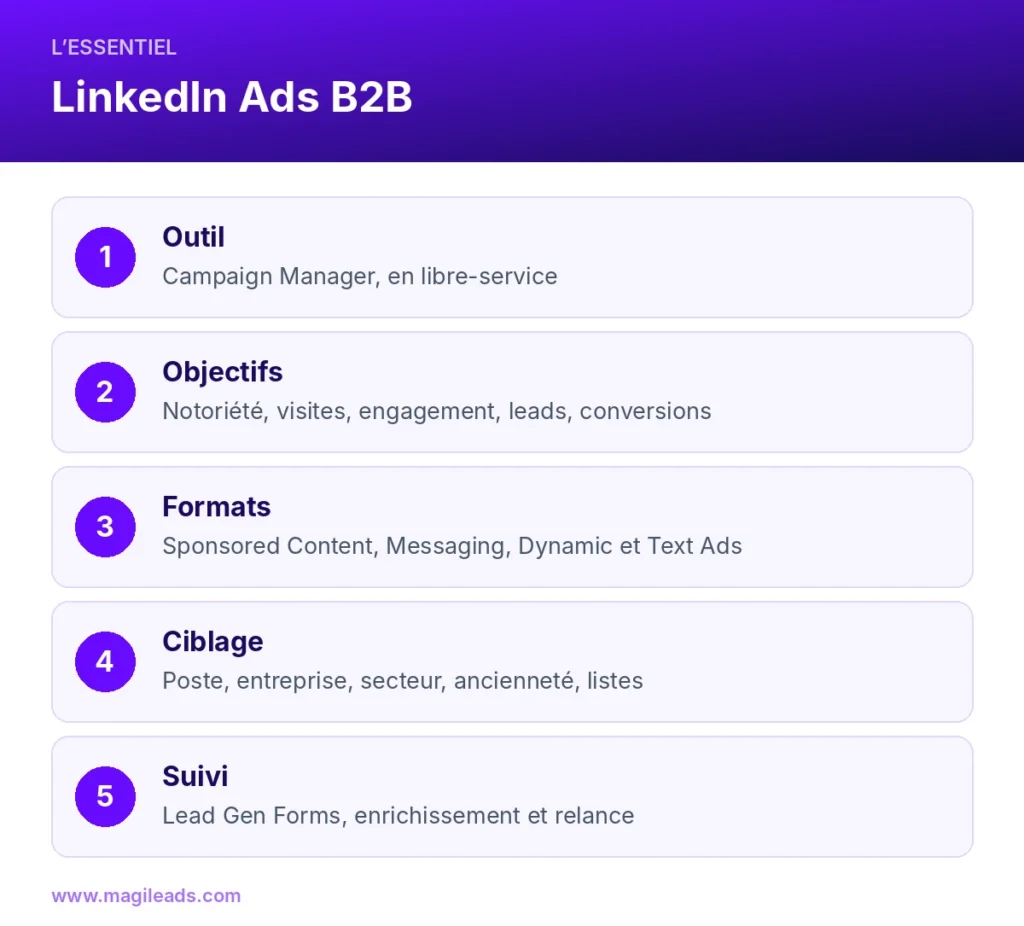
- Tool : Campaign Manager, self-service.
- Objectives : brand awareness, visits, engagement, leads, conversions.
- Formats : Sponsored Content, Messaging, Dynamic and Text Ads.
- Targeting : position, company, sector, seniority, lists.
- Follow-up : lead generation forms, enrichment and reminders.
What is LinkedIn Ads?
LinkedIn Ads is LinkedIn's advertising offering. Campaigns are created and managed in Campaign Manager, which LinkedIn Help describes as the self-service advertising management tool that allows you to create, launch, and evaluate the performance of your campaigns. The first step is to create an ad account, linked to a LinkedIn company page and a currency.
One important point to know before you begin: according to the help page "Create an ad account in Campaign Manager as a new advertiser," the currency and LinkedIn page associated with the ad account cannot be changed once the account is created. Therefore, check these two settings before confirming.
Why use LinkedIn Ads in B2B
The main advantage of LinkedIn advertising in B2B lies in its targeting data. On its page dedicated to ad targeting, LinkedIn explains that its members are encouraged to keep their profiles accurate and up-to-date, and that you can leverage this professional data: job title, company, industry, and seniority level. For a B2B offer, this translates to the ability to show a message to specific roles within specific companies.
LinkedIn Ads B2B doesn't replace direct prospecting or organic content; it complements them. Advertising raises awareness of your brand and content at scale; personalized posts and messages build relationships. If you're comparing paid channels, also check out our article on B2B lead generation with Google Ads, which reaches people actively searching for a solution.
LinkedIn Ads campaign objectives
In Campaign Manager, each campaign begins with the selection of an objective. The "Objective-based reporting with key results" help page lists the available objectives and the key result measured for each. LinkedIn's recent help refers to the level at which the objective is chosen as an "ad set.".
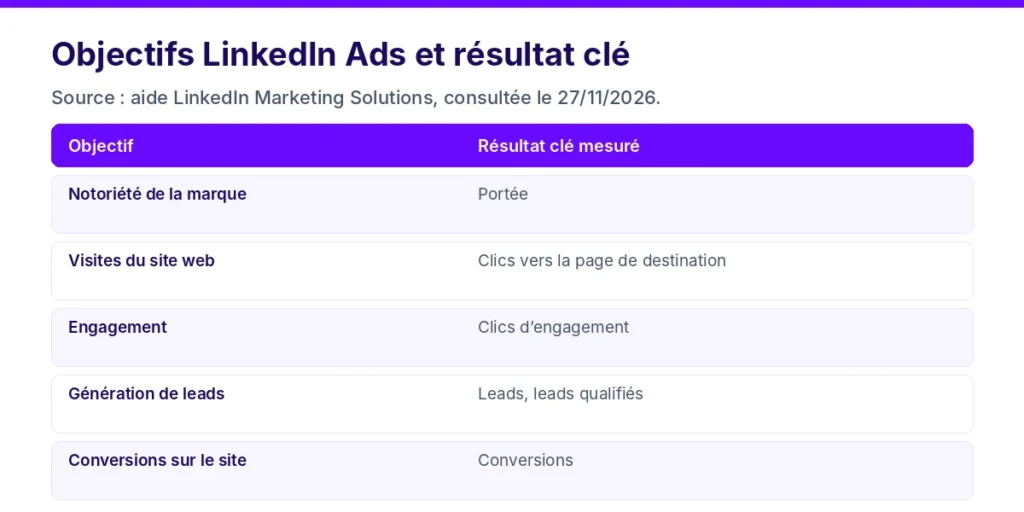
| Objective (Campaign Manager) | Key result measured |
|---|---|
| Brand awareness | Scope |
| Website visits | Clicks to the landing page |
| Commitment | Engagement clicks |
| Video views | Video views |
| Lead generation | Leads, qualified leads |
| Website conversions | Conversions |
| Job applicants | Clicks to the landing page |
For Sponsored Messaging, some objectives measure message sending. In B2B, the most commonly used prospecting objectives are lead generation, which relies on forms integrated into LinkedIn, and website visits, which redirect to a lead capture page. The brand awareness objective is primarily used to raise awareness of your brand among an audience that is not yet familiar with you.
LinkedIn B2B Ads Formats
The French page "Self-service targeted advertising" on business.linkedin.com presents four main families of formats, usable alone or combined from Campaign Manager: Sponsored Content, Sponsored Messaging (Message Ads), Dynamic Ads and Text Ads.
Sponsored Content
Sponsored Content appears in the news feed, just like a post. According to the Sponsored Content page accessed on November 27, 2026, it comes in several formats: Single Image Ads, Video Ads, Carousel Ads, Document Ads, Event Ads, and Thought Leader Ads, which allow you to sponsor posts from your company's thought leaders. It's the most versatile format, suitable for both brand awareness and lead generation.
Sponsored Messaging
Sponsored Messaging sends a message to LinkedIn's inbox. The official page distinguishes between two formats: Message Ads, a direct message that prompts action, and Conversation Ads, which engage in conversation with your audience through a personalized experience. Note for European audiences: the official page indicates EU-specific restrictions for this format. Therefore, check in Campaign Manager what is possible for your audience before planning Sponsored Messaging campaigns.
Dynamic Ads and Text Ads
Dynamic Ads, according to LinkedIn, are ads that are automatically personalized based on the viewer's profile. Text Ads are short text-based ads. These formats complement Sponsored Content, particularly for brand awareness or traffic campaigns.
Lead Gen forms
Lead Gen forms allow you to collect leads without leaving LinkedIn. The official page presents them as pre-filled and simplified forms: members find information from their profiles within the form, reducing the effort required. They are used with Sponsored Content and Sponsored Messaging, and are particularly well-suited for promoting a guide, webinar, or demo.
LinkedIn Ads targeting
Targeting is the key strength of LinkedIn advertising. The "LinkedIn Ad Targeting" page specifically mentions job title, company name, industry, seniority level, and professional interests—criteria you can combine to describe your ideal client.
LinkedIn also offers Matched Audiences, which allow you to reach people you already know. The same page presents three uses for this feature:
- Targeting businesses : reaching businesses and key decision-makers in an account-based marketing campaign;
- Contact targeting : import your contact lists or connect your contact management platform;
- Retargeting : offering tailored content based on previous interactions with your business, for example, visits to your website.
To make the most of these options, start with your ideal customer profile : industries, company sizes, roles, and decision-making levels. If you're tracking buying signals, intentdata can help you prioritize accounts in a business-targeting campaign. LinkedIn also mentions the LinkedIn Audience Network, a network of partner publishers where your ads can also appear.
Launching a B2B LinkedIn Ads campaign in 6 steps
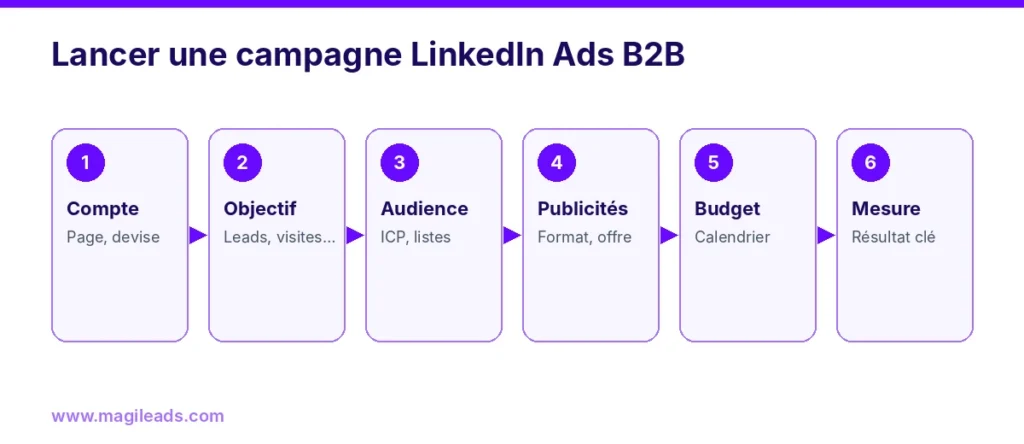
- Create the advertising account in Campaign Manager, checking the associated page and currency.
- Choose the objective : brand awareness, website visits, engagement, lead generation or conversions.
- Define the audience based on your KPI: functions, hierarchical levels, sectors, companies, lists.
- Choose the format and create the ads : visual, text, offer and, if applicable, Lead Gen form.
- Set the budget and schedule in Campaign Manager, according to your objectives.
- Measure and adjust based on the key result of the objective, then track leads through to the sale.
Regarding budget, LinkedIn states that it offers flexible pricing options and allows you to adjust ads at any time. Costs vary depending on the audience, objective, and competition among advertisers: refer to the official pricing page and Campaign Manager to estimate yours, rather than relying on generic averages.
What should be done with leads from LinkedIn Ads?
A lead obtained through a Lead Gen form isn't yet an opportunity. You need to contact them quickly, ideally with a message related to the resource they requested. In Magileads, you can import these contacts, enrich them, qualify them with lead scoring, track them in your PRM, and integrate them into a multichannel campaign: email and LinkedIn, with SMS and voice options available for a fee. Data synchronizes with HubSpot, Pipedrive, or other tools via Zapier, Make, or the API. For the overall logic, see our guide to lead generation on LinkedIn.
The reverse also works: the prospect lists you build through outbound prospecting can be used to target contacts or companies in LinkedIn Ads. Your prospects then see your brand in their feed before or during your message sequence, in compliance with LinkedIn's rules and GDPR.
Common mistakes with LinkedIn Ads
The first mistake is building too broad an audience. LinkedIn advertising is most effective because of its precise targeting: if you target every executive in a country, you lose this advantage. Start with a few priority roles and industries, then expand if the results warrant it. The second mistake is promoting only your product or service. A cold audience, unfamiliar with your brand, is more responsive to helpful content (guides, checklists, webinars) than to requests for demonstrations.
The third mistake is launching a campaign without preparing for lead follow-up. A lead generation form completed on a Monday and followed up on three weeks later is very likely to be forgotten by the prospect. Before launching, plan who will contact the leads, within what timeframe, and with what message. Finally, avoid changing all the parameters at once: change one element (visual, headline, target audience) and observe its effect on the key result.
LinkedIn advertising and organic content
B2B LinkedIn Ads campaigns work best when your organic presence is strong. A prospect who sees an ad often visits the company page or the profiles of its leaders: if these pages are empty, the impression is negative. Optimize your company page and LinkedIn profiles before investing in advertising.
Organic content that performs well is also excellent advertising material: you already know it resonates with your audience. Thought Leader Ads allow you to sponsor posts from your company's thought leaders. Conversely, the comments received on your ads provide insights into your target audience's questions and inform your future content.
Measuring a LinkedIn Ads B2B campaign
Campaign Manager displays, for each campaign, the key result linked to the chosen objective and the cost per result. These metrics are useful for comparing your ads, but they aren't enough in B2B. What matters is what happens next: how many leads match your target audience, how many agree to an exchange, and how many become opportunities. Therefore, connect your LinkedIn Ads campaigns to your CRM or PRM to track each lead through to a sale and decide, based on real data, which campaigns to continue.
Frequently Asked Questions
- What is LinkedIn Ads B2B? It is the use of LinkedIn's advertising platform, via Campaign Manager, to reach professionals based on their job title, company, industry, or hierarchical level.
- Which formats should you choose to generate leads? Sponsored Content combined with a Lead Gen form is the most common choice; Sponsored Messaging can also include a form, subject to its conditions in the European Union.
- Can you target a specific list of companies? Yes. Matched Audiences allow you to target companies, target contacts from your lists, and retarget them.
- How much does a LinkedIn Ads campaign cost? The cost depends on the audience, the objective, and the competition among advertisers. Consult the official LinkedIn and Campaign Manager pricing pages to estimate it.
Don't let your LinkedIn Ads leads go cold
Import your leads, enrich them, qualify them and follow up with them by email and LinkedIn: try Magileads free for 14 days.