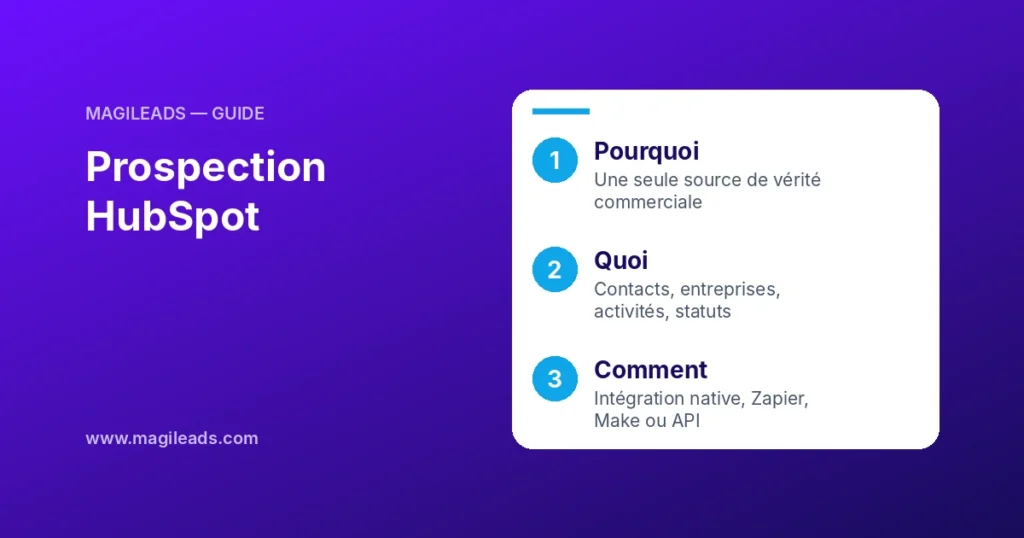
HubSpot prospecting involves connecting your prospecting activities (lists, emails, LinkedIn messages, calls) to your HubSpot CRM, so that every prospect and every interaction is tracked. When properly connected, your prospecting tool and CRM form a seamless chain, from the first contact to the closing. When poorly connected, they create duplicates, oversights, and conflicting data. Here's how to organize your prospecting with HubSpot.
HubSpot prospecting: the essentials
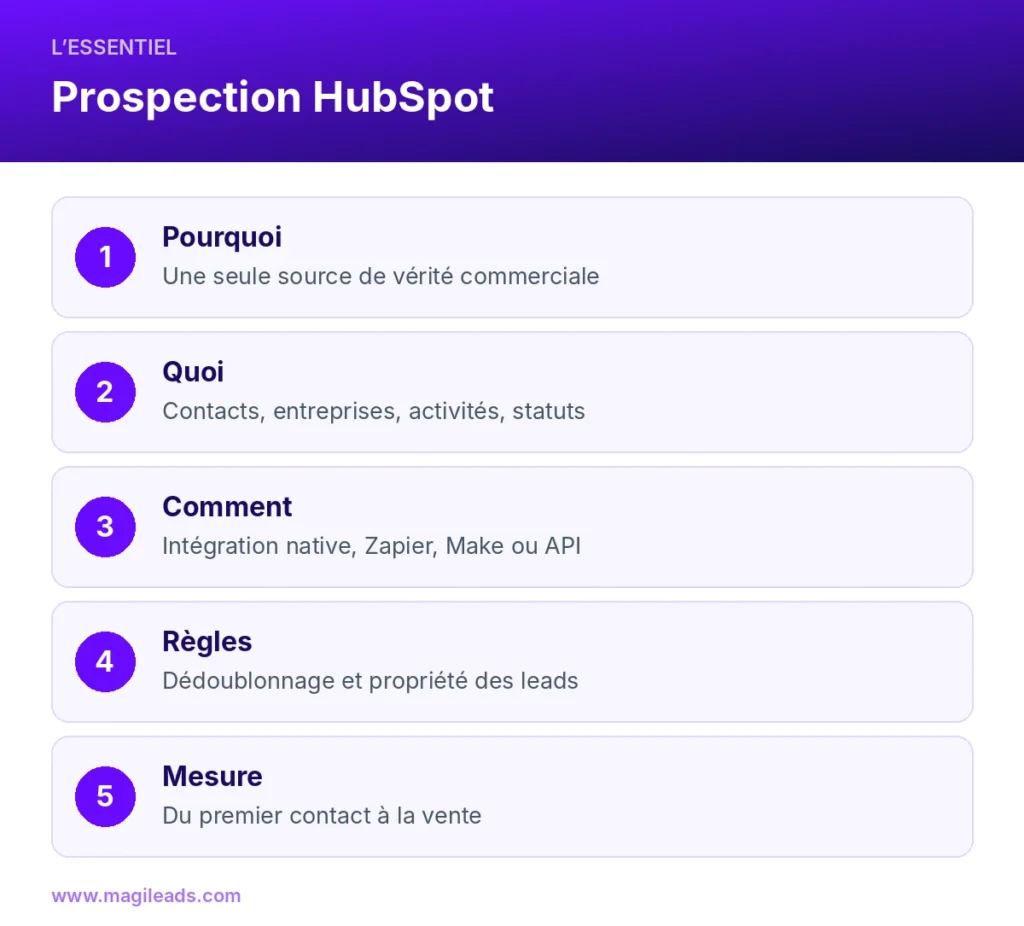
- Why : a single source of commercial truth.
- What : contacts, companies, activities, status.
- Comment : native integration, Zapier, Make or API.
- Rules : deduplication and lead ownership.
- Measurement : from the first contact to the sale.
Why connect your prospecting to HubSpot
HubSpot is a platform that brings together marketing, sales, and customer service software around a CRM. Many B2B teams use it as a central repository for their contacts, companies, and transactions. If prospecting is done in another tool, the two must communicate: otherwise, salespeople won't see what has been sent to a prospect, and marketing won't know which accounts are already in discussions.
- A single source of truth : every prospect, their history and their status all in one place.
- No double contact : a prospect already followed by a salesperson is not contacted again by a campaign.
- Comprehensive reporting : you measure what prospecting brings to the pipeline and to revenue.
- A smooth handover between the person who prospects and the person who closes the deal.
HubSpot prospecting: what data should be synchronized?
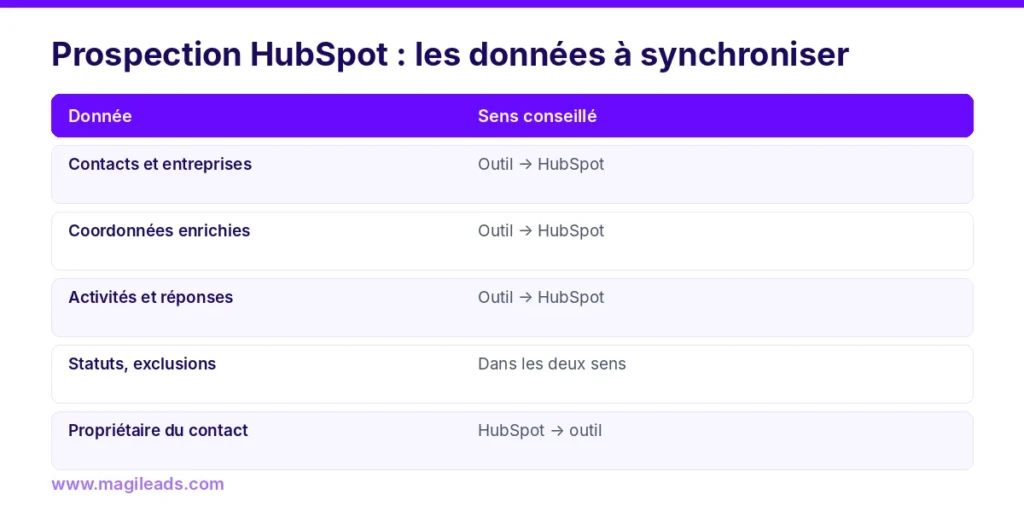
| Data | Recommended synchronization direction | For what |
|---|---|---|
| Contacts and companies | Prospecting tool → HubSpot | Create or enhance the records |
| Enhanced contact information (email, phone) | Prospecting tool → HubSpot | Having up-to-date data |
| Activities (emails, messages, replies) | Prospecting tool → HubSpot | View full history |
| Prospect status (interested, not interested…) | In both directions | Avoid inappropriate follow-ups |
| Exclusions and deregistrations | In both directions | Respect opposing viewpoints everywhere |
| Contact owner | HubSpot → prospecting tool | Knowing who follows the account |
Opt-outs and unsubscribes deserve special attention: anyone who has objected to marketing communications must be opted out in all your tools. See our article on marketing communications and the CNIL (French Data Protection Authority).
Ways to connect a prospecting tool to HubSpot
Native integration
Many prospecting tools offer direct integration with HubSpot: you connect your account, choose which fields to sync, and which events to track. It's the simplest solution to set up and maintain. Magileads offers integration with HubSpot and Pipedrive CRMs.
Zapier or Make
When native integration doesn't meet a specific need, tools like Zapier or Make allow you to create custom automations: create a contact in HubSpot when a prospect responds positively, update a status, or notify a salesperson. See our guide to syncing your applications with Magileads.
The API
For advanced needs, the API allows you to build a synchronization system fully customized to your organization. It requires technical skills, but offers the greatest flexibility.
A typical HubSpot prospecting workflow
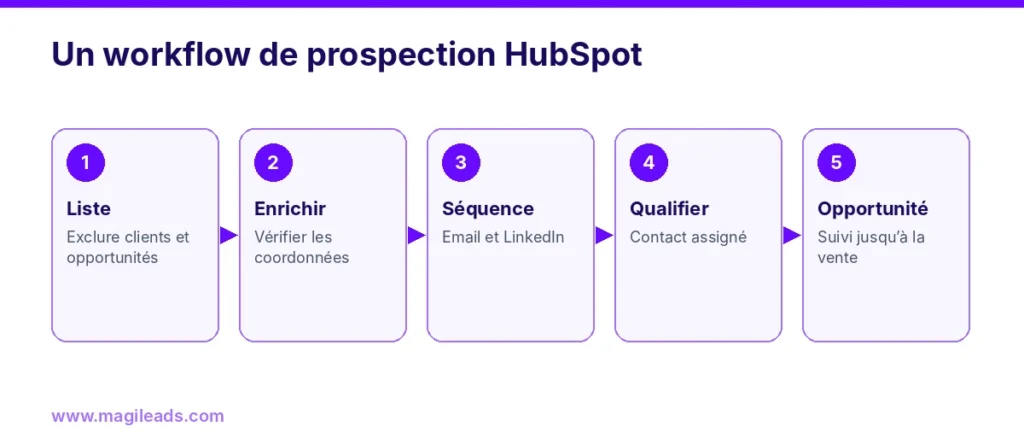
- Create the list in the prospecting tool, excluding contacts already present in HubSpot with a customer or opportunity status.
- Enrich and verify the contact details before sending.
- Launch the email and LinkedIn sequence; the activities are reported in HubSpot.
- Qualifying responses : an interested prospect becomes a "contact to be processed" in HubSpot, assigned to a salesperson.
- Create the opportunity in HubSpot when the appointment is confirmed, and track the sale until the contract is signed.
This workflow ensures that HubSpot remains the go-to source for everything related to opportunities and customers, while the prospecting tool handles the volume and automation of the first contact.
Rules to set before synchronizing
- Deduplication : which field should be used to identify an existing contact (email, LinkedIn URL)?
- Ownership of leads : who becomes the owner of a contact created through prospecting?
- Fields to be imported : only synchronize what is useful, so as not to clutter the records.
- Status : define a common list (to contact, in sequence, interested, not interested, opportunity).
- Frequency : real-time for responses, grouped for enrichment.
HubSpot alone or with a prospecting tool?
HubSpot also offers its own sales features, such as email sequences and prospecting tools, depending on the plan. A specialized tool provides what a CRM doesn't always: a B2B database, contact enrichment, LinkedIn automation, and fine-tuning of deliverability (warm-up, address rotation, scheduling). The choice depends on your channels, your volume, and your data needs.
If you're comparing solutions, check out our article on prospecting software and our overview of the best CRM tools. Magileads also offers an integrated PRM for teams that want to track prospecting separately from their sales CRM.
Common mistakes
- Synchronize all prospected contacts in HubSpot, at the risk of cluttering the CRM with irrelevant records.
- Forgetting to track unsubscriptions carries the risk of contacting someone who has objected.
- Do not define ownership rules: two salespeople contact the same account.
- Leaving different statuses in each tool makes reporting impossible.
- Never check the synchronization: an integration that silently breaks means lost leads.
A well-organized HubSpot prospecting strategy relies as much on rules as on technique. Take the time to define these rules with your sales and marketing teams before enabling synchronization, and then regularly check that the data is flowing as expected. This will give you a reliable view of how your HubSpot prospecting is actually contributing to revenue.
Measure the results of your HubSpot prospecting
Once syncing is in place, HubSpot becomes the place to measure the true value of your prospecting. Track the number of leads from your campaigns that convert into opportunities, the time between initial contact and appointment, and the revenue generated. These metrics allow you to compare your lead sources, messaging, and channels, and focus your efforts on what works.
For these metrics to be reliable, the source of each contact must be recorded as soon as it's created in HubSpot. Define a dedicated property (for example, "Source: Outbound Prospecting") and a value for each campaign. You can then build reports that track each contact from prospecting to the sale.
HubSpot prospecting: the role of each team
The success of HubSpot prospecting also depends on the distribution of roles. Marketing often defines the target audience and messaging, prospecting teams manage campaigns and lead qualification, and sales representatives take over in HubSpot from the appointment onward. Each team needs to know which data it creates, which it modifies, and which it only views.
A concise, shared documentation, updated with each integration update, prevents many misunderstandings: synchronized fields, used statuses, ownership rules, and procedures for handling duplicates. It also facilitates the onboarding of new employees, who quickly understand how information flows between the prospecting tool and HubSpot.
Finally, schedule regular check-ins between teams to verify that synchronization is working and that the data remains clean. A few minutes of review each month will prevent discovering, weeks later, that responses or unsubscribes were never recorded in the CRM.
Start your HubSpot prospecting step by step
To launch your HubSpot prospecting campaign risk-free, start small. Connect your prospecting tool to a limited scope, such as a single campaign and a few sales reps. Verify that contacts, activities, and statuses are correctly tracked, duplicates are properly detected, and unsubscribe requests are respected. Once this test is successful, gradually expand to other campaigns and teams.
This phased approach allows you to adjust the rules before volumes become significant. It also reassures sales teams, who can see firsthand the benefits of HubSpot prospecting: pre-qualified leads with complete history, ready to be contacted at the right time. Your HubSpot prospecting thus becomes more efficient with each new campaign, and each team knows exactly where to find the information they need. It's also the best way to demonstrate, with supporting data in your own reports, the contribution of prospecting to the company's revenue.
Frequently Asked Questions
- Can you prospect directly from HubSpot? HubSpot offers sales features like email sequences based on offers. Many teams supplement these with a specialized tool for data, LinkedIn, and deliverability.
- How to connect a prospecting tool to HubSpot? Through native integration, via Zapier or Make, or via the API for advanced needs.
- Should all prospects be sent to HubSpot? No: preferably sync only those prospects who respond or are qualified, to keep your CRM useful.
- Does Magileads integrate with HubSpot? Yes, Magileads offers integration with HubSpot and Pipedrive CRMs, as well as Zapier, Make and an API.
Connect your prospecting to HubSpot
B2B database, email and LinkedIn campaigns, HubSpot integration: try Magileads free for 14 days.