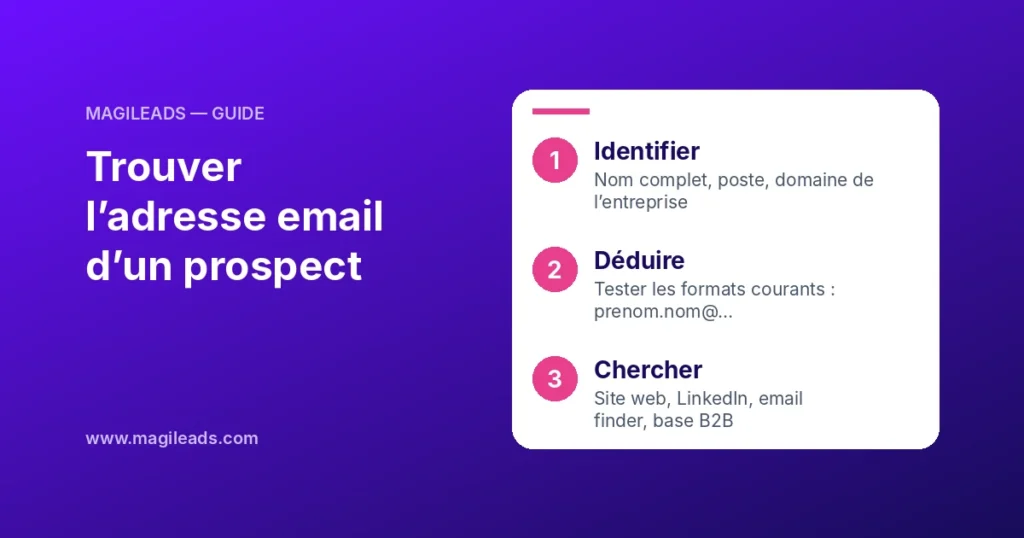
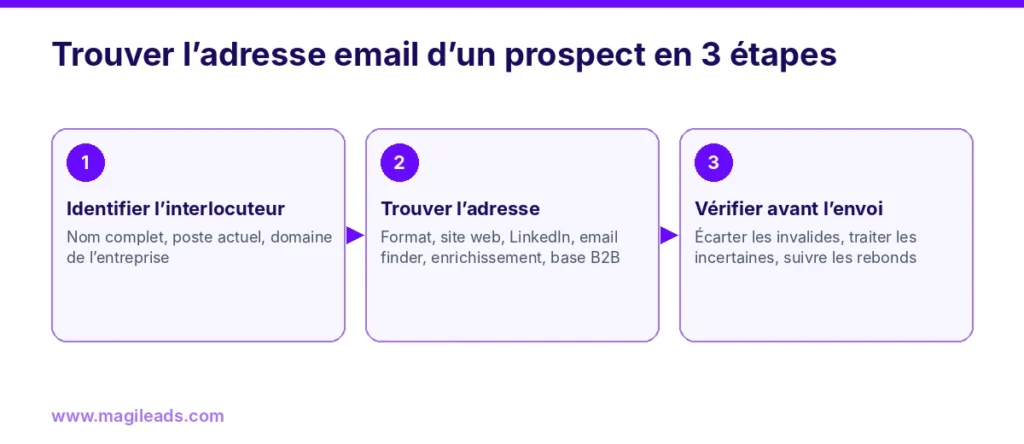
To find a prospect's email address, the most reliable method involves combining three steps: identifying the right contact, deducing or searching for their professional email address, and then verifying it before sending. You can do this manually for a few contacts, or use an enrichment tool as your email volume increases. Here are six concrete methods, their limitations, and the rules to follow in B2B.
Finding a prospect's email address: the essentials
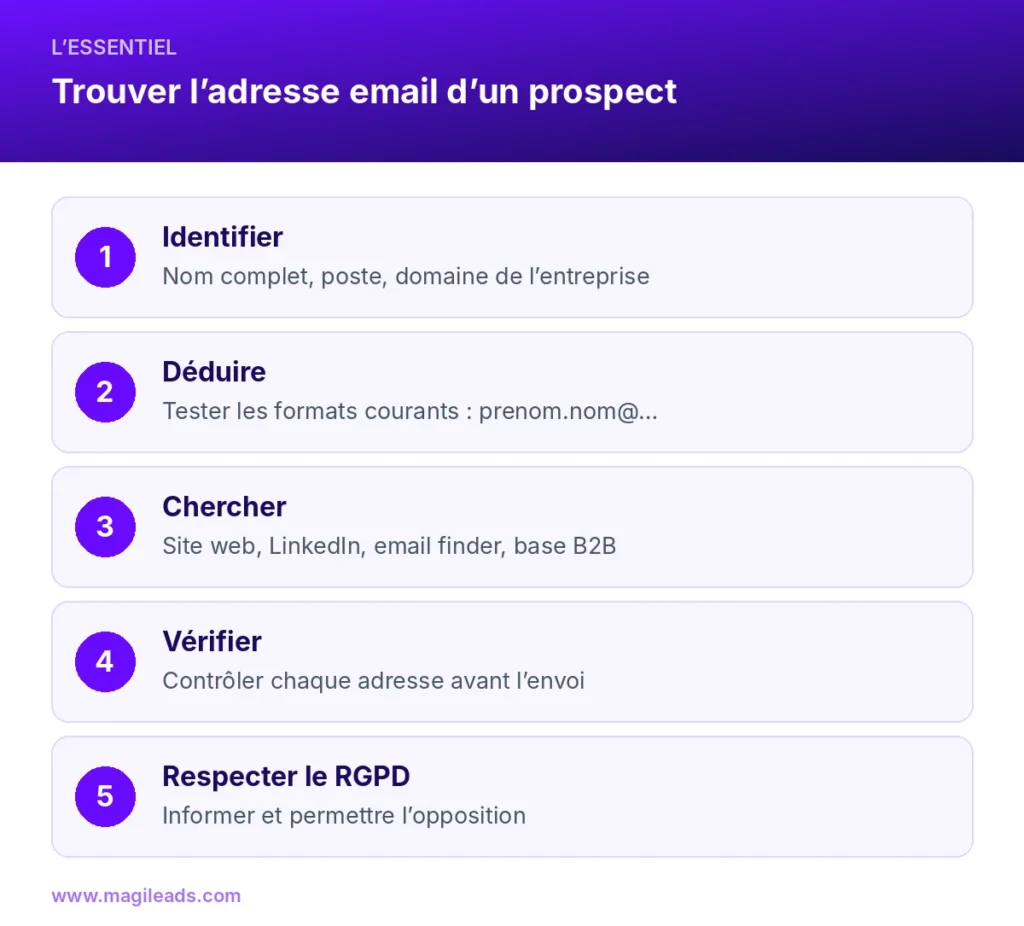
- Identifier : full name, position, company domain.
- Deduce : test the common formats: firstname.lastname@….
- Search : website, LinkedIn, email finder, B2B database.
- Verify : check each address before sending.
- Comply with the GDPR : inform and allow for objection.
Before you start searching: identify the right person to talk to
An email address is only valuable if it belongs to the right person. Before searching for it, verify three pieces of information: the contact's full name, their current job title, and their company's domain name (e.g., company.com). LinkedIn remains the most practical source for confirming the job title and current company. If you're still unsure who to contact, start by defining the purchasing decision-making roles within the companies you're targeting.
6 methods to find a prospect's email address
1. Deduce the company's address format
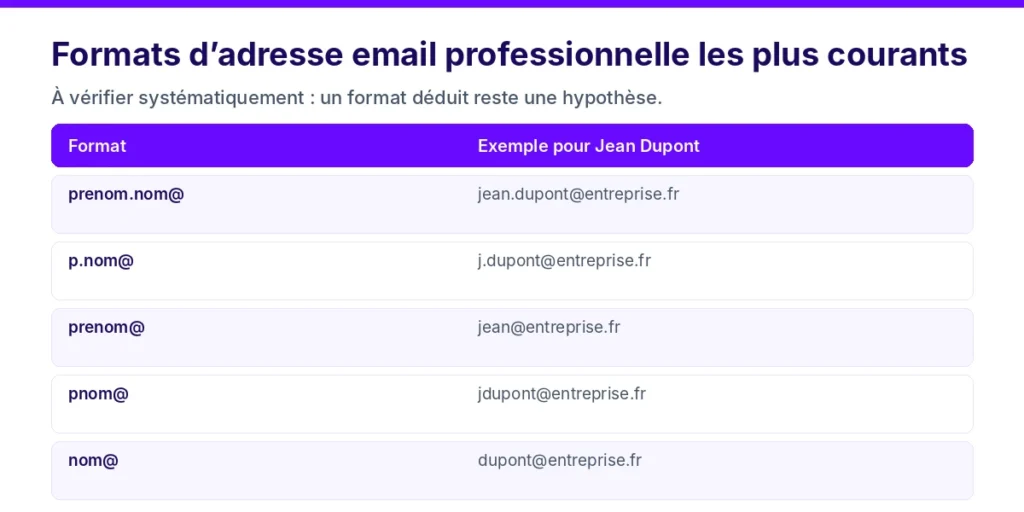
Most companies use a single format for all their email addresses: firstname.lastname@company.fr, lastname.lastname@company.fr, firstname@company.fr, or lastname@company.fr. If you already know an email address within the company (a colleague of the prospect, an address published on the website), you can deduce the format. However, be aware that a deduced email address remains a hypothesis until it has been verified.
2. Visit the company's website
The team, press, contact, or legal notice pages sometimes display personal addresses. Press releases often include the contact information for a manager. These public sources also allow you to confirm the address format used by the company.
3. Review the prospect's LinkedIn profile
Some professionals include their address in the "Contact Details" section of their profile, which is generally visible to their connections. If your prospect is part of your network, check this section. Otherwise, an initial LinkedIn message remains a good way to start a conversation and then ask for the most suitable address.
4. Use an email finder tool
An email finder tool searches for addresses based on the company name and domain, relying on its own data sources and technical tests. This is the fastest method when dealing with dozens of contacts. Compare tools based on three criteria: the rate at which addresses are found for your target audience, the included verification features, and GDPR compliance.
5. Enrich a comprehensive list in a cascading fashion
For a prospect list, cascade enrichment queries multiple sources one after the other until a reliable address is found. You get more results than with a single source. We detail this approach in our guide oncascade enrichment of a B2B list. In Magileads, email and mobile phone number enrichment and verification are integrated into the platform.
6. Starting from a B2B database
Rather than searching for addresses one by one, you can build your list directly from a B2B contact database, filtered by sector, company size, and job title. Contacts are already linked to their companies, making it easy to enrich their contact information.
Comparison of methods
| Method | Appropriate volume | Advantage | Limit |
|---|---|---|---|
| Deduce the format | Some contacts | Free, fast | Hypothesis to be verified |
| Company website | Some contacts | Reliable public source | Addresses rarely include names |
| LinkedIn Profile | Some contacts | Information provided by the person | Rarely visible outside your network |
| Email finder tool | Dozens to hundreds | Quick, often with verification | Results vary depending on the target |
| Cascade Enrichment | Complete lists | More results than a single source | Request a suitable tool |
| B2B database | Complete lists | Targeting and contacts combined | Quality dependent on the update |
LinkedIn is the best source for identifying the right person, but it rarely displays their email address: the "Contact Information" section is only filled in if the member has chosen to do so, and it's generally only visible to their connections. LinkedIn Sales Navigator primarily helps you find and follow decision-makers; to obtain their email or phone number, you'll most often use a data enrichment tool. Here's how to find the email address of a prospect identified on LinkedIn:
- Build your list in LinkedIn or Sales Navigator using filters for function, industry, company size, and geographic area.
- Record useful information for each contact: full name, current company, profile URL and company website domain name, indicated on their LinkedIn page.
- Check the "Contact Details" section of your contacts: if the address is there, it was provided by the person who gave it.
- Enrich the list : an enrichment tool searches for the professional email address, and sometimes the phone number, based on the name and company. Our Sales Navigator list scraping explains how to leverage these lists, and our Kaspr vs. Lusha compares two enrichment tools often used with LinkedIn.
- Verify each address before adding it to a campaign, just as you would with any other source.
- If that doesn't work, stay on LinkedIn : an invitation accompanied by a personalized invitation note allows you to start a conversation without email.
And the phone numbers?
Phone numbers are less common than email addresses, and more sensitive. Use only professional numbers for calls related to the person's role, and respect any opt-out requests immediately. In Magileads, contacts imported from LinkedIn can be enriched and verified (emails and mobile phone numbers), then integrated into your email and LinkedIn campaigns; SMS and voice steps are available as a paid option.
Find the email address of an executive (CEO, Managing Director, Manager)
A manager's email address generally follows the same format as those of other employees in the company. In a very small business or a small or medium-sized enterprise (SME), it is often shorter (firstname@company.fr), or even the same as the general email address. To find it:
- Confirm their identity : the names of company directors are listed in public business registers, such as the State Business Directory (annuaire-entreprises.data.gouv.fr). These registers provide the name, not the email address.
- Read the website's legal notices : they indicate the publication director, who is often the manager in an SME.
- Browse through press releases and interviews : they sometimes mention an address or a named press contact.
- Deduce then verify : apply the company address format to the manager's name, then verify the address before sending.
In large companies, the CEO's email is often filtered by an assistant. It's therefore more effective to target the decision-maker directly involved with your offer (sales, marketing, finance, etc.) and involve them along with the other members of the purchasing committee: see our article on engaging decision-making units (DMUs). In all cases, send the CEO a short message related to a specific management issue, rather than a general presentation of your offer.
How to compare email finder tools
The results of an email finder vary greatly depending on your target audience: a tool that is effective for large American companies may be much less so for French SMEs. Rather than relying on marketing claims, conduct your own test:
- Prepare a list of 50 to 100 contacts representative of your target audience (sectors, company sizes, functions).
- Submit the same list to each tool during its trial period.
- Count the addresses found, then verify them all with the same verification tool.
- Compare the number of addresses found that are both valid, not just the number of addresses found.
- Finally, consider the cost per valid address, the ease of exporting to your campaigns, and the publisher's commitments regarding GDPR.
This test gives you a figure specific to your market, much more reliable than a success rate advertised on a sales page.
Always check the address before sending
Sending emails to invalid addresses increases your bounce rate and damages the reputation of your sending domain. As a result, your subsequent emails are more likely to end up in spam folders, even those sent to legitimate addresses. Before each campaign:
- check each address with a verification tool;
- discard invalid addresses and treat "uncertain" addresses separately;
- remove generic email addresses (contact@, info@) from your personalized campaigns;
- Monitor your bounce rate after each send.
To learn more, read our articles on email verification and bounce rate.
Special cases
Very small businesses
In a very small business, the owner often uses a short email address (firstname@) or the company's general email address. Telephone or LinkedIn are sometimes more effective for initial contact.
Compound nouns and homonyms
A compound name can be written with or without a hyphen, and two employees with the same name often receive an additional number or initial. This is precisely where inferred addresses go wrong: verification is essential.
Job changes
An email address that was valid six months ago may no longer be valid if your prospect has left the company. Check their current position on LinkedIn and double-check old email addresses before each campaign.
Multi-domain groups
A group may use a different domain for each subsidiary or country. Check which domain your contact is actually using before assuming their address.
What should I do if the address still cannot be found?
- Use LinkedIn : an invitation followed by a message allows you to start a conversation without an email address.
- Call the switchboard : asking for the right person or their address remains an effective method in B2B.
- Contact a colleague : another person on the team can direct you to the right decision-maker.
- Come back later : keep the contact in your list and restart the search during your next update.
Finding a prospect's email address while complying with the GDPR
In B2B prospecting, the CNIL (French Data Protection Authority) allows sending prospecting emails to a professional address without prior consent, provided that the message is related to the person's role, that they are informed of the use of their data, and that they can easily object to receiving your messages. Specifically:
- Contact only people who are relevant to your offer because of their position;
- state who you are and where the data comes from;
- Add an unsubscribe link to every email and comply with it immediately;
- Keep an up-to-date exclusion list common to all your campaigns.
The details of the rules are presented on our sales prospecting and CNIL.
Maintain your contact information over time
Finding a prospect's email address is only the first step: contact information quickly becomes outdated, as people change jobs and companies. To maintain a reliable database:
- Date each piece of information : record the date of search and verification of each address.
- Double-check addresses that have not been used for several months before each campaign
- Deal with bounces immediately : an incorrect address must be corrected or removed from your lists.
- Centralize unsubscribes in a common exclusion list across all your tools.
- Note the source of each contact, so that you can inform the person about the origin of their data if they ask you.
A well-maintained database costs you less research per campaign, and protects the reputation of your sending addresses in the long term.
Finding a prospect's email address: the right steps to take
- Always start with a specific person, never with a generic address like contact@.
- Always check the address found before adding it to a campaign.
- Keep the source of each address in order to respond to any potential information request.
- Update your files regularly: people change jobs and companies.
With these reflexes, finding a prospect's email address becomes a quick and reliable step in your prospecting, and not a source of bounces.
Finding a prospect's email address on a large scale
When you need to find a prospect's email address for hundreds of contacts, manual searching is no longer feasible. An email finder or automated enrichment takes over: you import a list of names and companies, the tool searches for addresses, and then verifies them. Always manually check a sample before sending, and remove any uncertain addresses if your bounce rate increases.
In Magileads, data enrichment is applied directly to prospect lists, whether you import them from a file, LinkedIn, or Google Maps. Finding and verifying a prospect's email address is then done within the same tool as sending the campaign.
Frequently Asked Questions
- How to find a prospect's email address for free? Deduce the company's address format from a known address, check their website and the prospect's LinkedIn profile, then verify the address before sending.
- Is an inferred address reliable? No, not until it has been verified. A format may have exceptions (homonyms, compound names).
- Can you send a prospecting email to a professional address? Yes in B2B, if the message relates to the recipient's role and they can easily opt out of receiving your emails.
- Should you use a personal email address if your professional email address is unavailable? No: when prospecting, always use your professional email address or another channel, such as LinkedIn.
- How to find a LinkedIn contact's email? Look at the "Contact Details" section of their profile if you are connected, otherwise note their name and company, then use a data enrichment tool and verify the resulting address.
- Does Sales Navigator provide emails and phone numbers? Sales Navigator is primarily used to find and track decision-makers; contact information is generally obtained with an enrichment tool, starting from the name and company.
- How to find a CEO's email? Confirm their name in public records or the website's legal notices, apply the company's address format, then verify the address before sending.
To compare two widely used enrichment tools, read our Kaspr vs Lusha.
Find and verify your contacts in just a few clicks
With Magileads, search for your prospects in the B2B database, enrich their emails and phone numbers, verify them and launch your email and LinkedIn campaigns from the same platform.