LinkedIn limits define what you can do each week or month on the platform: send invitations, customize connection requests, search profiles, and view pages. Understanding these limits prevents your account from being restricted in the middle of a prospecting campaign. This guide is based on LinkedIn's official help pages, accessed on November 26, 2026, and distinguishes between official guidelines and estimates.
LinkedIn limitations: the essentials
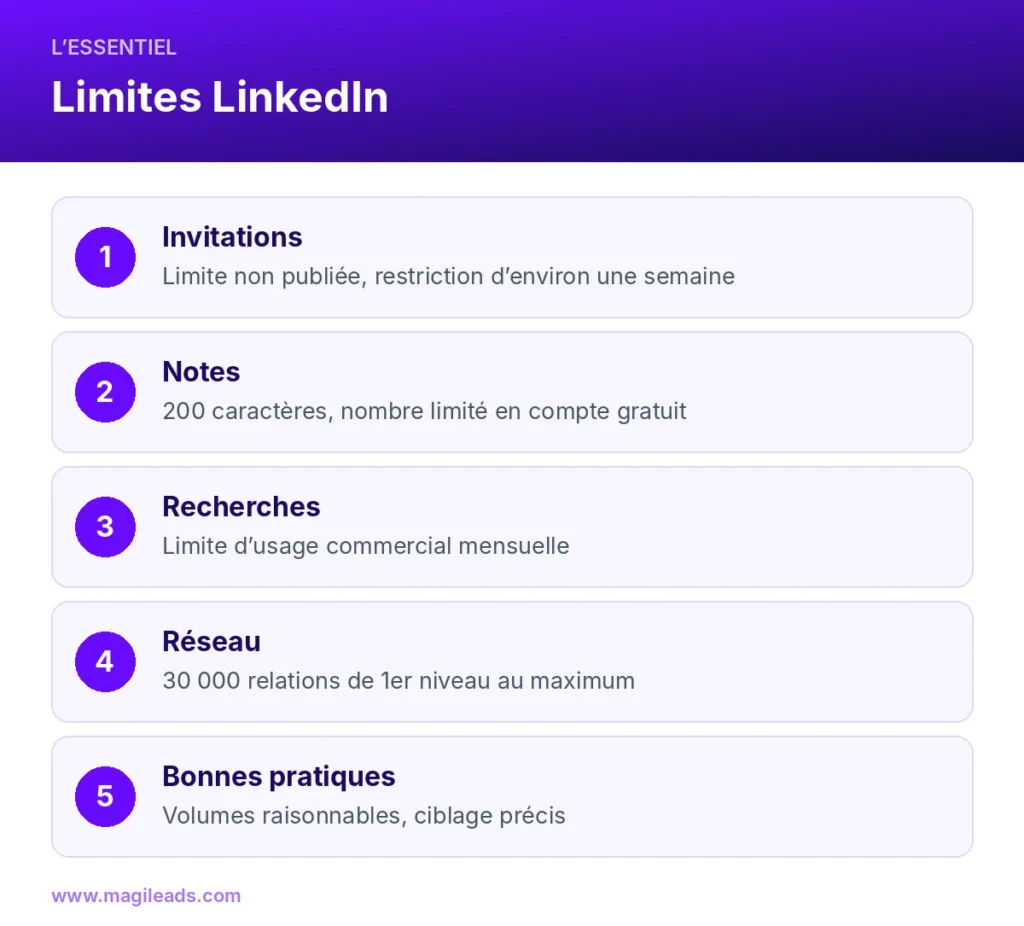
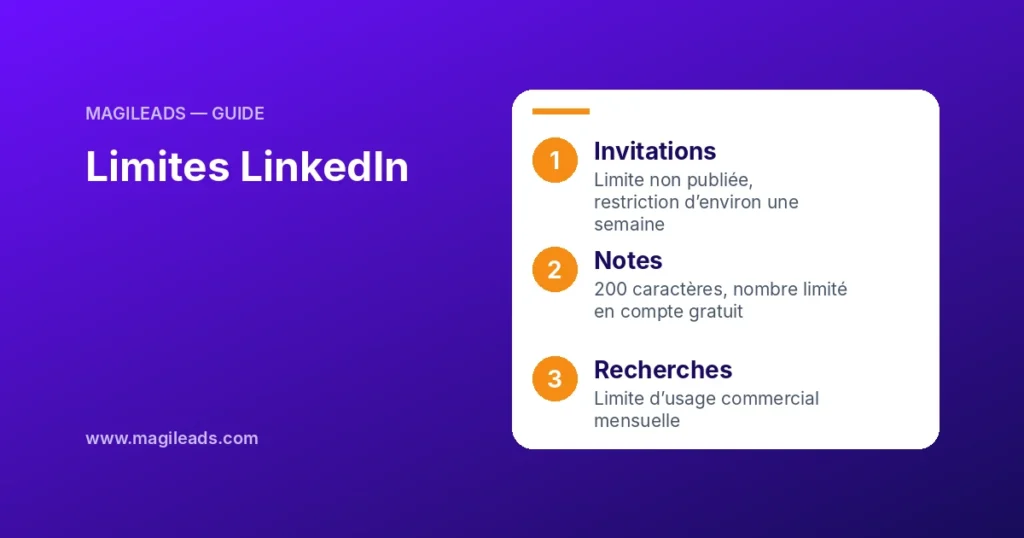
- Invitations : limit not published, restriction of approximately one week.
- Notes : 200 characters, limited number on free accounts.
- Searches : monthly commercial usage limit.
- Network : Maximum 30,000 first-level connections.
- Best practices : reasonable volumes, precise targeting.
Why LinkedIn imposes limits
LinkedIn explains that it sets limits to protect the user experience and ensure the relevance of connection requests. Specifically, the platform aims to prevent the mass sending of unsolicited invitations, the automated harvesting of profiles, and the intensive commercial use of free accounts. These limits apply to all members, whether their account is free (Basic) or Premium.
For a salesperson or a prospecting team, the challenge is twofold: to stay below the thresholds so as not to be restricted, and to organize their activity to obtain results without depending on a high volume of actions.
LinkedIn's limitations on invitations
An unpublished number of invitations
LinkedIn does not publish a specific number of invitations allowed per week. Its "Invitation Limit Reached" help page simply states that all members, both Basic and Premium, are subject to limits, and that if you reach them, sending invitations may be temporarily restricted, usually for one week. During this period, removing pending invitations does not lift the restriction, and support cannot shorten it or provide a reason.
The figures circulating online (80, 100, or 200 invitations per week) are estimates from users or tool developers, not official guidelines. They can vary depending on the account's age, activity, and the acceptance rate of your invitations.
This triggers a restriction
According to the help page "Types of restrictions for sending invitations," your account may be restricted if you send a large number of invitations in a short period, or if many of your invitations are ignored or left pending by recipients. LinkedIn also specifies that in the event of an excessive number of requests and suspicion of using an automation tool, the account may be suspended or its access restricted. Finally, after withdrawing an invitation, you cannot send another one to the same recipient for three weeks.
Personalized invitation notes
Notes attached to connection requests have their own LinkedIn limitations. The "Customize connection requests" help page states that a free account can add a personalized message to a maximum of three connection requests per month, with each message limited to 200 characters; Premium members can customize all their invitations. Another, older help page mentions five messages per month: LinkedIn is constantly updating these rules, so check the page before building a campaign. For help writing these notes, see our LinkedIn invitation note examples.
The limit on commercial use of searches
LinkedIn applies a "commercial use limit" to profile searches. According to its help page, reaching this limit indicates that you are likely using LinkedIn for commercial purposes, such as recruiting or prospecting. A warning appears when you approach the limit, and free usage resets on the first day of each month. LinkedIn does not disclose the exact number of searches allowed.
This includes searching for profiles on LinkedIn.com and on mobile, and viewing profiles from certain modules ("People who viewed this profile also viewed…", People tab on company pages). Searching for a profile by name in the search bar, viewing your 1st-degree connections, and searching for job postings are not included. Premium subscriptions increase the number of searches and profile views available.
Other LinkedIn limitations to be aware of
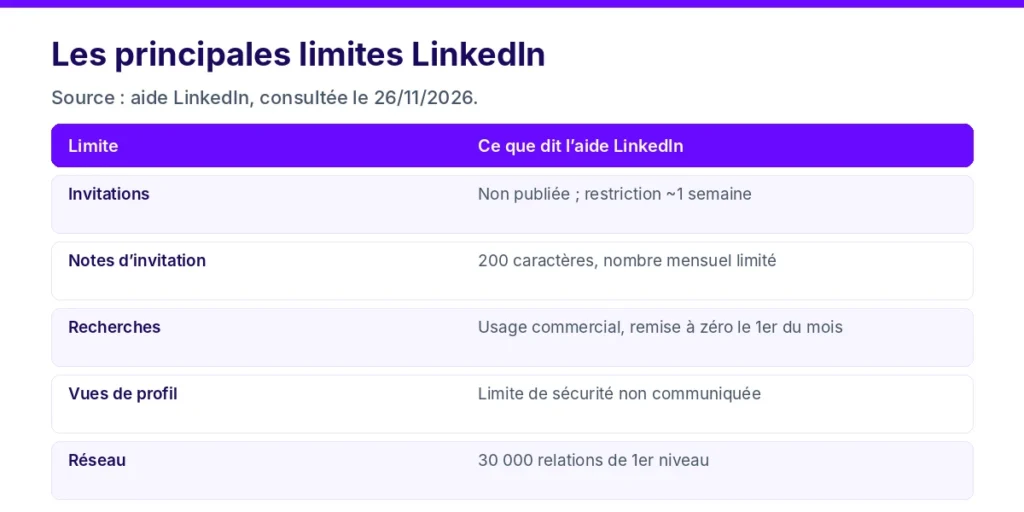
| Limit | What LinkedIn says (official help, 11/26/2026) |
|---|---|
| Invitations | Unpublished limit; temporary restriction, usually one week |
| Invitation Notes | 200 characters; limited monthly number for free accounts (3 according to the most recent page) |
| Research | Monthly commercial usage limit, number not disclosed |
| Profile views | Data security limit, number not disclosed; first-level relationships remain accessible |
| Network size | a maximum of 30,000 first-degree connections |
| Re-invitation | It is not possible to re-invite someone for 3 weeks after withdrawing the invitation |
For messaging, the basic rule is simple: you can only write directly to your contacts, unless you use InMail credits, a premium feature whose number depends on your subscription. See our article on Sales Navigator pricing and benefits.
Prospecting without exceeding LinkedIn limits
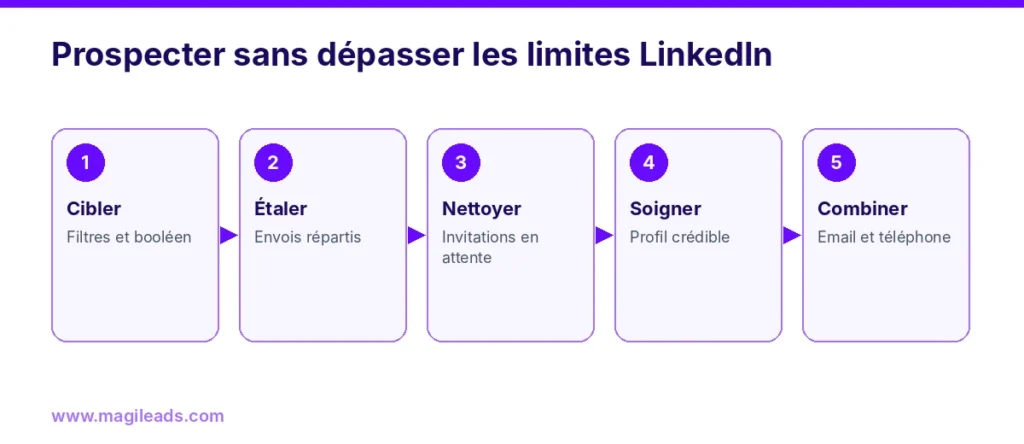
- Target your audience before inviting : an invitation sent to the right person is more likely to be accepted, and a good acceptance rate protects your account. Use precise filters and Boolean search.
- Spread your shipments out over the week rather than sending a large volume on the same day.
- Clean up your pending invitations regularly, keeping in mind the three-week waiting period before you can re-invite.
- Take care with your profile : a photo, a clear title and a summary focused on your clients will reassure the people you invite.
- Combine channels : email and phone allow you to contact your prospects without relying solely on LinkedIn.
LinkedIn states that an excessive number of requests, combined with any suspicion of using an automation tool, can lead to account restrictions or suspension. If you do use a tool, keep the volume reasonable, the timing unpredictable, and the messages personalized. See our guide to automated LinkedIn prospecting.
What should you do if your account is restricted?
If sending invitations is restricted, the only solution is to wait for the restriction to be lifted, usually after a week. Use this time to review your targeting and messaging: a restriction often indicates that you're sending too many invitations or that they're poorly targeted. In the meantime, you can continue to engage with your existing contacts, publish content, and reach out to your prospects by email.
If you reach your commercial search usage limit, you'll need to wait until the beginning of the following month or upgrade to a Premium subscription. Plan your searches in advance: save your lists and prioritize sources that don't consume your LinkedIn searches, such as a B2B database.
Limitations of LinkedIn and multichannel prospecting
LinkedIn's limitations are a good reason not to rely solely on a single channel. A sequence that combines LinkedIn invitations, messages, emails, and calls allows you to reach more prospects with fewer invitations. In Magileads, multichannel campaigns link LinkedIn steps (profile visits, invitations, messages) and emails, with SMS and voice steps available as paid options. Contacts can be drawn from a dynamic, global B2B database of decision-makers, reducing your reliance on LinkedIn searches.
Finally, keep in mind that LinkedIn limits are subject to change. What's true today may change: regularly consult the official help pages and adjust your volume based on your own results rather than generic figures. Respecting LinkedIn limits also helps preserve the quality of your network and your company's image with potential clients.
LinkedIn's limitations vary depending on your subscription. A free account allows you to prospect, but you'll reach the commercial search limit more quickly and can only personalize a small number of invitations each month. Premium subscriptions increase the number of searches and profile views, allow you to personalize all invitations, and provide access to InMail credits for messaging people outside your network.
Sales Navigator, the offering dedicated to salespeople, adds advanced search filters, account and prospect lists, and job change alerts. It doesn't remove all limitations: restrictions on invitations apply to all members, regardless of their subscription. Before paying for a subscription, ask yourself if you're truly limited by searches and profile views, or rather by the number of invitations, which the subscription doesn't address.
For a team, the best approach is often to reserve paid subscriptions for salespeople who prospect the most on LinkedIn, and supplement with other data sources for everyone else. LinkedIn limits then become a framework, not an obstacle. Respecting LinkedIn limits protects your account, and knowing the LinkedIn limits of each subscription helps you choose the right tool for each team member. Keep this LinkedIn limits guide handy before each new campaign.
Frequently Asked Questions
- How many LinkedIn invitations per week? LinkedIn doesn't publish official figures. The numbers circulating are estimates. If you exceed the limit, sending invitations is restricted, usually for a week.
- How many invitation notes can you send with a free account? According to the most recent help page accessed on November 26, 2026, you can send three personalized notes per month, each with a maximum of 200 characters. Premium members can personalize all their invitations.
- What is the commercial usage limit? It's a monthly limit on profile searches, which resets on the 1st of each month. LinkedIn does not disclose the exact number of searches allowed.
- How many connections can you have on LinkedIn? A maximum of 30,000 first-degree connections, according to LinkedIn Help.
Prospect beyond LinkedIn
B2B database, email campaigns and coordinated LinkedIn, lead tracking: try Magileads free for 14 days.