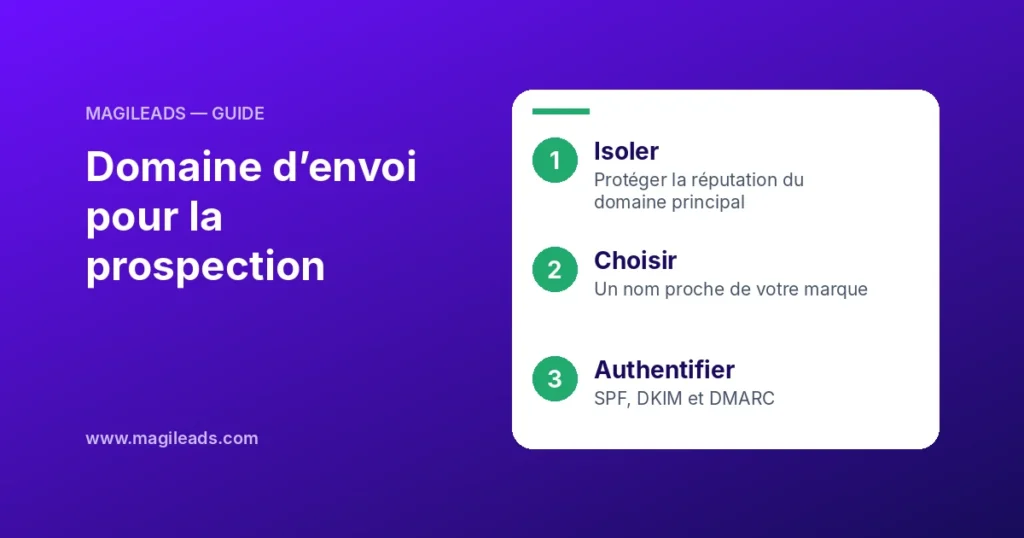
Using a separate sending domain for prospecting, distinct from your primary domain, is one of the best ways to protect your deliverability. If your cold email campaigns generate complaints or bounces, it's the reputation of this secondary domain that suffers, not the one that carries your customer emails, invoices, and communications with partners. Here's how to choose, configure, and scale it.
Target audience for prospecting: the essentials
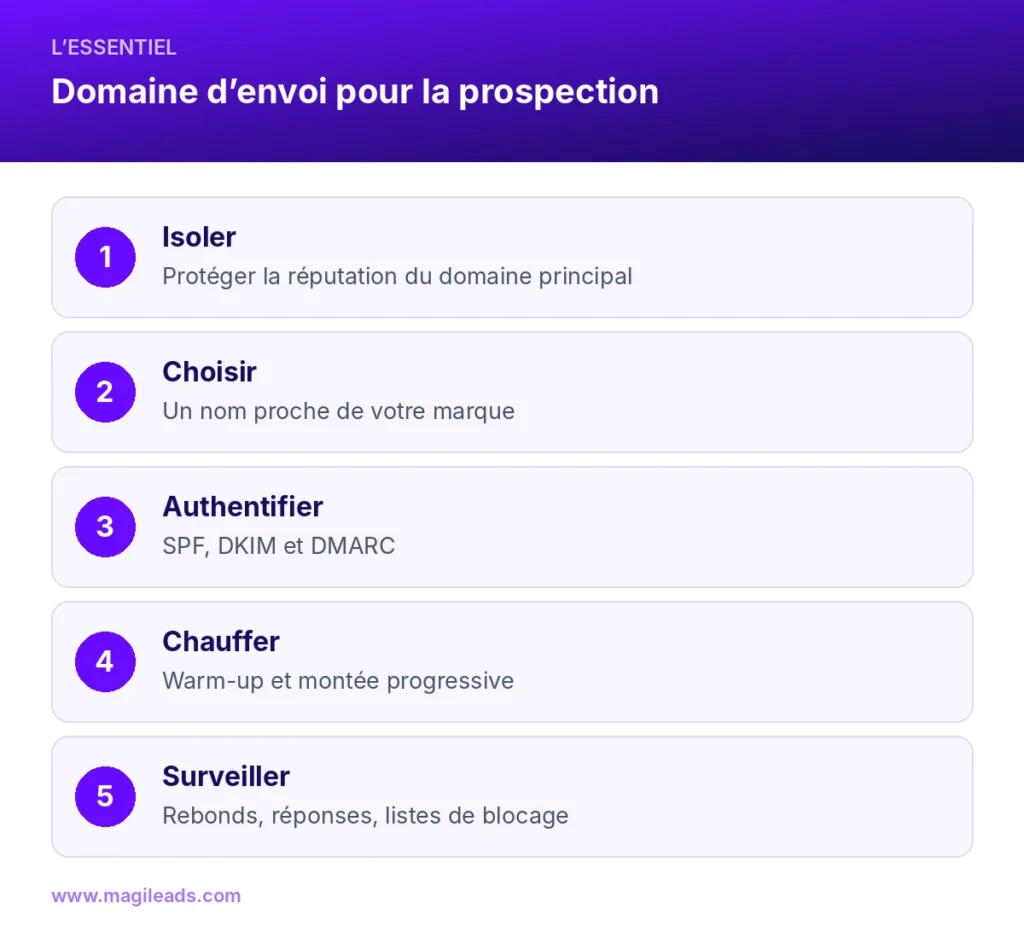
- Isolate : protect the reputation of the main domain.
- Choose : a name that is close to your brand.
- Authenticate : sPF, DKIM and DMARC.
- Warm-up : warm-up and gradual increase in intensity.
- Monitor : bounces, responses, blocklists.
Why use a sending domain for prospecting?
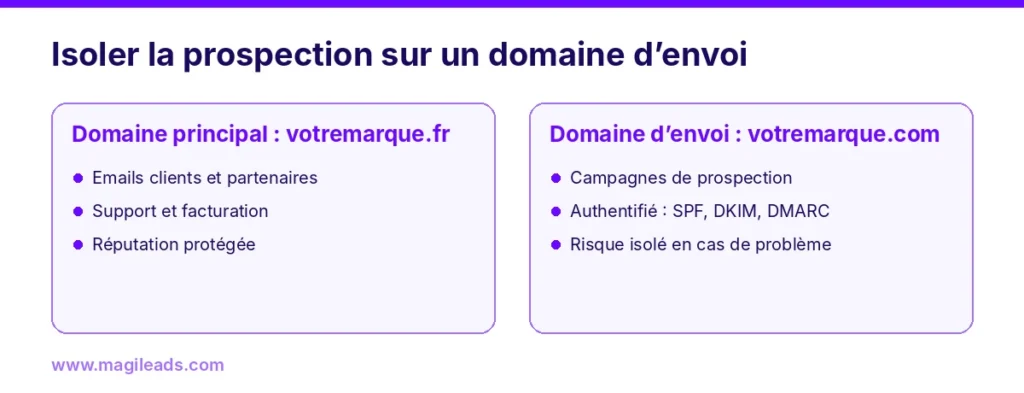
Email services like Gmail and Outlook assess the reputation of each sender's domain based on recipient feedback: opens, replies, spam filters, complaints, and invalid addresses. Prospecting, by its very nature, targets people who are unfamiliar with your brand. Even when well-executed, it exposes your domain more than a newsletter sent to existing customers.
A dedicated domain isolates this risk. If its reputation drops, you can slow down or correct your campaigns without emails from your team, support, or billing department ending up in spam.
How to choose your sending domain
The sending domain must remain clearly linked to your brand: a prospect who sees it should recognize your company. Here are some common options for a company whose website is yourbrand.fr :
| Option | Example | Namely |
|---|---|---|
| Another extension | yourbrand.com, yourbrand.io | Simple and easy to read, if the extension is available |
| Variant of the name | yourbrand-group.fr, getyourbrand.fr | Remain recognizable; avoid overly different variations |
| Subdomain | contact.yourbrand.fr | Partial isolation: the parent domain's reputation may be affected |
Avoid domains that mimic another brand, deliberate typos and generic names unrelated to your business: they arouse suspicion in recipients like spam filters.
Also consider redirecting the sending domain to your main site: a curious prospect who types the address into their browser should arrive at your site, not on a blank page.
Configure the sending domain for prospecting
1. Create real email accounts
Create personalized email addresses with a professional email provider (firstname@yourbrand.com rather than contact@ or noreply@). Prospects should reply to a specific person, and replies should arrive in an inbox that is actually checked.
2. Authenticate the domain: SPF, DKIM and DMARC
The sending domain must be authenticated like your primary domain: an SPF record listing authorized servers, a DKIM signature, and a DMARC policy. Without these three records, your emails risk being rejected or marked as spam. Everything is explained step by step in our SPF DKIM DMARC guide for prospecting.
3. Connect the addresses to your prospecting tool
In Magileads, each sending address connects via SMTP, using your email provider's settings. You then configure the random interval between two emails and the daily limit applied during the first fifteen days of a new address.
Scaling up a new domain
A brand new domain has no reputation. Sending hundreds of emails on day one is the best way to get it flagged as suspicious. The increase in traffic should be gradual.
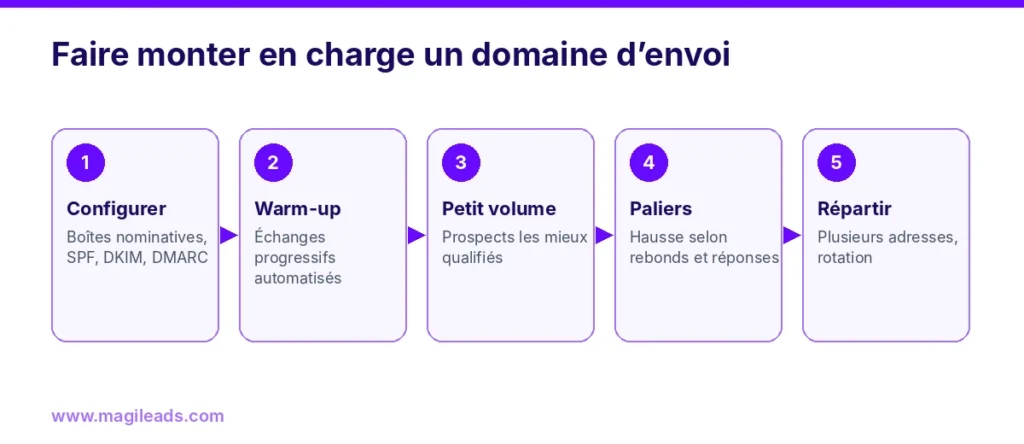
- Allow the domain to age for a few weeks if possible, to give time to configure the mailboxes and authentication.
- Start your warm-up : automated and progressive exchanges that build the reputation of your email addresses. Our email warm-up guide details the method.
- Start small : a few dozen prospecting emails per day per address, to your best qualified prospects.
- Increase gradually while monitoring bounces, responses, and unwanted bets.
- Distribute the volume across multiple addresses rather than pushing a single box.
Monitor the reputation of the sending domain
- Bounce rate : a high rate indicates poorly verified lists. Check your addresses before each campaign; our article on finding a prospect's email address explains how.
- Response rate : Regular responses are the best positive signal for messaging services.
- DMARC reports : they show who is sending on behalf of your domain and whether authentication is successful.
- Email tools : Google Postmaster Tools indicates your domain's reputation with Gmail when your volumes are sufficient.
- Blocklists : regularly check that your domain and IPs are not on them.
If your metrics start to decline, slow down immediately, clean up your lists, and rework your messages. Content quality also matters: check out our prospecting email templates and our article on email deliverability.
Mistakes to avoid
- Sending from an unauthenticated or partially configured domain.
- Launch a high-volume campaign on the day the domain is created.
- Use a domain with no visible link to your brand.
- Sending to unverified lists or lists purchased without verification.
- Forget about the unsubscribe link and managing objections.
- Believing that a dedicated domain allows everything: it's a protection, not an excuse to send untargeted messages.
How many domains and addresses should I plan for?
The right sizing depends on your prospecting volume. The principle is to distribute the mailings so that no address is contacted beyond a reasonable frequency.
- Small volume (one person prospecting): a sending domain and one or two addresses are often sufficient.
- Average volume (one team): one address per salesperson on the sending domain, or even two domains to spread the risk.
- Large volume (agency, multiple targets): several sending domains, each with a few addresses, and a rotation of addresses in campaigns.
In Magileads, address pools and rotation automatically distribute campaign mailings across multiple addresses. Random timing and delays between emails prevent flooding.
The sending domain in a multichannel prospecting campaign
The sending domain only applies to email. In a multichannel campaign, LinkedIn follows its own rules: the volume of invitations, the quality of the messages, and your account's behavior are what matter. Combining the two channels also reduces the number of emails needed: a prospect who has already viewed your profile or accepted your invitation is more likely to recognize your name in their inbox.
What to do if the sending domain is "burned"?
If a domain accumulates reports or ends up on a blocklist, don't immediately replace it with a new domain while maintaining the same practices: the problem will simply recur. First, identify the cause.
- Suspend campaigns from this domain.
- Analyze the indicators : bounces, complaints, DMARC reports, blocklists.
- Correct the cause : unverified lists, excessive volume, overly commercial message, incomplete authentication.
- Restart the warm-up and resume at a low volume.
- Change domains only if the reputation does not improve, and apply best practices from the start.
In any case, your main domain remains protected: that's the whole point of having isolated prospecting.
Managing your sending domain for prospecting in Magileads
In Magileads, the Senders screen brings together your email accounts, email pools, and LinkedIn accounts. For each address in your sending domain, you can see its status, signature, pool, and warm-up time. The interface also allows you to purchase an email address from OVH directly from the platform. The screenshot is from a demo account.
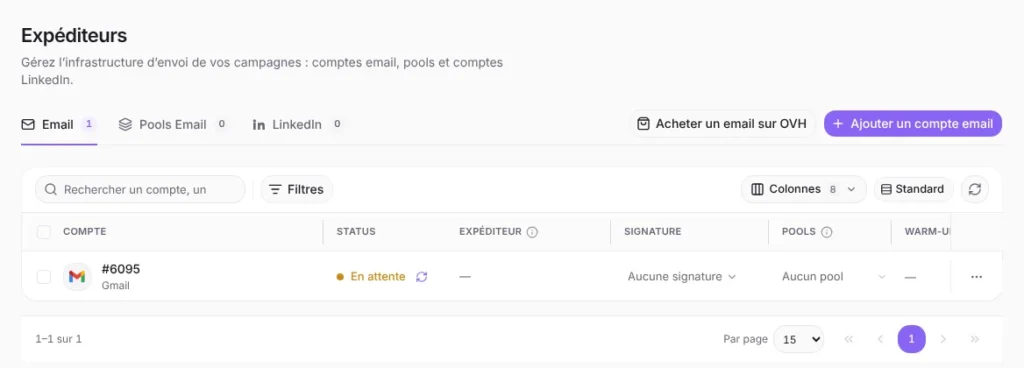
Grouping the addresses of your sending domain into a pool allows you to automatically distribute the sendings of a campaign between them, and therefore limit the volume of each address.
Sending domain checklist for prospecting
- The domain is closely related to your brand and redirects to your website.
- The boxes are labeled with names and are actually checked.
- SPF, DKIM and DMARC are published and valid.
- The warm-up is launched before the first campaigns.
- The volume increases in stages, address by address.
- Rebounds, responses, and blocklists are tracked weekly.
If all these points are checked, your sending domain for prospecting is ready to carry your campaigns without exposing your main domain.
Finally, keep this simple rule in mind: the sending domain for prospecting should be used solely for prospecting. Do not use it for newsletters, transactional emails, or communications with your clients. Each use case has its own reputation signals, and mixing them makes it harder to diagnose issues if deliverability drops. If you are prospecting in several very different markets, a separate sending domain for each market can also help you isolate the results for each target audience.
Frequently Asked Questions
- Is a sending domain for prospecting mandatory? No, but it is strongly recommended as soon as you send prospecting emails in volume.
- Subdomain or separate domain? A separate domain better isolates reputation; a subdomain remains linked to the reputation of the parent domain.
- How many addresses should you create on the sending domain? It depends on your volume: several moderately volumed addresses are better than a single highly used address.
- How long before sending volume? Allow several weeks for warm-up and gradual increase, adjusting according to your indicators.
Protect your sending domains
Magileads integrates warm-up, sending address pools, IP rotation, random delay between two sendings and a daily cap for new addresses.