Looking for alternatives to PhantomBuster ? PhantomBuster is known for its automations, called Phantoms, which extract data from platforms like LinkedIn and feed it into your marketing tools. Depending on your needs, a platform that combines data extraction, enrichment, and campaign delivery, or a more specialized data tool, might be a better fit. Here are five alternatives and the criteria for choosing the right one.
Alternatives to PhantomBuster: the essentials
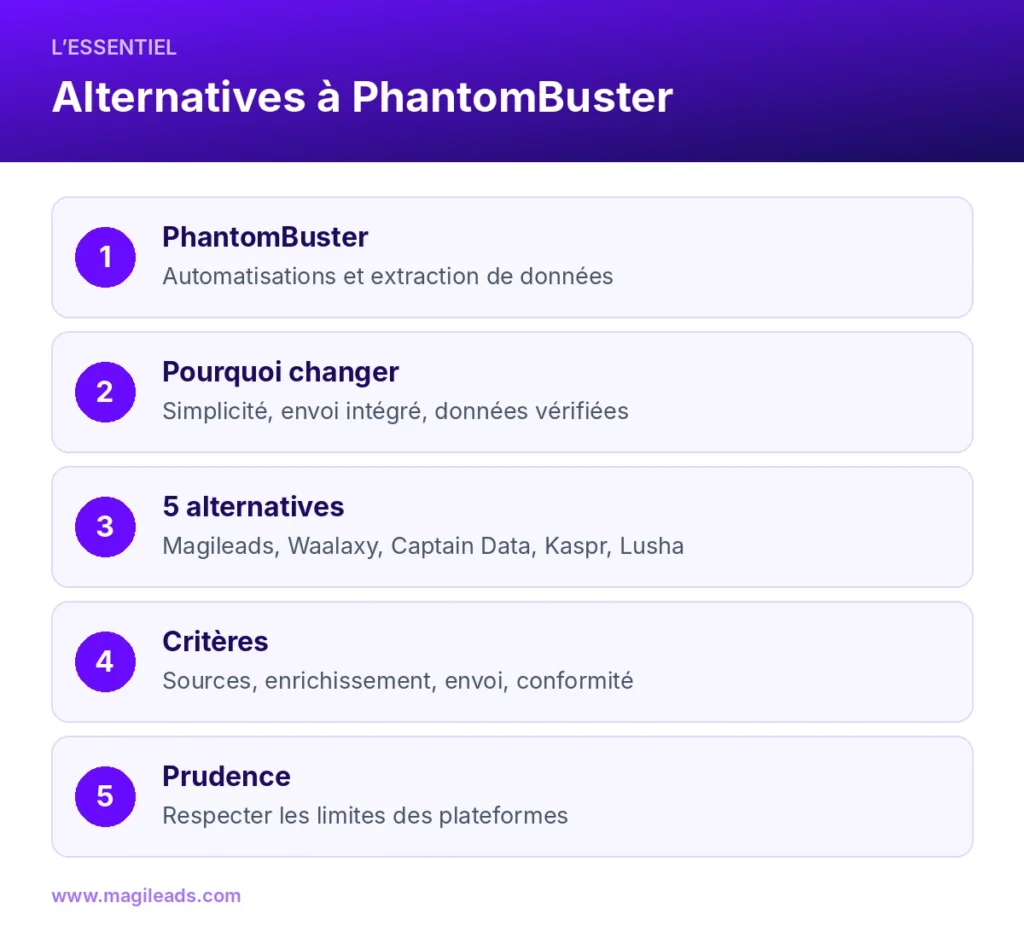
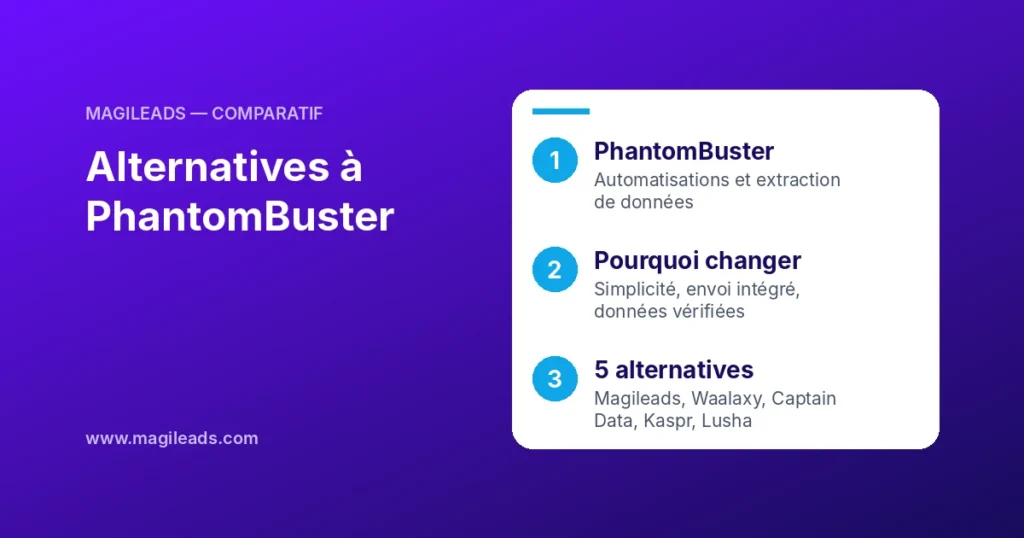
- PhantomBuster : automation and data extraction.
- Why change : simplicity, integrated sending, verified data.
- 5 alternatives : magileads, Waalaxy, Captain Data, Kaspr, Lusha.
- Criteria : sources, enrichment, sending, compliance.
- Caution : respect the limits of the platforms.
The information comes from the publishers' official websites (homepages, help centers, and product pages), accessed on November 26, 2026. Prices are not listed; they change frequently. Always check the official pages before making a purchase.
What PhantomBuster offers
PhantomBuster's help center presents two main components: Phantoms, which are automations dedicated to a specific task on a given platform, and Workflows, which link several steps together. The company highlights outbound workflows, real-time lead collection, lead prioritization, data enrichment (particularly emails) with filters and AI, a browser extension, and results synchronization to your CRM or sending tools via Zapier, Make, or an API.
It's a powerful and flexible tool, highly valued by growth professionals. This flexibility comes at a price: you have to choose the right Phantoms, configure inputs and outputs, monitor platform limitations, and connect another tool to send campaigns.
Why look for alternatives to PhantomBuster?
The reasons for seeking alternatives to PhantomBuster are rarely related to the quality of the tool. They are more related to the team's organization and what they want to do with the extracted data.
- Simplicity : you want a ready-to-use interface rather than automations to assemble.
- Integrated sending : you want to extract, enrich and contact your prospects in the same tool, without exporting.
- Verified contact details : your priority is to obtain reliable emails and phone numbers, not raw data.
- The limitations of the platforms : you want to reduce the number of tools connected to your LinkedIn account.
- The support : you want support in French.
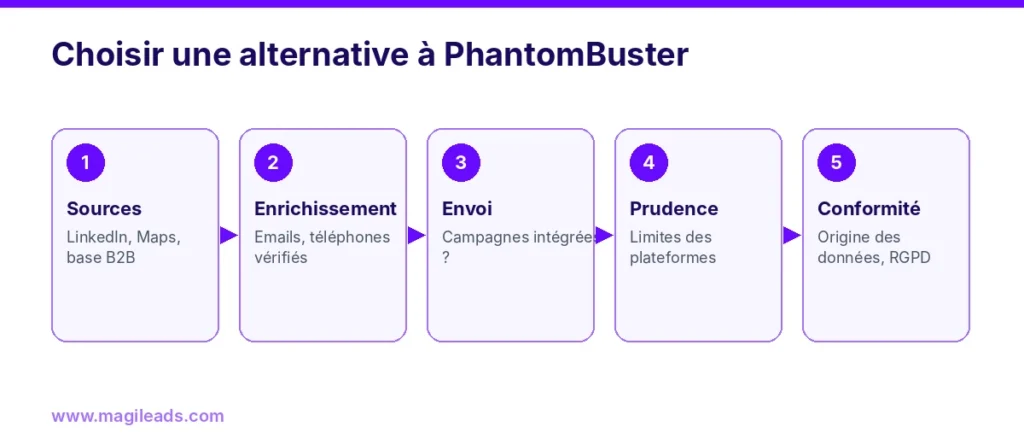
The 5 best alternatives to PhantomBuster
1. Magileads : Extraction, enrichment, and campaigns combined
Magileads lets you build lists from multiple sources: an AI assistant that constructs the list based on your target audience's description, LinkedIn (searches, Sales Navigator, posts, job postings, groups and events, likes and comments extracted), Google Maps for local businesses, CSV or Excel file import, and synchronization via Zapier and Make. Contacts are then enriched and verified, and integrated into multichannel email and LinkedIn campaigns, with built-in lead tracking. It's the most direct alternative to PhantomBuster if you want to go from extraction to campaign without switching tools.
2. Waalaxy: LinkedIn prospecting made easy
Waalaxy automates prospecting on LinkedIn (invitations, messages, follow-ups) and adds email, with an Email Finder and a centralized LinkedIn inbox. It's suitable if your use of PhantomBuster was limited to LinkedIn and you're primarily looking for simplicity. See our Magileads vs. Waalaxy.
3. Captain Data: the B2B data API
Captain Data presents itself as a people and company data API for AI agents and B2B SaaS vendors. The company boasts over 750 million profiles and enables the discovery and enrichment of information about people and companies based on a LinkedIn URL, name, or domain. It's an alternative to PhantomBuster for technical teams looking to integrate data into their own tools.
4. Kaspr: Contact details from LinkedIn
Kaspr reveals email addresses and phone numbers from LinkedIn profiles, groups, and events using a Chrome extension, and enriches CSV files with LinkedIn URLs. It's a good alternative if you were primarily using PhantomBuster to retrieve contact information. See our Kaspr vs. Lusha.
5. Lusha: the B2B data platform
Lusha offers an extension (LinkedIn, CRM, websites, Gmail), a workspace for searching and enriching contacts and companies, buying signals, an API, and an MCP server. It's suitable for teams that want ready-to-use data rather than automations they have to build from scratch.
Comparative table of alternatives to PhantomBuster
| Tool | Approach (official website) | Sending campaigns | For whom |
|---|---|---|---|
| PhantomBuster | Automation (Phantoms, Workflows), data extraction and enrichment | Via other tools (Zapier, Make, API) | Growth profiles, technical teams |
| Magileads | Multi-source extraction, enrichment, campaigns, lead tracking | Yes: email and LinkedIn (SMS and voice are optional and payable) | Teams that want everything in one tool |
| Waalaxy | Automated LinkedIn prospecting, email as a complement | Yes: LinkedIn and email | LinkedIn-centric salespeople |
| Captain Data | People and Business Data API | No | Technical teams, SaaS publishers |
| Kaspr | LinkedIn extension, emails and phones | No | Salespeople who need contact information |
| Lusha | B2B Data and Intelligence Platform | Email sequences based on the offer | International teams |
What alternative to PhantomBuster do you need?
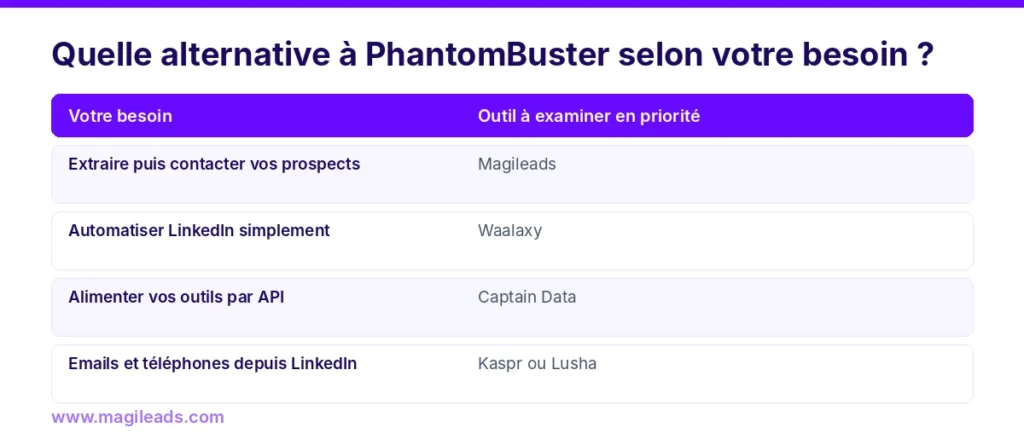
To choose among the alternatives to PhantomBuster, start with how you actually used the tool. If you were extracting LinkedIn lists to then contact people, a platform that combines extraction and campaigns will save you the most time. If you were mainly looking for contact information, an enrichment tool will suffice. If you were feeding data into your own applications, a data API is the right solution.
- Extract and then contact your prospects : Magileads.
- Automate LinkedIn simply : Waalaxy.
- Power your tools via API : Captain Data.
- Obtain emails and phone numbers from LinkedIn : Kaspr or Lusha.
Data extraction and platform limitations
Regardless of the tool, extracting data from LinkedIn or other platforms requires caution. Platforms set usage limits and may restrict an account whose activity appears automated. Keep volumes reasonable, space out your actions, avoid connecting the same account to multiple automation tools simultaneously, and prioritize sources that don't access your personal account whenever possible, such as a B2B database or Google Maps.
From a regulatory standpoint, the personal data extracted remains subject to the GDPR: you must be able to justify its origin, limit its use to marketing related to the individuals' roles, and respect their right to object. Our article on marketing and the CNIL (French Data Protection Authority) outlines the rules.
Migrate from PhantomBuster
Before leaving PhantomBuster, export your Phantom results (lists, profiles, emails), as well as your exclusion lists. Identify the automations you're actually using: many teams only use two or three. Recreate them in your chosen alternative, test them on a small sample size, then deactivate the old ones to avoid duplication and parallel actions on the same account.
A successful migration can be measured in just a few weeks: the number of leads extracted, the percentage of contact details verified, the time spent on setup, and, most importantly, the number of appointments booked. An alternative to PhantomBuster that requires less effort and produces directly usable lists can quickly compensate for the loss of flexibility.
Mistakes to avoid
The first mistake is to replicate the same stack of tools: extraction in one tool, enrichment in another, sending in a third, and tracking in a fourth. Each export is an opportunity to lose exclusions or create duplicates. The second mistake is to judge alternatives to PhantomBuster based on the number of features rather than your actual use case. The third is to forget to verify the extracted emails: an unverified list quickly damages the reputation of your sending addresses. To learn more, see our overview of B2B scraping tools.
How to test alternatives to PhantomBuster
To objectively compare alternatives to PhantomBuster, replicate the same use case in each, for example, extracting information from people who have commented on a LinkedIn post in your industry, followed by enriching their email addresses and contacting them. Measure the setup time, the number of contacts obtained, the percentage of verified email addresses, and the number of responses. This practical test will teach you more than a demonstration or a list of features.
Also consider the maintenance workload. An automation system that breaks down as soon as a platform changes its interface will cost you time every month. An alternative to PhantomBuster, which manages these changes itself, can represent a significant saving for a small team without technical expertise.
Frequently Asked Questions
- What is the best alternative to PhantomBuster? It depends on your use: Magileads to extract and then contact in the same tool, Waalaxy for LinkedIn, Captain Data for a data API, Kaspr or Lusha for contact details.
- Is there a code-free alternative to PhantomBuster? Yes: Magileads, Waalaxy, Kaspr and Lusha can be used without any technical configuration.
- Is data extraction from LinkedIn permitted? LinkedIn regulates the use of automated tools and can restrict an account. Extracted data remains subject to the GDPR. Be cautious with the volume of data extracted and justify its origin.
- Can you retrieve likes and comments from a LinkedIn post? Yes, several tools allow this, including Magileads, which extracts the people who liked or commented on a post to integrate them into your campaigns.
Extract and contact your prospects all in one tool
LinkedIn, Google Maps, B2B database, enrichment and email campaigns + LinkedIn: try Magileads free for 14 days.