
White label solution in your colors
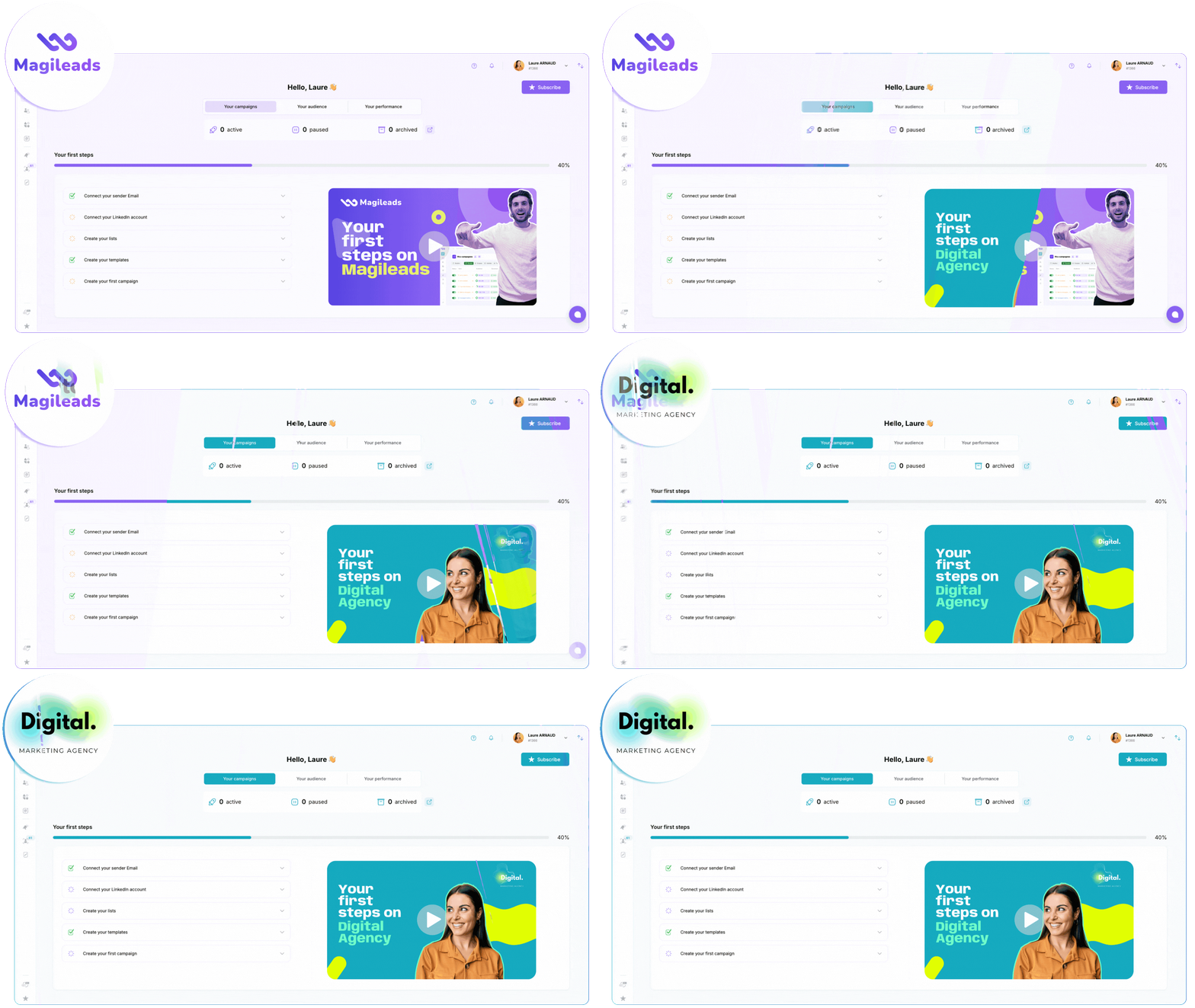
Discover Magileads' white label solution that can transform your agency.
Customize and resell services under your own identity with ease.
Magileads' white-label solution offers agencies and consultants a unique opportunity to enhance their service portfolio. In this article, we'll explore the features, benefits, and steps involved in creating your own customized platform.
However, it is essential to understand that each element is crucial to the success of this approach, as it can directly influence customer satisfaction. While the benefits are clear, there are challenges to overcome, but these can be addressed with proper planning.
Contents
Introduction to White Labeling
Magileads' white-label solution is a powerful SaaS application that allows businesses to customize and resell services under their own brand. Using this approach, you can create a platform that reflects your brand while leveraging existing infrastructure and technologies. This allows you to focus on your core business while still delivering high-quality services to your customers .
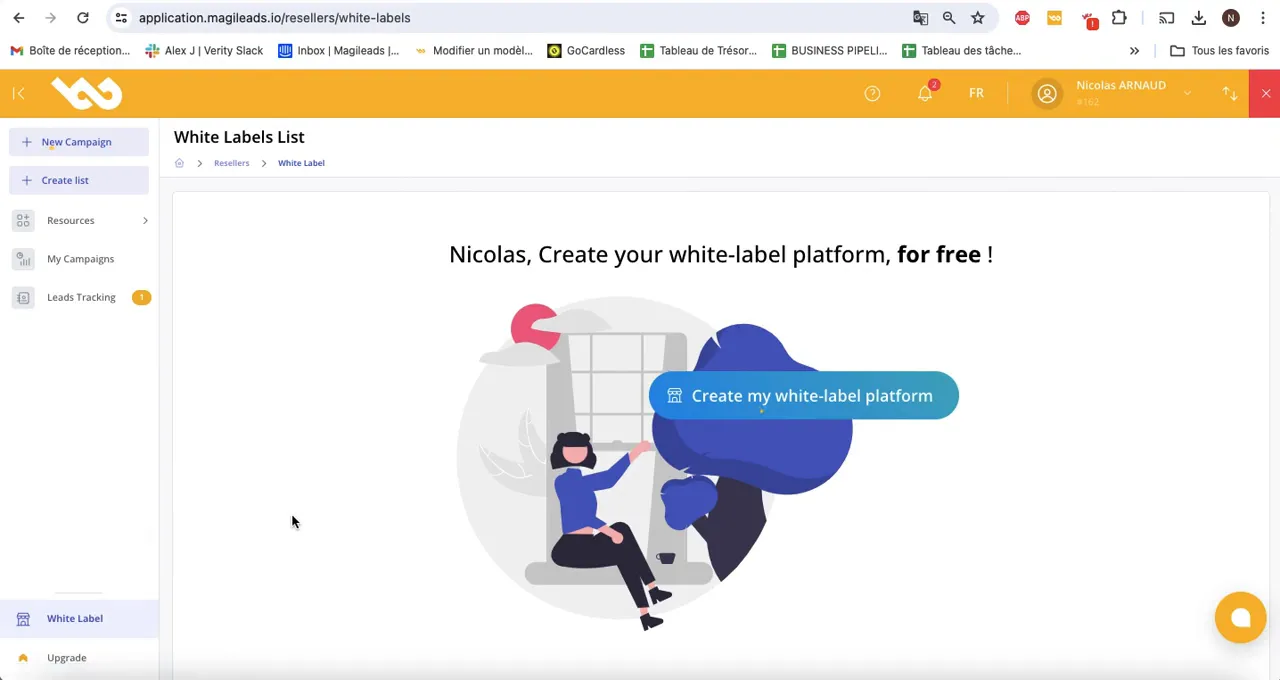
Creation of your platform as a white-label solution
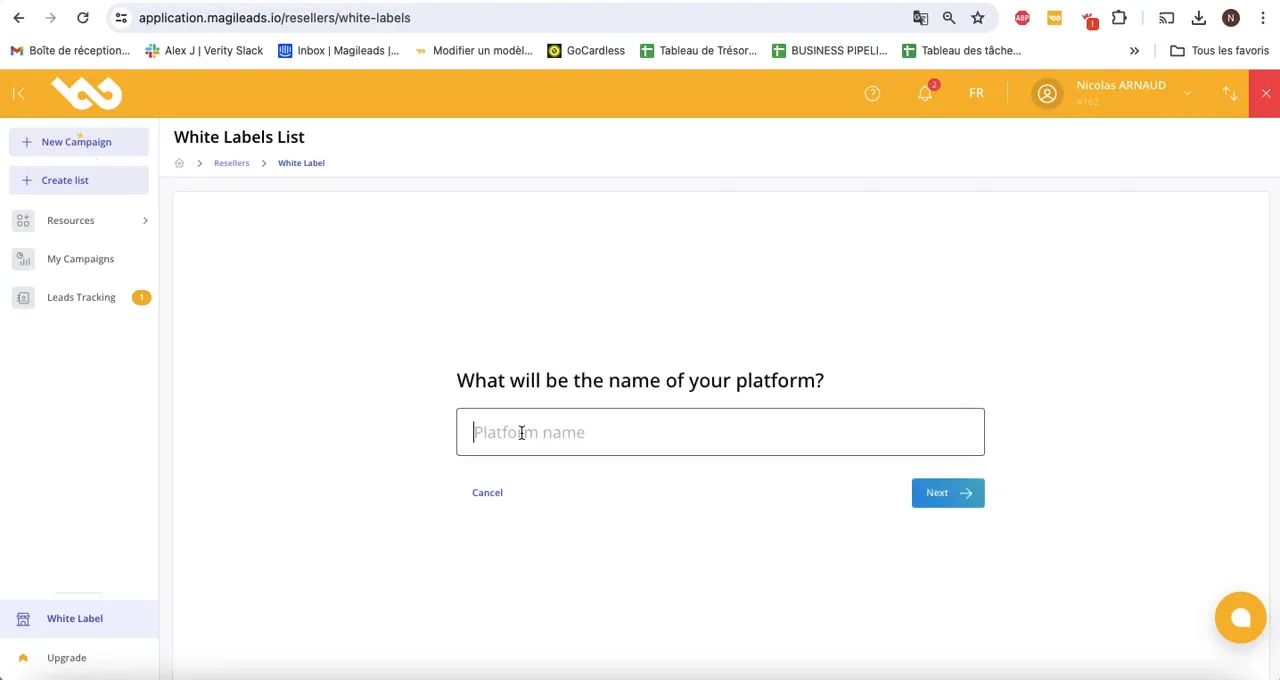
Creating your platform as a white-label solution begins with configuring your environment. You'll need to select a name for your platform, which will serve as your brand identity. This name can be changed later if necessary; however, it's crucial to carefully consider this choice. Because it will influence the perception of your brand, you must choose wisely. Keep in mind that while the name may evolve, it should always reflect your values.
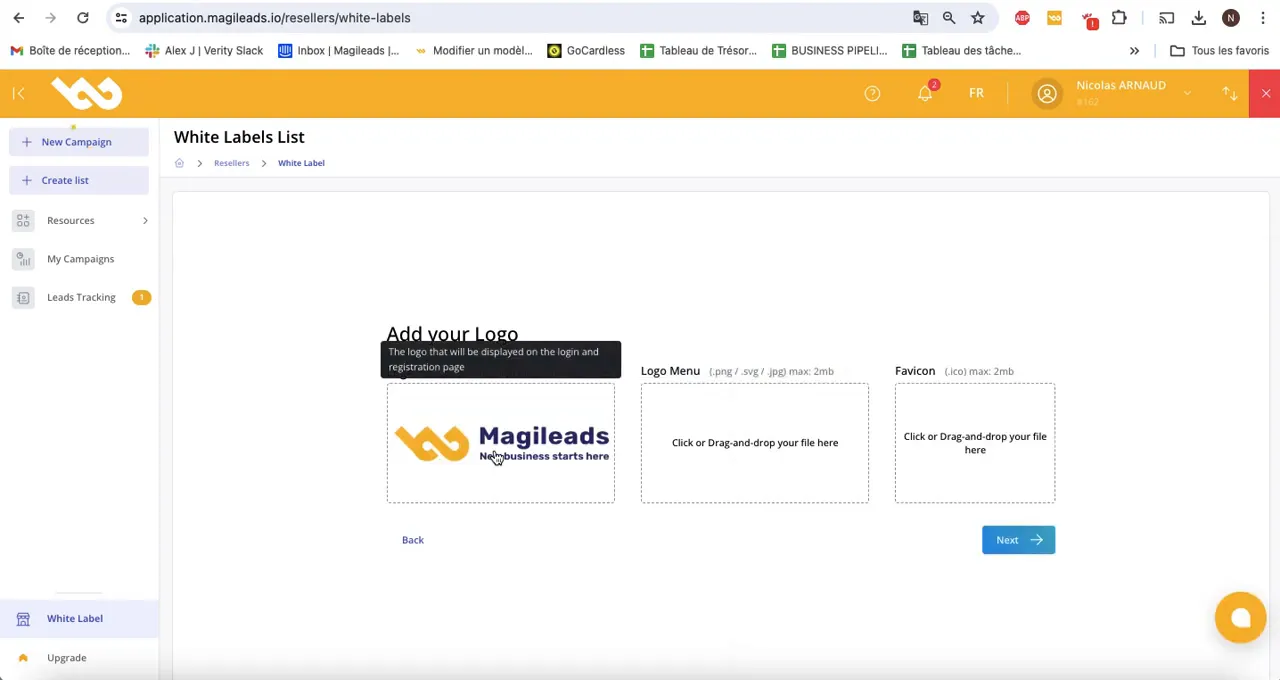
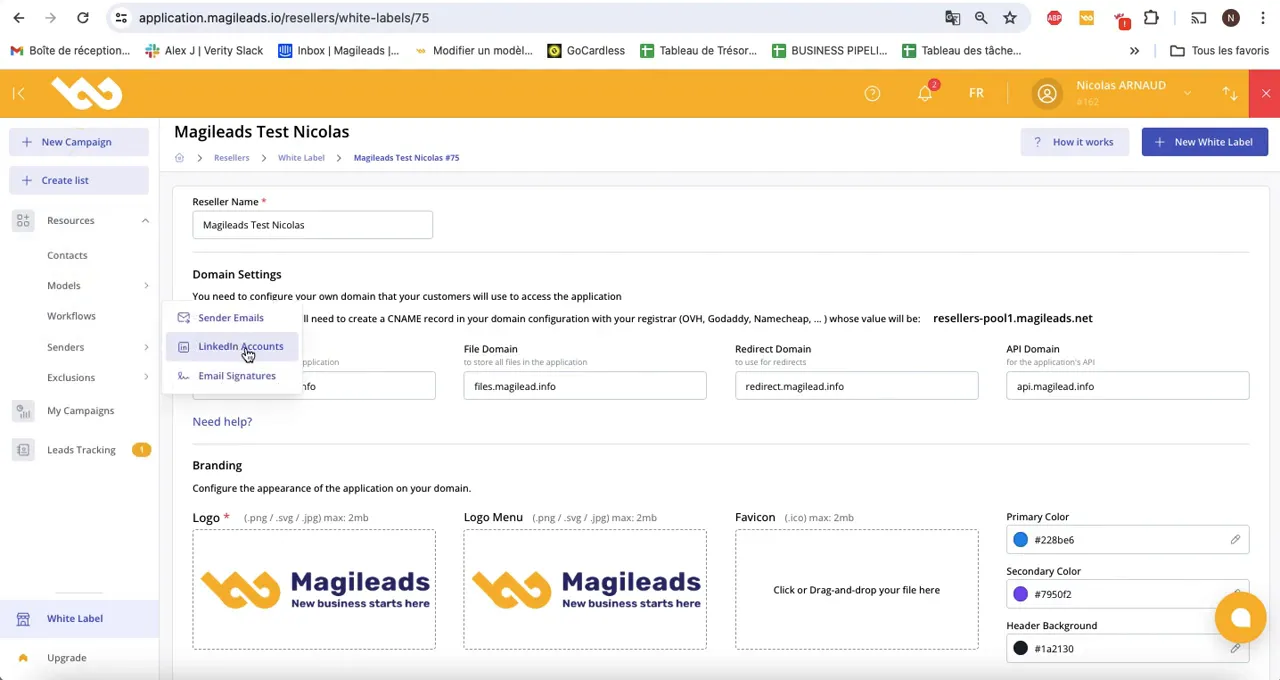
Once you have chosen the name for your white label solution, the system will ask you to upload your logo; however, you can also add a second logo for other sections of the platform.
This ensures that all parts of your user interface are consistent with your visual identity, because this uniformity is essential. However, it's important to consider that each logo must accurately reflect your brand, but this can sometimes present challenges.
Adding Logo and Customization to Magileads' White Label Solution
Once you've set up the name, it's time to add your logo. This process is simple and allows you to upload a file directly from your computer. Make sure the logo is high quality so it's clearly visible on the platform. However, this can be challenging because some file formats aren't compatible. That said, it's crucial to check the format before uploading.
In addition to the main logo, you can also add a logo for your white-label solution's menu and an icon that will appear in your browser tab. This contributes to a more consistent and professional user experience, which is important. Some might argue that this is superfluous, since the main logo remains the most important element. However, while it may seem minor, this attention to detail strengthens the brand image of your white-label solution.
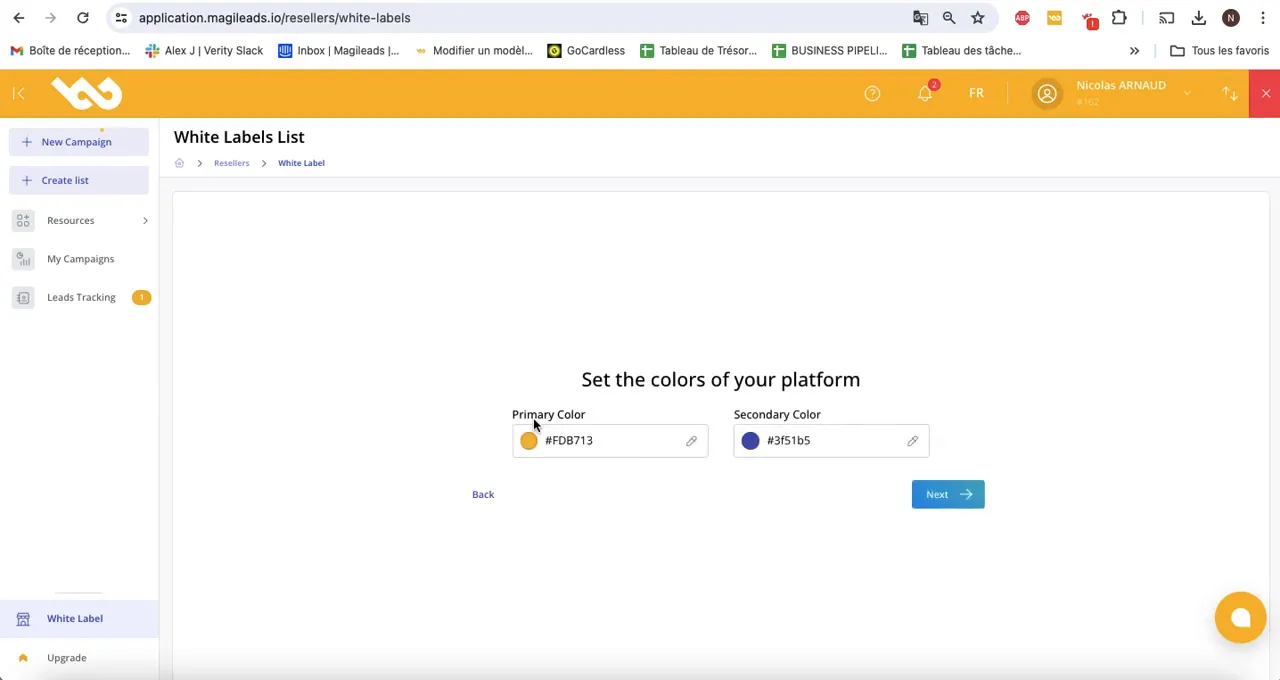
White Label Solution Color Configuration
Color customization is a crucial aspect of creating a white-label platform. You'll have the option to choose a primary color to be used in interface elements, such as the header and notifications. A secondary color can also be selected for buttons and other interactive elements; however, this can be complex because color choices influence the user experience. It's essential to keep in mind that each color can evoke different emotions. That said, while choosing colors for your white-label solution may seem straightforward, it requires careful consideration to ensure visual consistency.
These color choices help strengthen the visual identity of your white-label solution, ensuring a pleasant user experience that is also consistent. However, this process can be complex, as each chosen shade can influence the overall perception. That said, it is crucial to consider these elements.
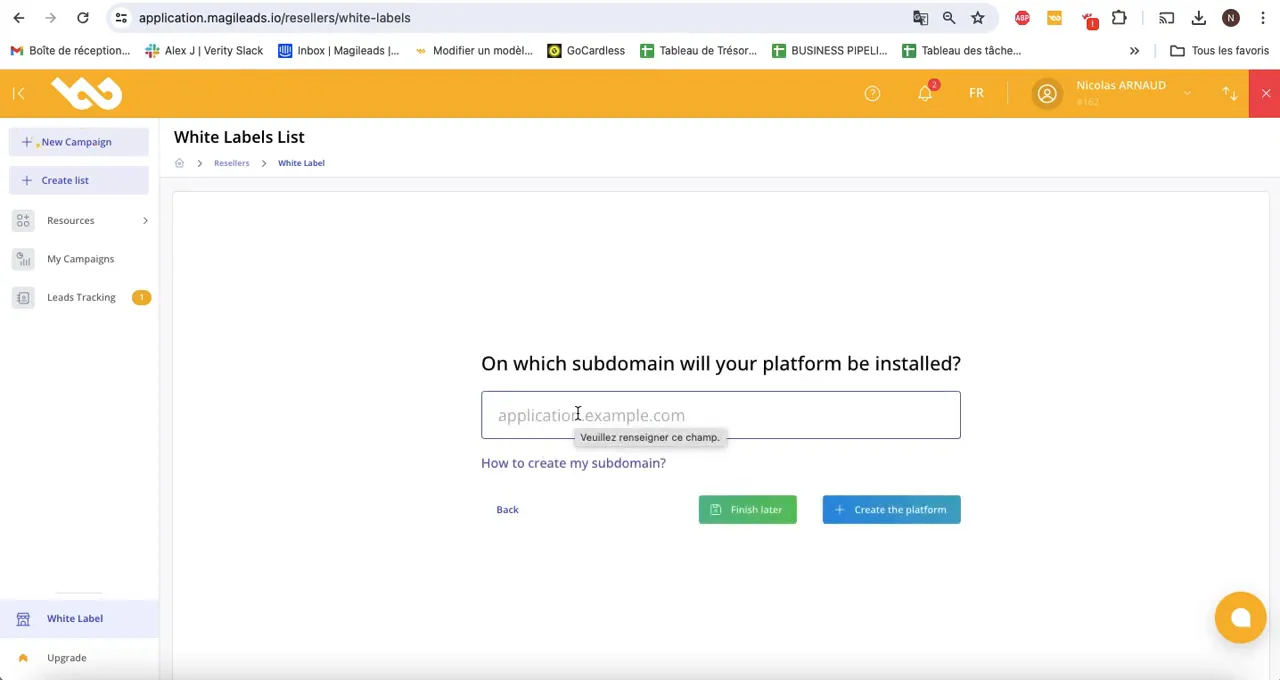
Creation of the Subdomain of your white label solution
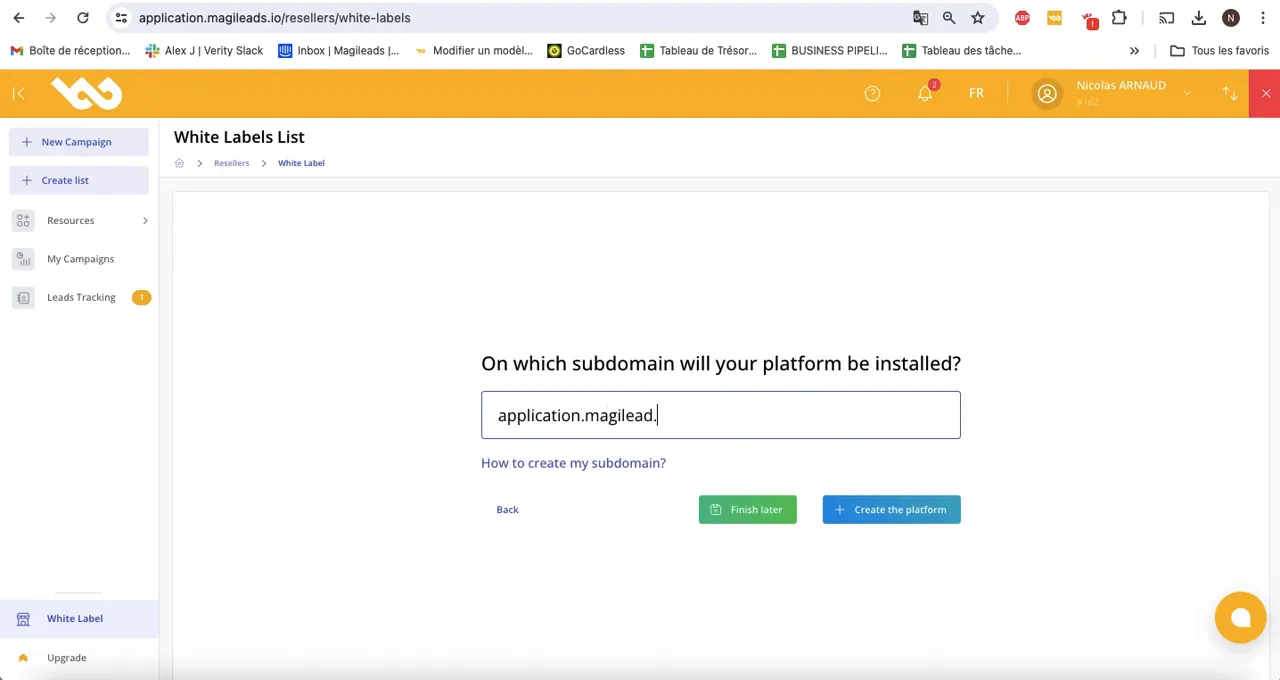
The final step in setting up your white label is to create a subdomain. This subdomain will be the URL from which your customers access your platform. For example, you could choose something like “application.yourcompany.com”; however, it's important to note that this choice should be carefully considered, as it will influence the user experience.
To do this, you will need to access your hosting provider and configure the DNS settings by adding a CNAME record. This step may vary slightly depending on your hosting provider; however, the basic principles remain the same.
Once you have configured the subdomain for your white-label solution, there may be a propagation delay. This means your subdomain may not be immediately accessible; however, this is normal and should be resolved quickly.
After deployment, you will be able to access your white-label solution via the URL you configured. You can then begin using your white-label solution to manage your clients and services; however, this requires some preparation, as implementation can be complex. You need to pay close attention, but it's worth the effort, as this process will give you greater control over your offering. While challenges exist, you can overcome them with proper planning.
Validation of your white label solution configuration
Once your white-label platform is created, it's essential to validate the entire configuration. This includes verifying your logo, chosen colors, and the subdomain configuration of your white-label solution. Ensure that each element reflects your brand identity; however, there may be details to adjust based on your specific criteria. This is crucial because, without this validation, you risk compromising your brand image.
To do this, log in to your platform and navigate to your white-label solution settings. Verify that the logo is clearly visible in the header and that the colors are consistent across the entire platform. If adjustments are needed, you can easily make them from the administration interface; however, this may take some time.
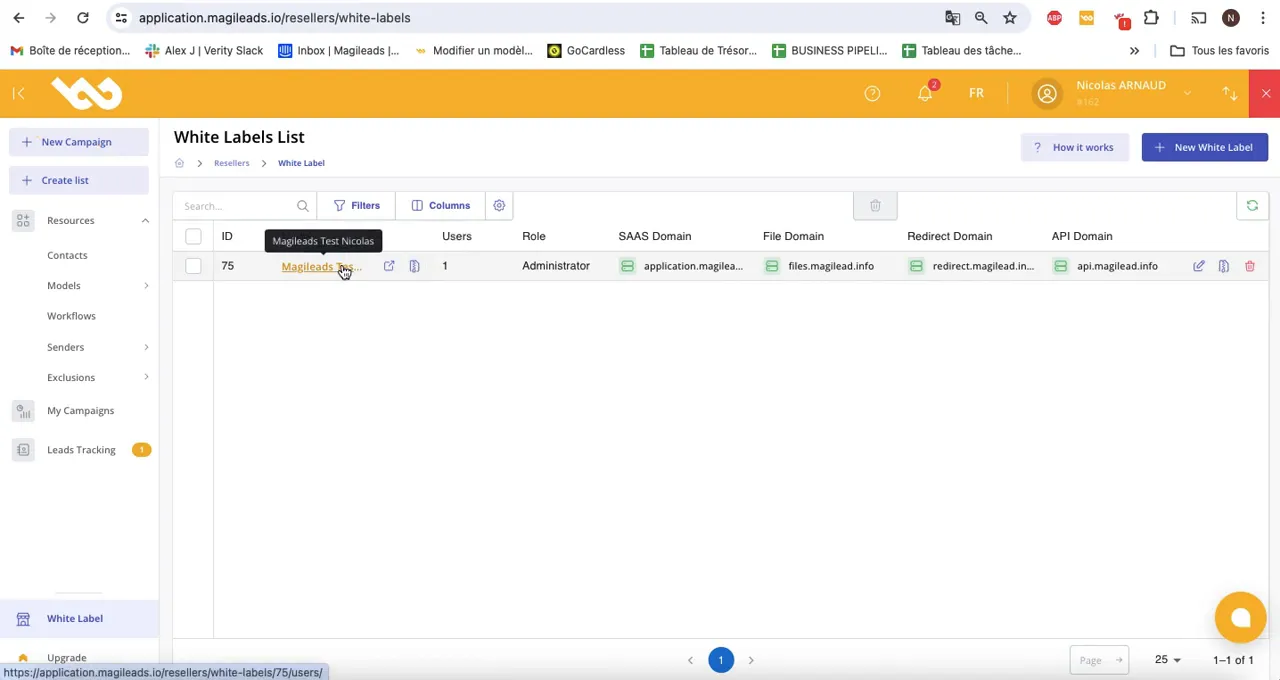
Access to your white-label solution
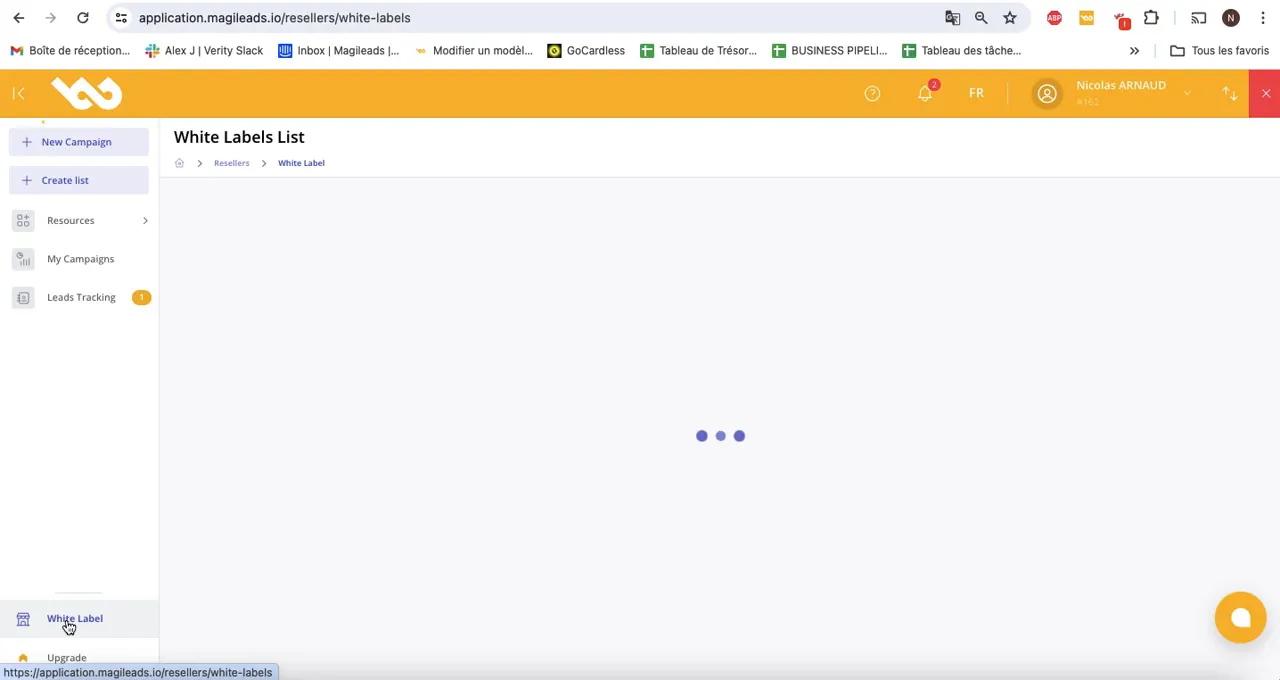
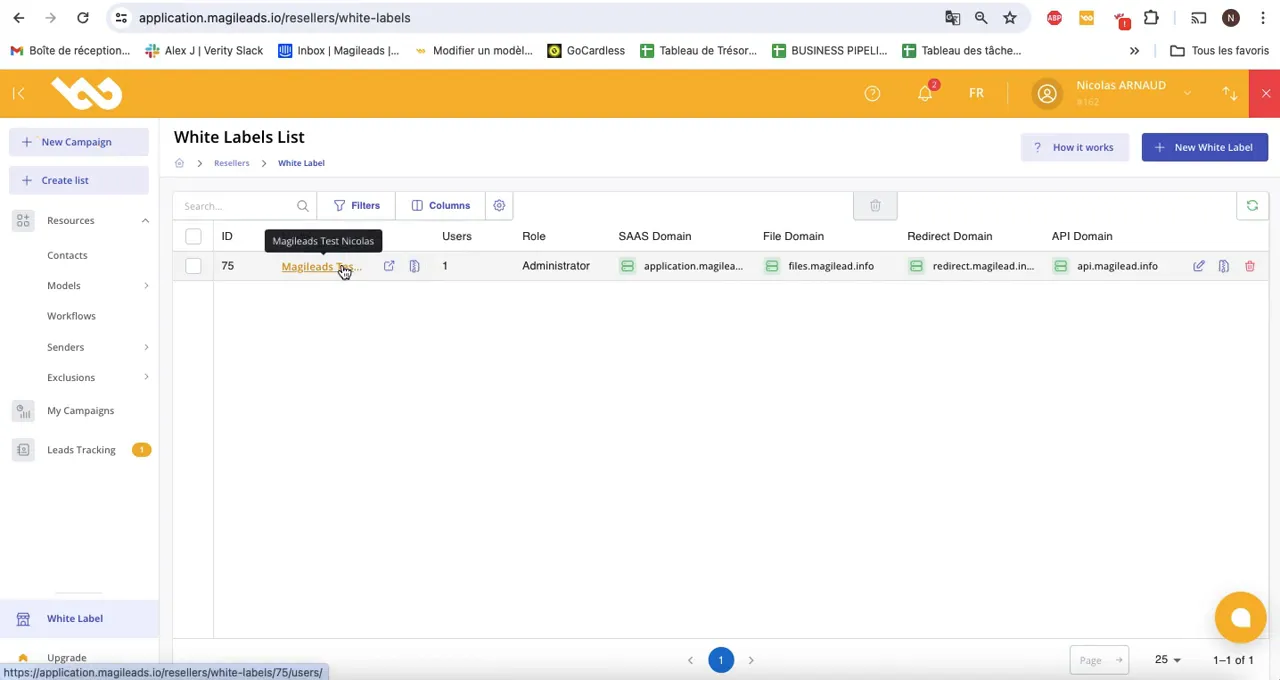
To access your white-label site, use the URL configured during setup: this will take you directly to your customized platform. As an administrator, you will have access to all features and user management settings ; however, you must be careful because some actions may have consequences. While the platform is intuitive, it's important to familiarize yourself with the available tools to maximize efficiency.
It's crucial to test this URL to ensure your white-label solution is working correctly.
If you encounter access problems, check the DNS configuration and ensure propagation is complete; however, this can take time. While it may seem simple, following these steps is essential , as errors can occur.
User management for your white-label solution
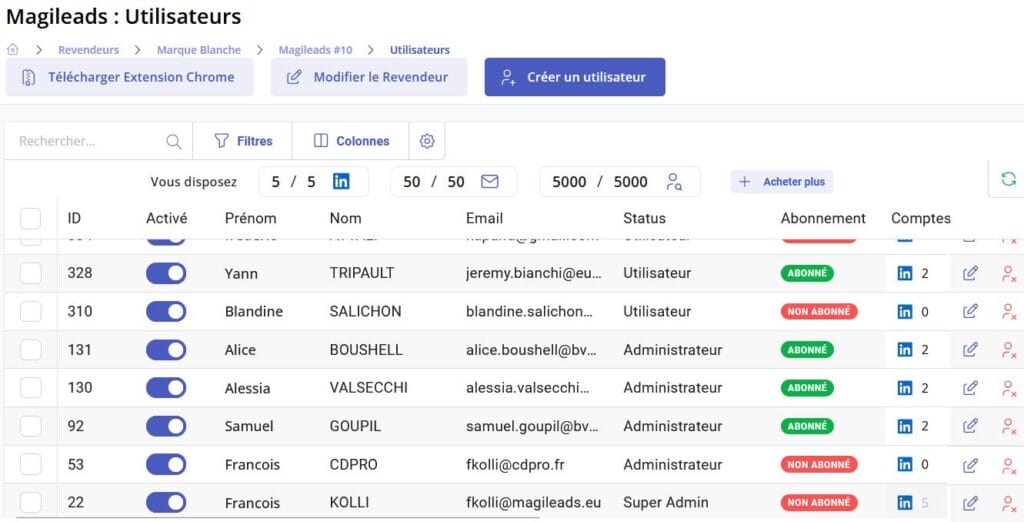
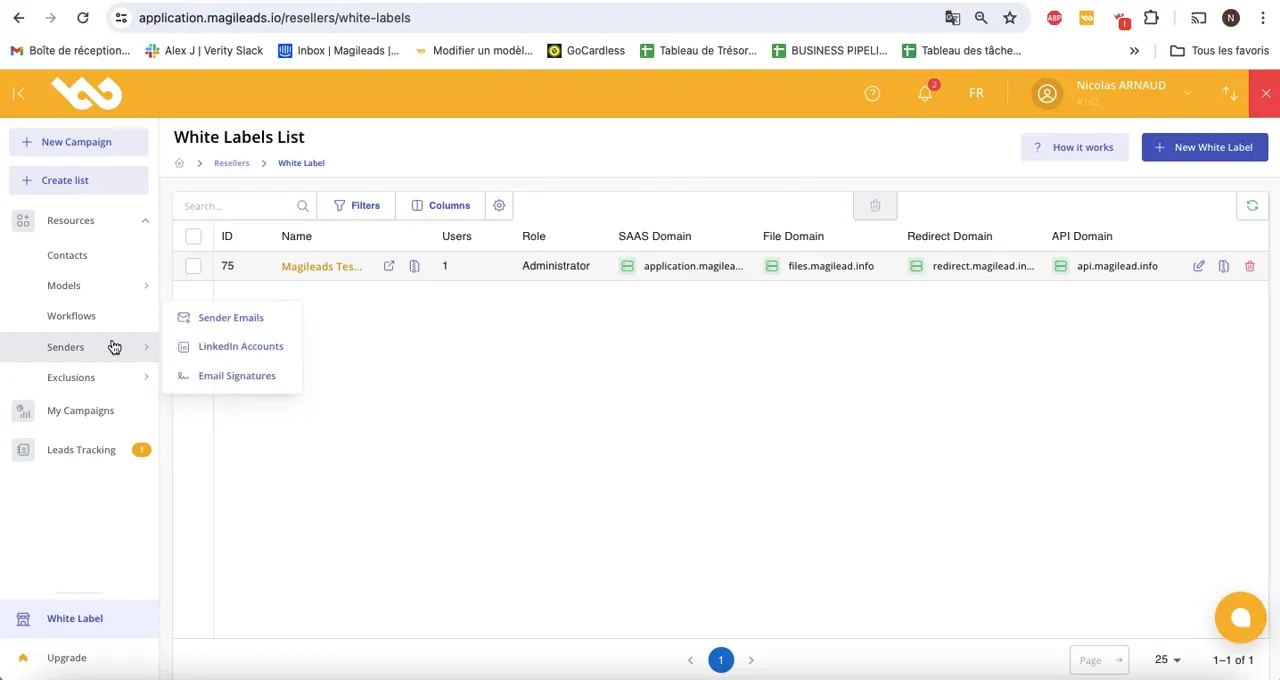
User management is a key feature of your white-label platform. As an administrator, you can create accounts for your clients and manage their access rights. This allows you to control who can see and use which features. However, this task requires careful attention because data security is paramount. Therefore, you must pay close attention to the permissions granted, even though it may seem tedious.
To create a new user for your white-label solution, go to the user management section and click "Create User." Fill in the required information and assign the appropriate access rights. You can also modify the access rights of an existing user at any time. However, it is essential to verify these rights, as they can impact security. While this process may seem simple, it requires careful attention.
Advanced features of your white label solution
Magileads' innovative white-label platform offers several advanced features that enhance the user experience. These include analytics tools, automation options, and integrations with other systems. While these tools are numerous, they don't always guarantee optimal use, as users may still need to adapt to them.
These features allow your users to optimize their campaigns and track their performance in real time: for example, the analytics tool can provide detailed reports on user engagement. Furthermore, automation options simplify marketing processes, although this can vary depending on specific needs.
Customized Knowledge Base for your white-label solution
Another important feature of your white-label solution is a custom knowledge base. This database contains articles, guides, and tutorials that help your users navigate the platform and get the most out of its features. However, this can be challenging because maintaining the relevance of the information is crucial.
The knowledge base is automatically configured with your logo and colors, providing a consistent experience for your users. They can access this resource without ever knowing that Magileads is behind the platform; however, this doesn't affect the user experience. Because the design is so subtle, this integration often goes unnoticed.
To enrich your white-label solution's knowledge base, you can also add your own articles and resources. This will answer your users' frequently asked questions and improve their overall experience. However, it's essential to consider that this addition can also present challenges, as it requires proper management. Keep in mind that quality is more important than quantity, and this can make the process more complex.
In short, implementing your white-label solution with Magileads allows you to offer a complete and customized solution to your clients. Thanks to advanced features, efficient user management, and a comprehensive knowledge base, you can provide significant added value to your offering. However, it's important to note that the quality of this white-label solution will also depend on your clients' specific needs. Because these needs can vary, it's essential to carefully analyze each case. While powerful tools are valuable, they will never replace human interaction.
To learn more about how to optimize your BtoB prospecting, see this article: Discover how Magileads can transform your BtoB acquisition strategy with an integrated omnichannel platform.
Finally, feel free to explore other resources to deepen your understanding of prospecting techniques. For example, this article on how to create an effective prospecting plan in 4 steps could be very helpful.
Google Chrome extension for your white-label solution
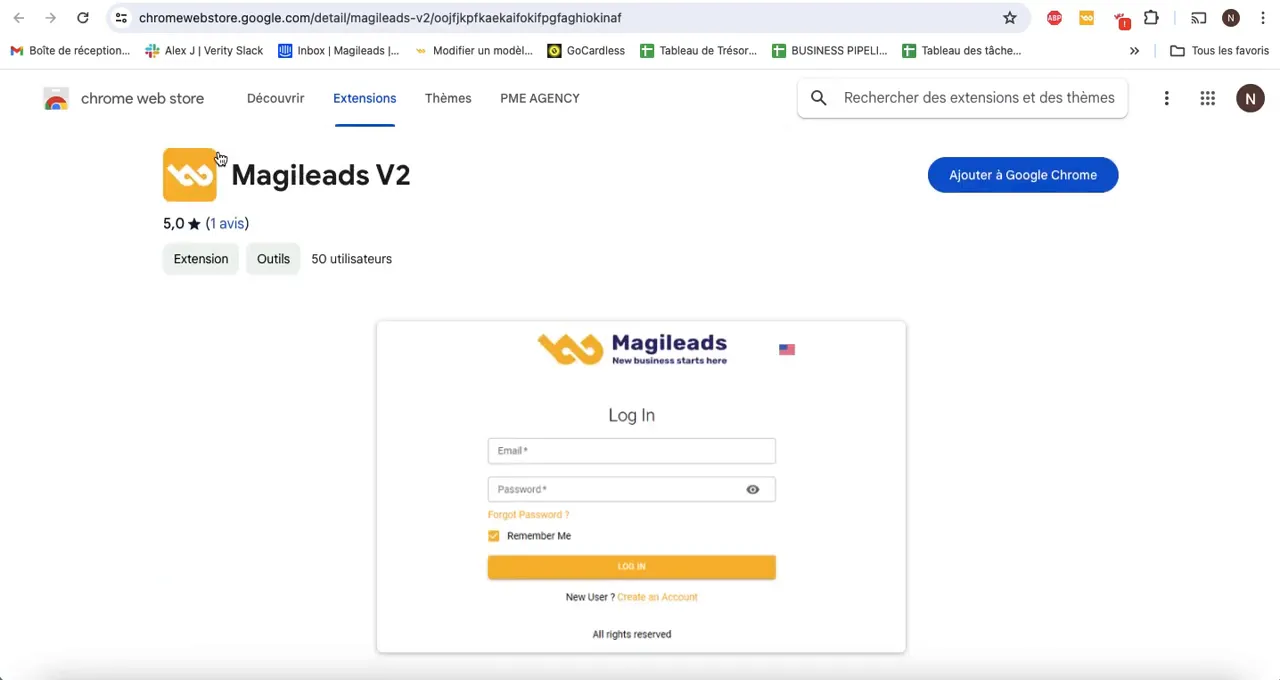
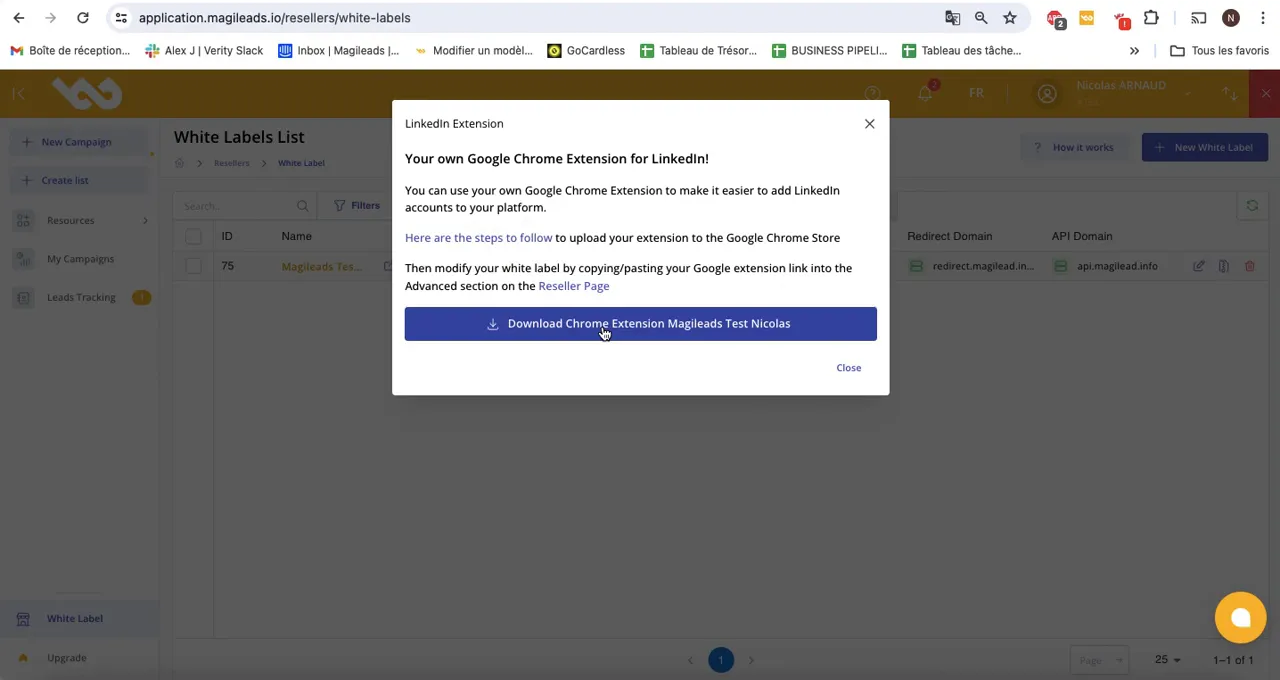
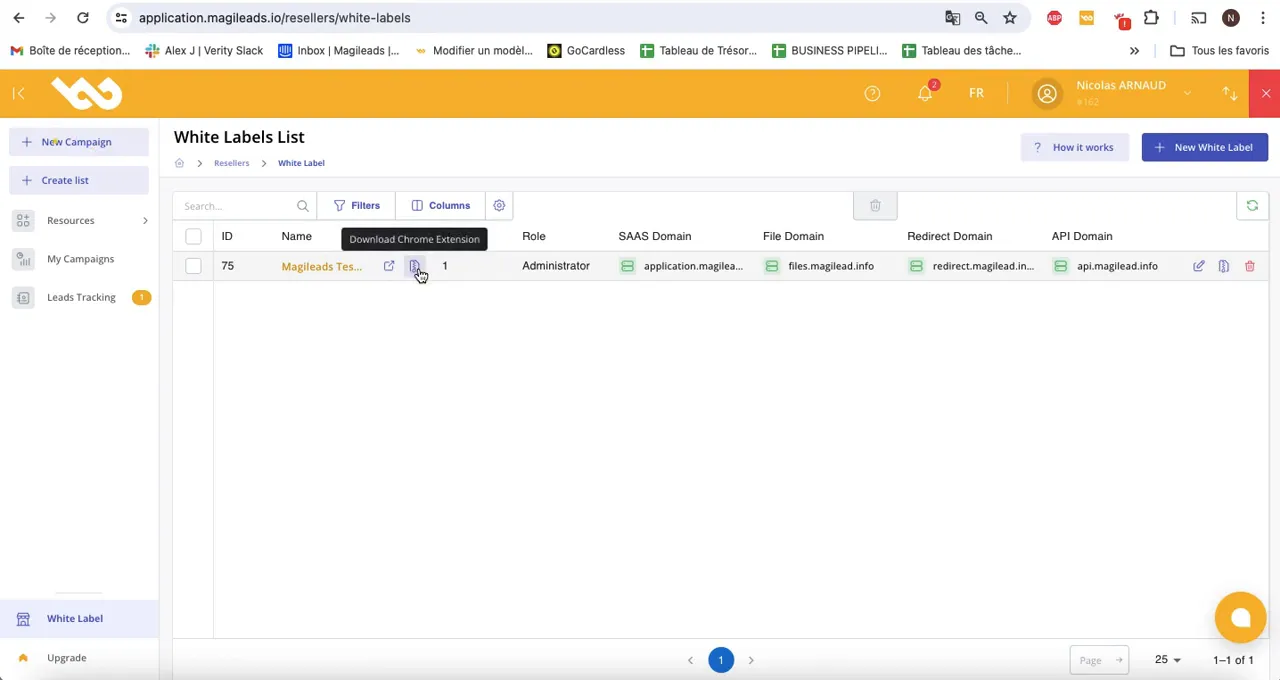
Once your white-label platform is set up, one essential feature to consider is the integration of the Google Chrome extension. This extension allows your users to connect their LinkedIn account directly to your platform, making it easier to manage their professional interactions. However, this can be complex, as users need to follow certain steps. While this process may seem daunting, it's crucial for optimizing the user experience.
To download the extension, you will need to access your white-label solution and find the download option. This will allow you to install it on your browser, which is crucial for maximizing the effectiveness of your prospecting campaigns.
Submit your white-label solution extension to the Chrome Store
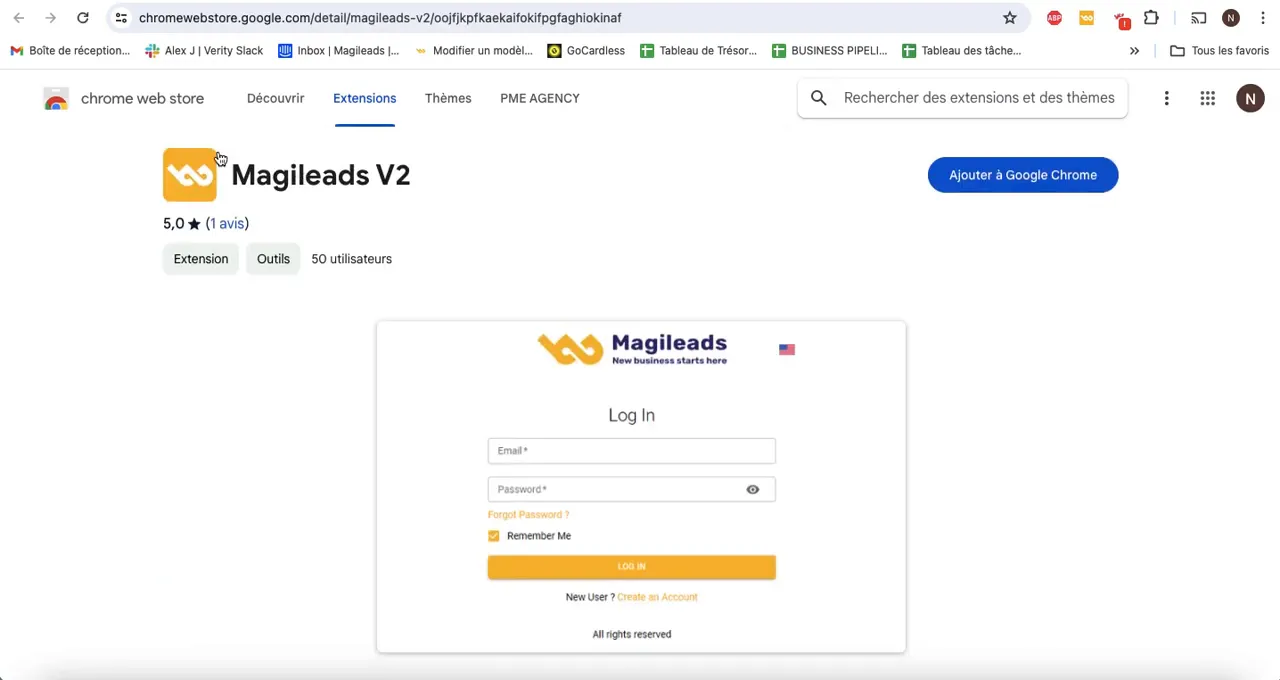
After downloading the extension, the next step is to submit it to the Google Chrome Store. This process involves creating a Google developer account if you haven't already done so. Once the account is created, you'll be able to access the extension submission area; however, this can take some time. Because approval can be slow, it's best to prepare everything you need before you begin. Although it may seem complicated, it's actually quite simple.
It's very important to complete all the forms required by Google, making sure to provide accurate and relevant descriptions for your extension. Remember to replace generic terms with your white-label brand name; however, this could cause problems because inaccurate information can hinder product recognition. Paying attention to every detail is crucial, as it directly impacts the success of your extension.
The validation process can take between 24 and 48 hours; however, after that, your extension will be available to your users. This can be confusing, though, because expectations vary. So, you need to be patient, but remember that the efficiency of this process is crucial.

Access Rights Management
Access rights management is a key component of your white-label platform. As an administrator, you have the ability to create users and assign them specific permissions. This allows you to control who can access which features, thus ensuring the security and confidentiality of your customers' data. However, monitoring these access rights is crucial because it can minimize risks. While this may seem like a simple task, it requires constant attention.
To create a new user, simply navigate to the user management section and fill in the required information. You can also modify an existing user's access rights at any time; however, this depends on their permissions. It is crucial to note, however, that modifications can have consequences, as they affect the entire system.
Conclusion and Next Steps
In summary, creating your white-label platform with Magileads offers a multitude of features tailored to your needs. From configuring your environment to managing users, each step is designed to help you maximize the impact of your services. However, it's important to note that this process can be complex, but it's worth the effort because you'll achieve significant results.
To go further, consider integrating additional tools and exploring advanced lead generation . For example, you could discover how to generate more sales and profits through targeted techniques.
FAQs
- What is a white label platform? A white label platform allows you to customize and resell services under your own brand.
- How can I create users on my platform? You can create users via the user management section of your administration interface.
- How long does it take for my extension to be published on the Chrome Store? The validation process can take between 24 and 48 hours.
- Can I change a user's access rights after they have been created? Yes, you can change a user's access rights at any time from the user management section.
solution







