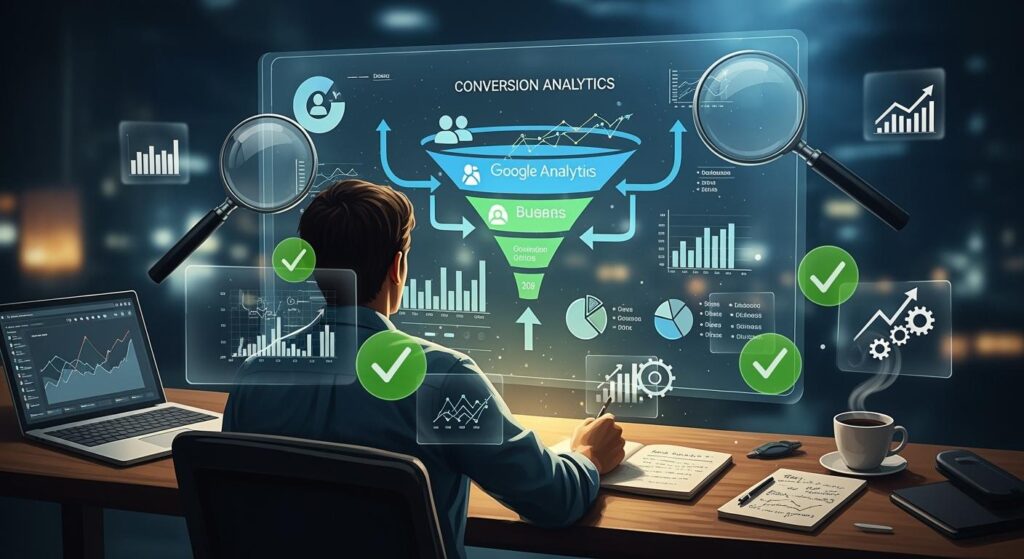
Do you want to convert more visitors into customers ? The conversion funnel gives you the ability to track each step of the user journey, which boosts your chances of success.
79% of generated leads never become sales, often due to a lack of follow-up .
With Google Analytics, you can:
Observe visitor behavior on your site
Identify the key stages of the customer journey
Access customized reports to track conversions.
Use this tool to understand where your users are dropping off and make the right decisions to improve your digital performance.
Key Points
Use Google Analytics to track the user journey and identify the stages where visitors drop off.
Configure specific goals in Google Analytics to measure each step of the conversion funnel.
Analyze abandonment rates at each stage to understand where you are losing potential customers.
Create a custom conversion funnel to target the steps that really matter to your business.
Optimize your funnel by testing different page variations and adjusting your marketing strategy based on the results.
Define a conversion funnel
A conversion funnel is not a linear path, but a behavioral model that segments the user journey. By 2026, analysis will no longer be limited to a single click, but will focus on theuser's intent at each stage.
1. Concrete examples by sector of activity
Each business model requires a specific funnel structure. Here's how to optimize them according to current standards:
A. E- commerce website (The Transactional model)
Steps: Product view → Add to cart → Enter details → Payment → Confirmation.
Key optimization: According to a Baymard Institute study (2025), 68% of cart abandonments occur during contact information entry. Best practice: Implement one-page checkout and digital wallets (Apple Pay, Google Pay) to reduce friction by 25%.
B. SaaS / B2B (The Engagement Model)
Steps: Free Trial Registration → Activation (Account Setup) → Recurring Usage → Upgrade to Premium Plan.
Key optimization: The “Aha!” moment (the moment the user understands the value). Best practice: Use AI-powered interactive tutorials to guidethe user to their first successful action in under 2 minutes.
2. Industry Statistics and Benchmarks (2026)
To put your performance into perspective, here are the average conversion rates observed this year by ContentSquare and Statista :
Sector | Average Conversion Rate | High Performance Target |
|---|---|---|
General e-commerce | 2.5% | > 5% |
Luxury | 1.1% | > 2.5% |
B2B SaaS | 3.2% | > 7% |
Finance / Insurance | 5.0% | > 12% |
3. Expert opinion: Real-time analysis
Static analysis is obsolete. By 2026, Google Analytics 4 (GA4) coupled with predictive AI will enable the instant detection of flow anomalies
“The classic mistake is to analyze the funnel as a whole. The authority of the analysis comes from segmentation: a funnel does not behave the same way for a mobile user coming from TikTok as for a desktop user coming from SEO.” — Avinash Kaushik, Senior Web Analytics Expert.
4. Academic References and Authoritative Sources
To delve deeper into the psychology behind the funnel, refer to these key publications:
Fogg's Behavioral Model (Stanford University): Explains that conversion is the product of Motivation, Ability, and Trigger (B=MAP). Read the study on Stanford.edu.
Journal of Marketing Research: Publication on theimpact of micro-moments on rapid mobile decision-making.
Nielsen Norman Group: For user experience (UX) standardsin conversion forms.
Key steps in the user journey
Want to understand how to turn a visitor into a loyal customer? Theconversion funnel gives you a clear view of the journey each user takes on your site. This model allows you to visualize where your customers make important decisions.
Here are some examples of key steps depending on the type of site:
E-commerce site : A user arrives on a product page, consults the category, selects an item, adds it to the cart, enters their payment information, and then confirms their purchase.
Service site : A visitor clicks on an advertisement, discovers the service page, consults the FAQ, requests a quote, then confirms their subscription.
Media site : A reader discovers an article shared on social networks, uses the search engine to explore other content, then subscribes to the newsletter.
With this approach, you can optimize each step to make your strategy more effective.
A conversion funnel begins with awareness and ends with the purchase action, passing through engagement and loyalty.
Conversion funnel goals and configuration in Google Analytics
To track your conversion funnel, you need to set up specific goals in Google Analytics. This process allows you to measure each step and identify pain points.
Here's how you can do it:
Access the administration area of your Google Analytics account.
Select your property and your view.
Click on “objectives” and create a new objective tailored to your journey (for example, a shopping cart objective).
Activate the conversion funnel to visualize the steps.
Simulates the user journey to verify touchpoints.
Save your configuration.
The types of goals available include destination, duration, pages per session, and events.
Events and destination are the most commonly used metrics for measuring conversions, especially for forms and conversion funnels.
This allows you to track each step and improve your conversion rate. Don't wait any longer to set up your conversion funnel and boost your results!
Conversion funnel types in Google Analytics

Understanding the different types of funnels in Google Analytics allows you to choose the best method for analyzing your user journey. You gain efficiency and can precisely target the steps to optimize in order to boost your conversions.
Standard and curved funnels
Want to quickly see where your visitors are dropping off? The standard funnel gives you a clear and direct view. It displays a bar graph showing how many people complete or leave each step of your journey. You can spot roadblocks at a glance.
If you're looking for a more dynamic analysis, the curve funnel becomes your ally. It allows you to track changes in user behavior over time. This way, you can observe trends and detect seasonal variations or the effects of your marketing campaigns
The standard funnel displays dropouts step by step with simple bars.
The funnel-shaped curves reveal changes in behavior over several periods.
Tip: Combine these two types of funnels to gain a comprehensive view and make informed decisions.
Custom funnel according to the objective
Want to go further and tailor your analysis to your specific needs? Create a custom conversion funnel in Google Analytics. This way, you can target the steps that truly matter to your business.
Here's how to proceed:
Access the administration panel and select “Objectives” in the “View” column.
Click on “New Objective” to start the configuration.
Choose a template, a custom goal, or a smart goal based on your strategy.
Give your goal a clear name so you can find it easily.
Select the type of objective that corresponds to your conversion funnel (Destination, Duration, Pages/screens per session, Event).
Provide details relevant to your background.
Validate each step to finalize the creation.
With a custom funnel, you can precisely analyze the actions that lead to conversion. You can adjust your strategy and maximize your results.
Configure the conversion funnel in GA4

Want to unlock the full potential of Google Analytics 4 to boost your conversions? You need to set up a conversion funnel tailored to your goals. A precise configuration allows you to visualize each step of the user journey and identify the pain points that hinder progress toward conversion.
Step-by-step setup of a conversion funnel
To succeed, you need to follow a clear method. Here's how you can set up your conversion funnel in GA4:
Open Google Analytics 4 and access the “Explore” section in the left-hand menu.
Select “Funnel Exploration” to create a new analysis.
Click on "Steps" and define each key step in the user journey. For example, you can choose: SEO entry → key page → form start → submission → confirmation.
Applies segments to target specific user groups.
Add dimensions like traffic source or device type to refine your analysis.
Select the relevant metrics, such as the completion or abandonment rate at each stage.
Use the filters to limit the data to what really interests you.
Compare different segments to understand behaviors according to personasor channels.
With a "Destination" type objective, you describe a step that your users must follow. Several linked steps form an effective conversion funnel.
Don't forget to mark important events as conversions in the "Events" section of the "Admin" tab. You can also create new events if needed. This allows you to precisely track the actions that matter to your business.
Best configuration practices
To obtain reliable results, you must follow a few essential rules:
Identify the key stages of the customer journey before configuring the funnel.
Define each step precisely and logically. An effective funnel starts with a clear scenario, such as an SEO landing page, followed by a solution page, then a form view, a submission, and finally a confirmation.
Apply the right segments to compare behaviors according to profiles or channels.
Analyze the data regularly to detect points of friction and opportunities for optimization.
Optimize your journey based on the insights gained. Adjust the content or steps that are hindering progress.
Segment your analyses to understand where you're losing the most users. For example, in B2B, adapt the funnel according to the personas, because each profile has its own objections and journey.
The "Explore → Funnel Exploration" report shows you precisely where your visitors are dropping off. You can visualize the conversion or abandonment rate between each step and target the actions needed to improve your results.
You must always track actual conversions and assess their relevance using the right tools. Understand how each conversion fits into the customer journey. Manage your expectations by segmenting and analyzing the results of each channel. This rigor guarantees reliable analysis and strategic decisions.
By properly configuring your conversion funnel in GA4, you take control of your user journey. You identify roadblocks, optimize each step, and increase your conversion rate. Take action and transform your data into growth drivers!
Understanding backfill and conversion funnel metrics
Backfill principle
Want to get a complete view of your users' journey? Backfill makes it easy in Google Analytics. This feature lets you reconstruct the traffic that passed through each stage of the conversion funnel, even if some visitors skip steps. You won't miss any information about your users' behavior.
Google Analytics automatically attributes the visit to all steps between the entry page and the exit page.
Even if a user does not follow the exact order, you can visualize their overall journey.
You avoid counting the same visitor multiple times, which makes your analyses more reliable.
Thanks to backfilling, you get a comprehensive and accurate view of each user's journey. This allows you to identify roadblocks and act quickly to improve the experience.
Interpreting key metrics
To optimize your conversion funnel, you need to monitor the right metrics. These indicators show you where you're losing users and where you need to take action.
Objectives defined: form completed, purchase finalized, registration validated.
Conversion rate : percentage of visitors who complete the desired action.
Number of users at each stage.
Engagement and performance indicators.
Visualizing the steps before conversion.
If you notice a significant drop in sales at the "Delivery" stage of your e-commerce site, ask yourself the right questions. Is the "Next" button visible? Are the delivery costs too high? Are the available options suitable for your customers?
Analyze conversion and bounce rates. Set clear objectives for each page. Implement A/B testing to validate your hypotheses and improve each step of the user journey. This way, you transform every piece of data into concrete actions to boost your results.
Advantages of analyzing a conversion funnel
Identify the points of friction
Want to understand why your visitors aren't buying or completing their registration? Analyzing a conversion funnel gives you a clear view of the customer journey. You can easily identify the stages where your users hesitate or abandon their purchase.
Here's what you gain by analyzing each stage:
You identify the points of friction that hinder the progress of your visitors.
You understand how users interact with your site.
You identify the pages or actions that cause the most abandonment.
You use Google Analytics to visualize the performance of each step and target optimizations.
Tip: When you see a high abandonment rate on a page, ask yourself the right questions. Is the content clear? Is the form too long? A simple adjustment can transform the user experience.
By addressing these points, you improve the journey and encourage more visitors to complete it.
Optimize the conversion rate
Want to boost your sales and generate more leads ? Optimizing your conversion funnel relies on analyzing data at every stage. You monitor the conversion rate, click-through rate, and abandonment rate for each key page.
Here's how you can take action:
Analyze performance at each stage to identify transition problems.
Improve the user experience to engage your visitors more.
Test different variations of pages or buttons to see what works best.
Automate customer journey tracking to leave nothing to chance.
Note: The more you optimize each step, the more you increase your revenue. You transform weaknesses into growth opportunities.
By understanding and optimizing your funnel, you can reap numerous benefits:
In-depth understanding of the customer journey.
More effective marketing strategies adapted to real behaviors.
This allows you to take control of your digital performance and ensure the growth of your business.
tips for interpreting and optimizing the user journey
Analyze dropout rates
Want to understand why your visitors leave your site before converting? Analyze abandonment rates at each stage of your conversion funnel. These metrics show you where you're losing the most potential customers. To go further, monitor these three key rates:
The sales conversion rate : it measures the effectiveness of your campaigns and your sales.
Shopping cart abandonment rate: this indicates the percentage of visitors who add a product to their cart without completing the purchase.
The payment abandonment rate: it reveals how many people start the payment but do not complete it.
Tip: Compare these rates regularly. If you notice a sudden increase, check if a technical bug or page change is blocking your users.
Avoid common analysis errors. Never use the full URL to define steps, only the URI. Don't place the same page at multiple steps. Don't confuse unique visitors with unique pageviews. Journeys aren't always linear, so maintain a holistic view.
Adapt the marketing strategy
To turn your analyses into concrete actions, adapt your marketing strategy based on the results of your conversion funnel. Start by identifying pain points. Use analytics tools to understand your users' behavior. Discover optimization opportunities at each stage.
Improves the user experience on landing pages.
Refine your advertising campaigns to increase conversion rates.
Test different variations of pages or messages to see what works best.
Don't wait for results to stagnate. Act as soon as you spot a roadblock or an opportunity. Every adjustment can make a difference and boost your conversions.
By following these tips, you take control of your user journey and maximize your site's performance.
To effectively analyze your conversion funnel with Google Analytics, remember these key steps :
Create several funnel diagrams adapted to your objectives.
Use the "mandatory step" option for critical moments.
Consider backfilling for reliable data.
Configure each step according to your users' actual journey.
Analyze the bottlenecks.
A good setup offers you optimized customer journeys, better sales forecasting, and increased personalization. Put these tips into practice to boost your results! Also, explore the Explorer module and the template gallery in GA4 to delve deeper into your analysis.
Conversion Funnel FAQ
How do I choose the steps in my conversion funnel?
Identify the key moments when your visitors make a decision. Select the pages or actions that lead directly to conversion. Prioritize simplicity. The simpler you are, the better you understand where you're losing potential customers.
Should I analyze my funnel every week?
Yes! Analyze your data every week. You'll quickly detect changes in behavior. You'll adjust your strategy without delay. This consistency gives you an advantage over your competitors.
Can I use Google Analytics 4 without technical skills?
You can set up a funnel in GA4 without being an expert. Google offers clear guides. Use the exploration templates. You'll save time and get accurate analyses.
What should I do if my conversion rate is stagnating?
Test different variations of pages or messages. Set up A/B tests. Analyze the results. Identify what's blocking your visitors. Optimize each step to boost your growth.
See also
Strategies for Successful Competitive SEO Analysis
Guide to Effective Competitive Analysis in Marketing
Developing a Conversion Funnel for B2B