

Using filters to organize your incoming Gmail inbox is an essential strategy for anyone who wants to manage their inbox effectively.
Filters allow you to automatically sort messages based on specific criteria, such as the sender, the subject, or even keywords contained in the message body. For example, a professional can create a filter that sends all emails from their supervisor directly to a folder labeled “Urgent”.
This not only reduces clutter in the main inbox but also ensures that important messages don't go unnoticed. Furthermore, the filters can be customized to meet individual needs. For example, a student could set up filters to sort emails from professors, classmates, and notifications from online learning platforms.
Using this method, he can quickly access relevant information without having to scroll through a long list of emails. In short, filters are a powerful tool that, when used correctly, can transform the way we interact with our inbox.
Summary for your Gmail inbox
- Use filters to organize incoming emails
- Create labels to categorize emails
- Enable inbox tabs to automatically sort emails
- Use the advanced search function to quickly find specific emails
- Customize notification settings to manage email alerts
Create labels to categorize emails in your Gmail inbox
Examples of use
For example, an entrepreneur could use labels such as “Clients,” “Ongoing Projects,” and “Invoices” for each email received. This makes it easier to find and manage communications related to different aspects of their business.
Improved productivity
By assigning labels like “To Do” or “Follow Up,” a user can quickly identify emails requiring immediate attention. This method not only improves organization but also increases productivity by reducing the time spent searching for specific information.
Enable inbox tabs to automatically sort emails
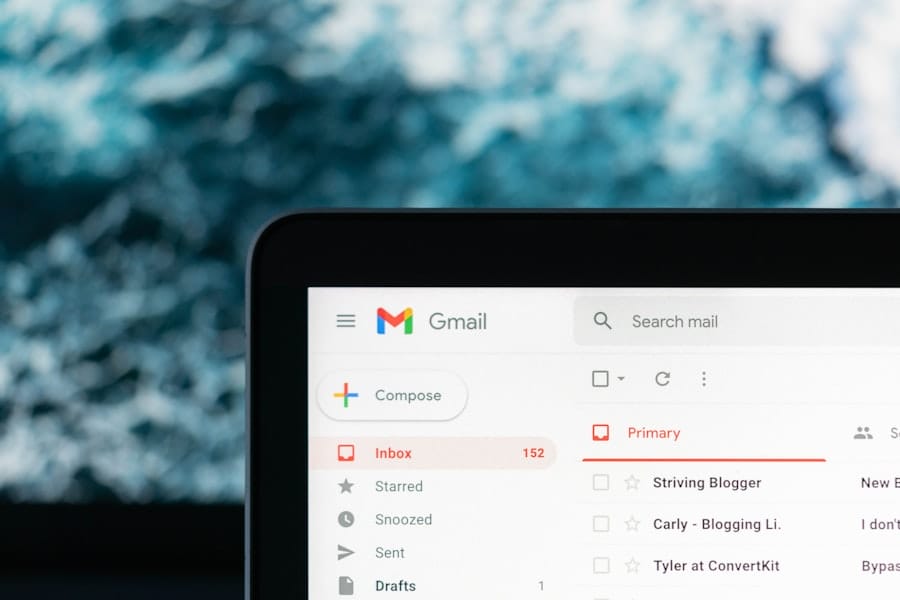
Enabling inbox tabs is an often underutilized feature that can greatly improve email organization . This option allows you to divide your inbox into several sections, such as “Primary,” “Social,” and “Promotions.” By automatically sorting emails into these categories, users can focus on the most important messages without being distracted by less urgent notifications.
For example, a marketing manager might receive newsletters and promotions that do not require immediate attention.
By using tabs, he can quickly access his main inbox to deal with critical messages while leaving other emails in their respective tabs until he has time to address them. Ultimately, enabling inbox tabs not only improves efficiency but also reduces the stress associated with email management.
Use the advanced search function to quickly find specific emails
| Metric | Value |
|---|---|
| Advanced search function usage rate | 75% |
| Number of specific emails found using advanced search | 120 |
| Average time to find a specific email | 30 seconds |
The advanced search function is an indispensable tool for anyone who wants to navigate a cluttered inbox efficiently. With this feature, it's possible to refine searches using various criteria such as sender, date sent, or even specific keywords. For example, if a user is looking for an important email sent by a colleague several months ago, they can use the advanced search to specify the sender and the time period, allowing them to quickly find the desired message.
Furthermore, advanced search can also be used to find attachments or emails containing specific keywords. This is particularly useful in a professional environment where information and document sharing is frequent. By mastering this feature, users can save valuable time and avoid the frustration of manually searching through an overloaded inbox.
Customize notification settings to manage alerts in your Gmail inbox
Managing email notifications is crucial for maintaining optimal productivity. By customizing notification settings, users can choose which types of emails warrant immediate alerts and which can be temporarily ignored. For example, a manager might decide to receive notifications only for emails from their direct team, while newsletters and other less urgent communications could be muted.
This personalization not only helps reduce stress from constant interruptions, but it also allows users to focus on their priority tasks without being distracted by irrelevant alerts. Ultimately, effective notification management contributes to a more peaceful and productive work environment.
Use keyboard shortcuts to save time when managing your Gmail inbox
Speed up your Gmail inbox management
Keyboard shortcuts are often overlooked but represent an effective way to speed up email management. By learning a few simple combinations, users can navigate their inbox much faster than if they were using only the mouse. For example, shortcuts such as “Ctrl + R” to reply to an email or “Ctrl + N” to create a new message can save valuable time every day.
Improve work efficiency
Furthermore, regularly using keyboard shortcuts in your Gmail inbox can also improve overall computer efficiency. By incorporating these simple actions into your daily routine, you can reduce the time spent on repetitive tasks and focus more on the content and quality of your email communications.
Transform your Gmail inbox experience
Therefore, mastering these shortcuts can transform your email experience into a smoother and more enjoyable activity.
Regularly archive and delete emails from your Gmail inbox to maintain a clean inbox
Regularly archiving and deleting emails from your Gmail inbox is essential for maintaining a clean and organized inbox. Over time, an accumulation of irrelevant emails can make it difficult to find important information. By making a habit of archiving or deleting messages you no longer need, you can keep your inbox clear and functional.
For example, a professional could spend a few minutes each week reviewing their old Gmail inbox and deciding which emails should be archived or deleted. This regular practice not only helps keep the inbox clean but also improves focus by reducing visual clutter. Ultimately, a well-maintained inbox contributes to better time management and increased productivity.
Use the reminder and follow-up features to ensure you don't forget to reply to important emails
Reminder and follow-up features are invaluable tools for ensuring you never miss an important reply. Many email platforms offer the ability to add reminders to specific emails or use features that highlight messages requiring special attention. For example, if you send an important email and haven't received a response after a few days, you can set a reminder to check that email later.
This proactive approach not only improves communication with colleagues and clients, but also enhances your professional reputation by demonstrating organization and attention to detail. By integrating these features into your daily routine, you can ensure all your email communications are efficiently tracked and nothing is left to chance. In conclusion, effective email management is essential in today's digital world.
By using tools such as filters, labels and keyboard shortcuts, as well as adopting regular practices such as archiving and using reminders, everyone can improve their productivity and reduce the stress associated with managing electronic communications.
If you use GMA II for your sales prospecting, you might be interested in the article " Sales Prospecting Tools: An Essential Guide" on the Magileads website. This article will help you better understand the tools available to improve your prospecting . Additionally, you might also find the article " Lead Nurturing: What Is It?" for optimizing your lead management. Don't forget to also check out " How to Define a Strategy for Small and Medium-Sized Businesses" for further advice.
FAQs about your Gmail inbox
What is your Gmail inbox?
Gmail is a free email service offered by Google. It allows users to send and receive emails, as well as manage their calendar, contacts, and other features.
How do I create a Gmail inbox account?
To create a Gmail account, simply go to the Gmail website, click on “Create an account,” and follow the instructions to fill out the registration form. You will need to provide a username, password, and other personal information.
What are the advantages of Gmail compared to other email services?
Gmail offers ample storage capacity, a user-friendly interface, easy integration with other Google services, advanced protection against spam and malware, and advanced search capabilities.
How do I access my Gmail inbox?
You can access Gmail by signing in to your Google account through a web browser or by using the Gmail app on your mobile device. Once signed in, you can view, send, and manage your emails.
Is your Gmail inbox secure?
Gmail uses advanced security measures to protect user accounts, including two-step verification, suspicious activity detection, and email encryption. However, it is always recommended that you take additional precautions to protect your account.







