

A quality contact list is the foundation of successful marketing automation campaigns.
It allows you to precisely target your audience, personalize your messages, measure the performance of your actions, automate interactions with your prospects and customers, nurture your leads and strengthen loyalty to your brand.
By targeting the right audience, you increase the chances of success for your campaigns and optimize your return on investment (ROI).
Also, by personalizing your messages, you create more relevant and engaging communications, which strengthens the relationship with your prospects.
Similarly, with clear and precise measurements of your performance, you can identify what works and what doesn't, and thus refine your marketing strategies.
This allows you to better guide your leads through their journey until they are ready to buy.
In summary, a quality contact list is an essential asset for any marketer who wants to secure more qualified appointments and convert more leads.
How will you create your contact list?
This interface in Magileads allows you to create your contact list from 10 options . You can choose the ones that best match your resources and strategies.
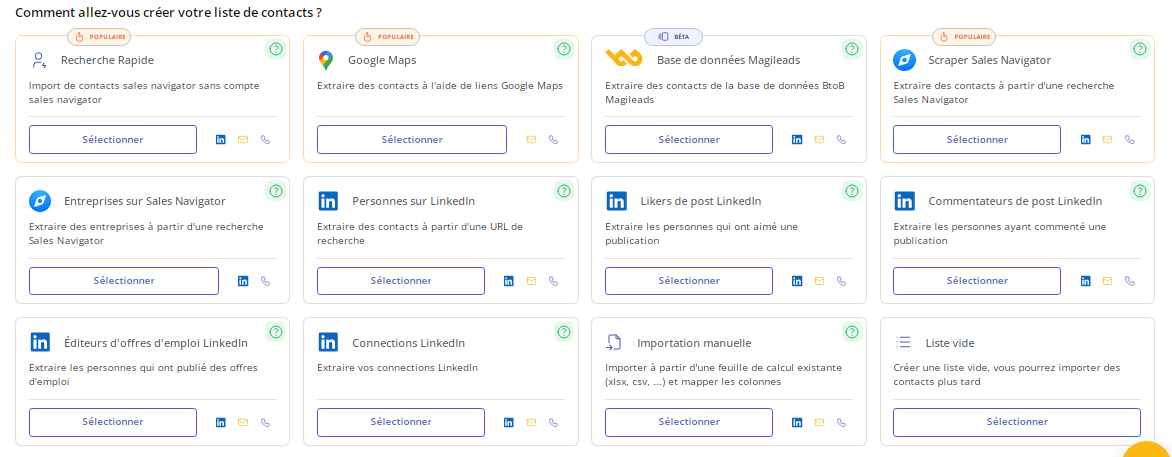
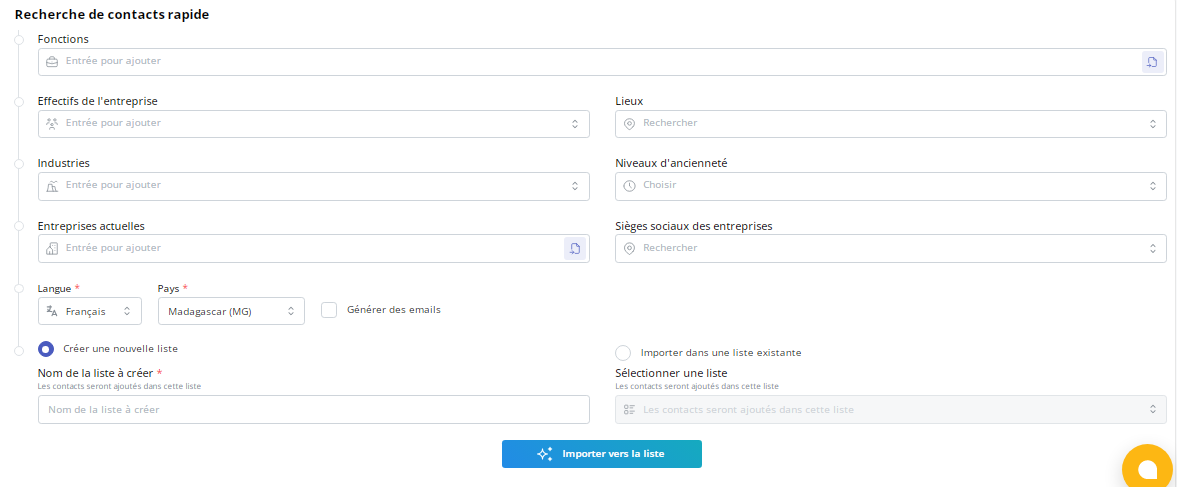
1 – Quick Search
This feature allows you to import Sales Navigator contacts without needing a Sales Navigator account. This lets you enrich your existing database or create a new one from the collected data. This option is perfect for saving even more time while reducing your costs.
2 – Google Maps
As you might have guessed, Google Maps not only helps you find your way, but also helps you identify potential clients. Furthermore, through Magileads , this Google feature allows you to enrich your prospect data, plan prospecting routes , personalize your approach, and track the results of your efforts.
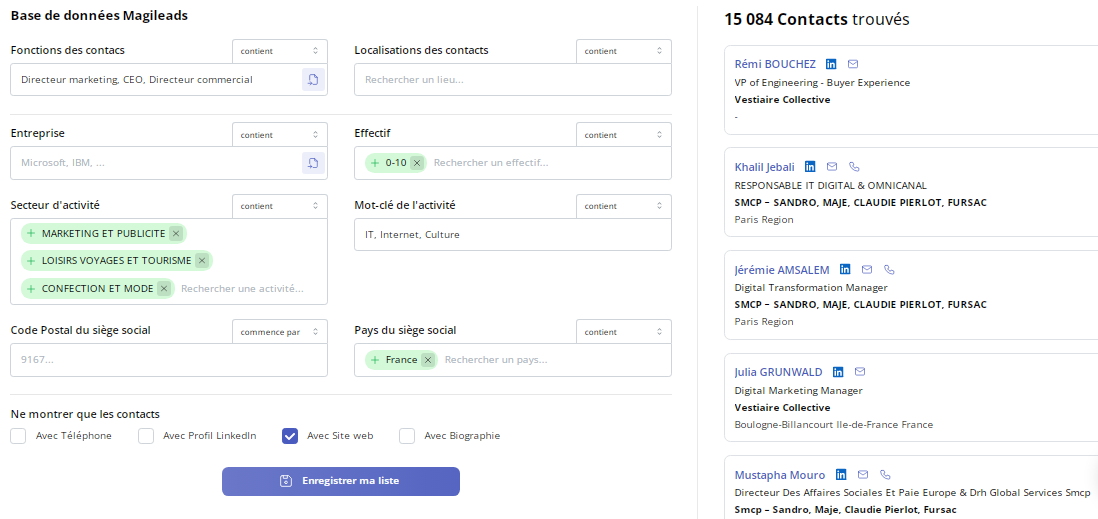
3 – Magileads Database
Magileads ' database, which includes over 20 million qualified leads . You can refine it based on criteria such as contact job titles, industry, location, and company size.
If you have a Sales Navigator account, this tab allows you to extract contacts from a Sales Navigator search. It's designed to save you time and give you access to a larger pool of prospects . You can then target your leads with greater precision.
This window allows you to identify new opportunities and target strategic accounts. This enables you to better manage your ABM strategy , which remains an effective way to improve the results of a B2B marketing campaign.
4 – People on LinkedIn
Extracting contacts from LinkedIn searches offers numerous advantages for B2B marketing campaigns. It allows access to a wider professional network , with precise targeting of prospects and significant time savings.
5 – LinkedIn Post Likers
This allows you to identify qualified prospects, precisely target marketing efforts, increase engagement, generate leads, improve organic reach and acquire data to develop your brand awareness .
6 – LinkedIn Post Commenters
Similarly, extracting data from LinkedIn post commenters allows you to build greater visibility and collect relevant data. This approach gives you access to the contacts of prospects with a high level of engagement , helps you understand their needs, and therefore refines your strategy to build better relationships with them.
7 – LinkedIn Job Posting Publishers
This feature makes it possible to identify key decision-makers, target growing companies, generate high-quality leads , strengthen mutually beneficial relationships, understand market trends, and develop brand awareness.
8 – LinkedIn Connections
This allows you to identify qualified prospects, precisely target marketing efforts, increase engagement, generate leads, improve organic reach, acquire valuable data , develop brand awareness and expand your professional network .
9 – Manual Import
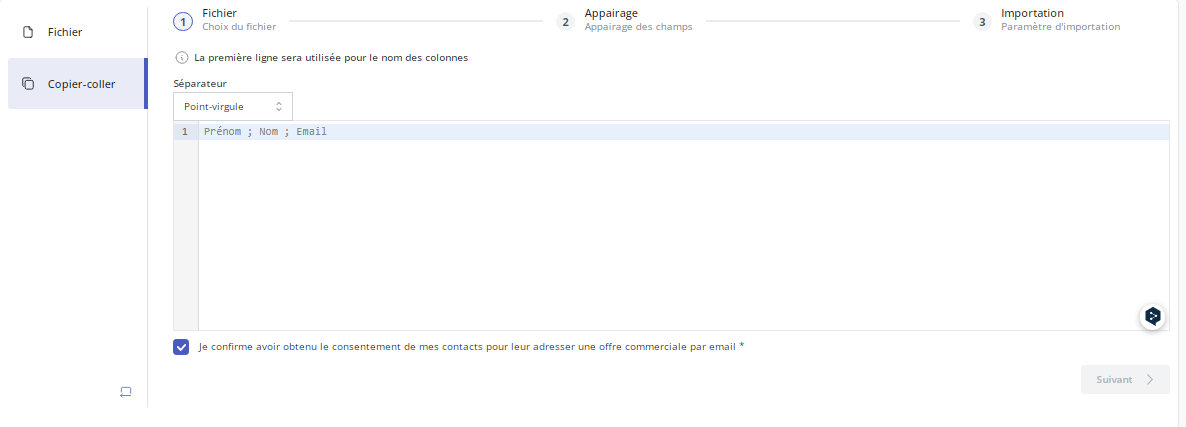
Naturally, Magileads allows you to import your data from an existing spreadsheet (xlsx, csv, …) and map the columns.
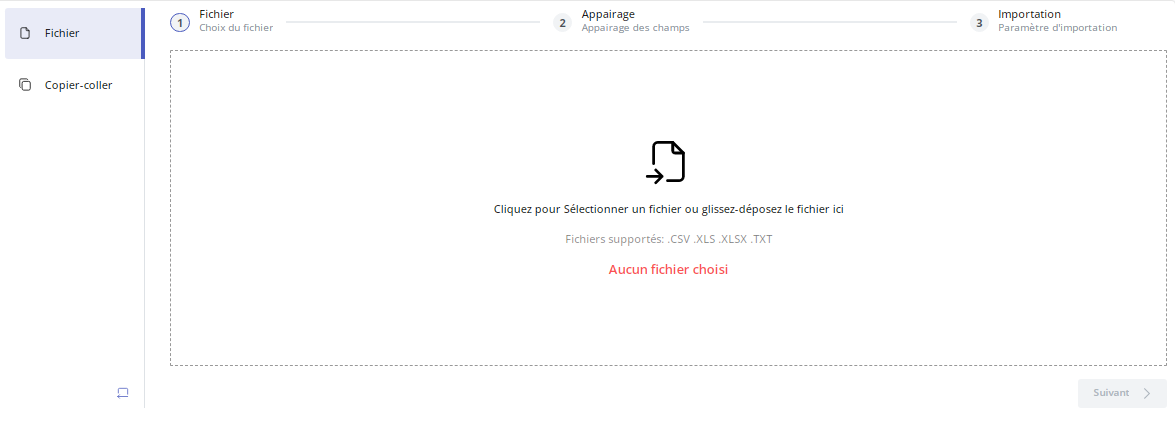
You can also simply copy and paste your existing list directly here:
10 – Empty list
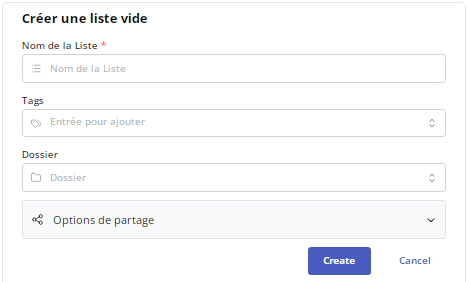
This option allows you to design a campaign while postponing the creation of a list.
How to refine a contact list in Magileads?
Ultimately, you only need a few clicks to create a targeted prospecting list. Then all you have to do is refine and enrich it. You can even do this regularly, as your campaign progresses. This also allows you to adjust your approach based on the reports provided by Magileads . To do this, you have several options available:
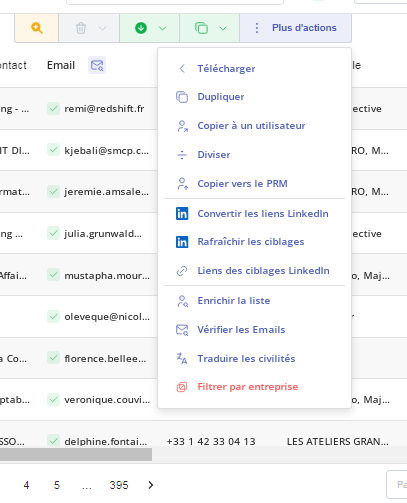
Refining and enriching a list are essential processes for improving the relevance of your marketing campaigns and increasing your return on investment (ROI). Here are some tips:
1 – Clean and segment your list
Remove invalid or inactive email addresses. This will help you avoid bounces and improve your deliverability.
Segment your list based on demographics, interests, or behaviors. This will allow you to target your messages more precisely and achieve better results.
2 – Enrich your list with additional data
Add information about your contacts' interests, behaviors, and preferences. This will allow you to create more precise segments and personalize your messages.
Use the data enrichment option to fill in any missing information. It allows you to enrich your list with data from public and private sources.
3 – Keep your list up to date
Remove contacts that are no longer active. This will help keep your list clean and improve your deliverability.
4 – Use registration forms to collect additional data
Use progressive forms to collect additional information over time. This will prevent you from overwhelming your contacts with too many questions all at once.
5 – Configure behavioral triggers
You can then send personalized messages to your contacts based on their actions.
For example, you can send a welcome email to a new contact or a follow-up email to a contact who abandoned their shopping cart.







