

To ensure the success of your email campaign , it's essential to carefully choose the fonts and font sizes you use. Here are some tips to help you format your emails correctly and make them easier to read .
If you want to enhance the content of your emails, never neglect typography . Ensure your text is perfectly legible, regardless of the device on which it will be displayed. To do this, avoid using overly compact inconsistent letter spacing . Page weight height , width , and colors should also be considered to achieve the best possible result.
Prefer standard fonts and font sizes
By choosing fonts and font , you can be sure that your emails will always display correctly even on mobile devices . When writing them, therefore, use one of the following fonts:
- Arial
- Arial Black
- Arial Narrow
- Comic Sans
- Courier New
- Georgia, Impact
- Helvetica
- Tahoma
- Times New Roman
- Trebuchet MS
- Verdana
"Sans Serif" fonts are in vogue. You will find Arial, Trebuchet MS and Helvetica by default on most operating systems and email software .
Arial, for example, is available in all versions of Microsoft Word . Gmail also offers it, and you can use it in all email programs, including Magileads .
As for Helvetica , it's the default font in iCloud Mail . It's one of the most popular fonts for writing emails. Its rounded letters make for a visually appealing text.
Of course, you can choose other fonts to create your emails prospects ' email software may not support some of them. In that case, they will be automatically replaced by one of the fonts mentioned above.
As you've probably gathered, the simplest approach is always to use standard fonts and font sizes. If you really insist on using specific fonts , remember to provide alternative fonts to avoid any display issues .
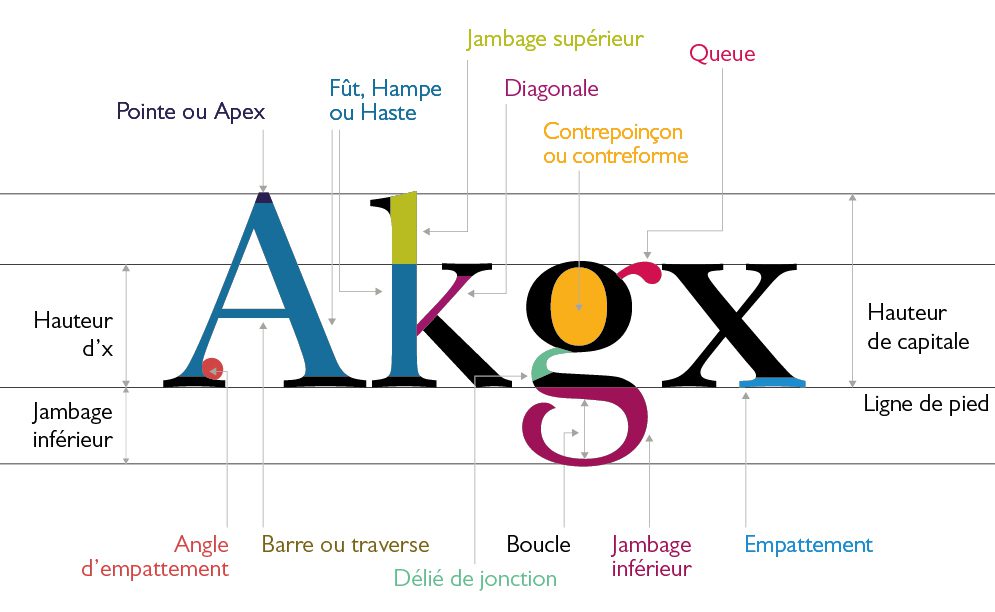
Font size: avoid writing too small!
Regarding font size, it should be large enough to facilitate reading the text on mobile devices . The minimum recommended size is 14 pixels for this type of device.
Regarding headings, they should have a minimum size of 14px to ensure good readability on computers . For mobile devices, choose a slightly larger size, namely 16px .
Regarding line height, it should not be less than 22 pixels or more than 24 pixels . The goal is for your prospects to be able to read your message without straining their eyes .
As with any other document intended for reading, make sure to structure your emails . In addition to headings, use subheadings if necessary.
Also, remember to always leave a space between each of your paragraphs. As a reminder, they shouldn't be too long. If possible, try not to exceed 70 characters per line.
Last but not least, some advice:
Avoid justifying your text! In fact, varying line lengths within a paragraph make it harder to read. It's better to left-align your text .
To differentiate the headings, you can choose to use different colors and fonts . However, be careful not to overdo it! Two different fonts and two colors are more than enough.
If you opt for different colors for the text, select them so that they are sufficiently different from the background . On a light-colored background, text in a darker color will stand out much better.
And there you have it, you now know more about the fonts and font sizes to use in email campaigns . Apply these few tips and you'll see; whether personal , professional, or commercial, your emails will be significantly more effective.
—————————
Magileads is a prospecting automation software
Try Magileads free for 14 days. Click here .
Or book a demo to see how it works. Click here .






