

Email automation is a powerful way to manage campaigns more efficiently and save time. Zapier, a leading automation platform, simplifies this process by integrating various applications, including Magileads, a renowned B2B solution for data enrichment and prospecting. In this article, we'll explore five effective ways to automate your emails with Zapier and Magileads, and detail the steps to set up this automation.
Why automate your emails with Zapier and Magileads?
Automating your emails with tools like Zapier and Magileads improves your efficiency by eliminating repetitive tasks and simplifying lead and data management. Here are the main reasons why you should consider this automation:
- Organize your inbox : With Zapier, you can automatically turn emails into tasks from your inbox, ensuring smooth management of your communications.
- Automatically save attachments : Attachments can quickly take up space. With Zapier's automated workflows, you can save attachments to cloud storage without any manual effort.
- Create an email log : It's essential to keep track of important emails. By connecting Magileads with note-taking applications like Evernote, Zapier allows you to create logs for effective communication tracking.
- Send emails automatically : Whether you're sending newsletters, follow-up emails to prospects, or reminder messages, Zapier can automate these mailings to save you time.
- Sending personalized emails : One of Magileads' strengths is customer data enrichment. By integrating Magileads with your CRM via Zapier, you can personalize your emails at scale using enriched data to improve the relevance of your campaigns.
How to configure email automation with Zapier and Magileads?
Magileads' integration with Zapier allows you to seamlessly automate your emails while leveraging enriched data for targeted prospecting. Follow the steps below to set up this automation:
Step 1: Enable Zapier integration in Magileads
Go to the Magileads dashboard and navigate to the “Integrations” section. Click on “Authenticate Zapier” to begin the integration.
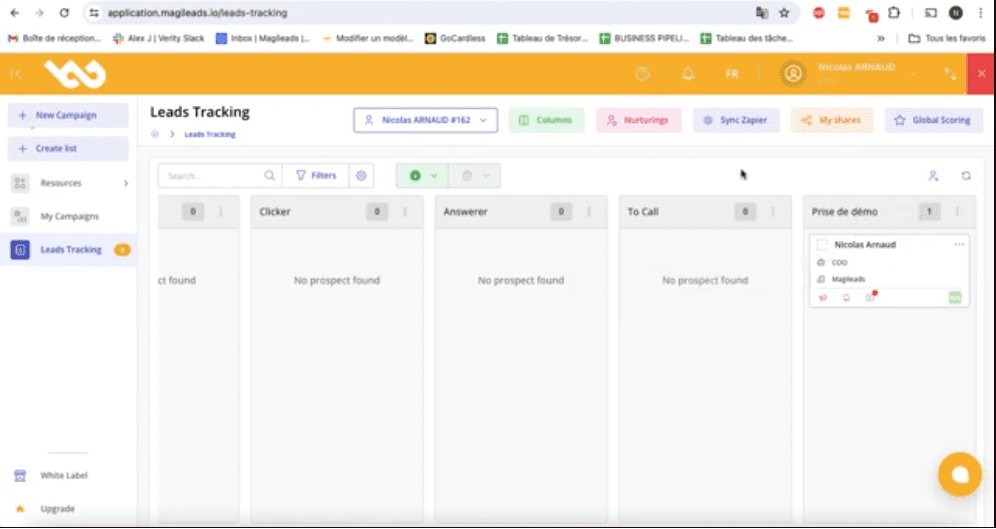
Step 2: Retrieve the API key
Once the integration is activated, Magileads will provide you with an API that you will need to copy. This key is essential to connect your Magileads account to Zapier.
Step 3: Create a Zap
Go to the Zapier website and log in to your account. Create a new “Zap” by selecting a triggering application (for example, your CRM) and defining an action in Magileads, such as sending an email or enriching data.
Step 4: Connect your Magileads account
In Zapier, enter the copied API key in the appropriate field to connect your Magileads account with Zapier. This will allow Zapier to access Magileads' automation features and rich data.
Step 5: Configure your Zap
Customize trigger conditions, email content, and recipient details. Zapier offers a wide range of Magileads-compatible apps to maximize the effectiveness of your campaigns.
Step 6: Test and activate your Zap
After configuring your Zap, run a test to ensure everything is working correctly. Once you're satisfied with the result, activate the Zap to automate your email campaigns with Magileads.
↗️ Watch the video to learn how to sync your Zapier account with Magileads to automate your processes:
Additional benefits of the Zapier-Magileads integration
In addition to email automation, Magileads offers advanced features that improve lead management . Its data enrichment module enhances email accuracy and segmentation, while its analytics tools provide key insights to optimize your campaigns.
Conclusion
In a world where email management can quickly become a chore, automation via Zapier and Magileads is a true revolution. You can not only simplify the management of repetitive tasks , but also effectively personalize and optimize your campaigns thanks to Magileads' advanced features. By adopting these solutions, you'll increase productivity while maximizing the impact of your communications with your prospects.
—————————
Magileads is a prospecting automation software that allows you to easily manage all the complex aspects of your marketing processes.
Try Magileads free for 14 days. Click here .
Or book a demo to see how it works. Click here .






