

With fierce competition and extended sales cycles, B2B sales prospecting has become more complex and demanding.
You now need robust strategies to identify qualified prospects, build meaningful relationships, and convert those leads into loyal customers.
To achieve these goals, it is essential to use automation tools that not only simplify the prospecting process , but also optimize every step, from lead generation to closing sales.
To target the right prospects, you need a complete and up-to-date database of relevant companies and contacts.
You need to be able to segment prospects based on specific criteria such as industry sector, company size, and job title to personalize messages and improve their relevance.
In this context, manually sending emails and messages is tedious and inefficient. An automation tool allows you to create personalized email sequences scheduled to reach prospects at the right time.
You also need to be able to track and analyze your performance. To measure the effectiveness of a campaign, it is necessary to monitor key performance indicators (KPIs) such as open rates, click-through rates, and conversion rates, and adjust the strategy accordingly.
Magileads V3.0 addresses these needs by offering a complete and integrated B2B prospecting platform. Thanks to its advanced features, you can not only automate your prospecting, but also make it more efficient and targeted .
1 – Campaign preparation
To maximize your effectiveness, you must meticulously prepare your campaign and understand your target audience precisely.
Define clear objectives
The first step in any prospecting campaign is to clearly define your objectives. These may include:
- Generate a number of qualified leads
- Increase the conversion rate
- Promote a new product or service
- Schedule business appointments
Identify the target
Magileads 's segmentation tools to precisely identify your target audience. You can segment your database based on criteria such as:
- The sector of activity
- The size of the company
- The contacts' post
- Geographic location
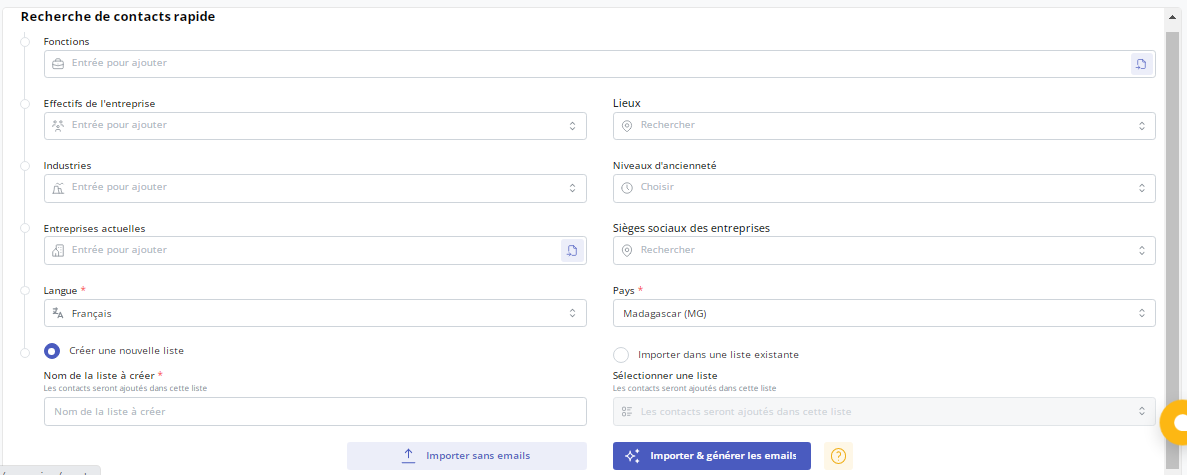
This segmentation will allow you to personalize your messages and optimize the effectiveness of your campaign.
1 – Creation of the campaign
After identifying and analyzing your target, you can move on to the next steps.
Import or create a contact list
You can import your own contact lists or use the Magileads V3.0 database to create a new one. To import a list, make sure your file is in CSV format and contains the necessary information (first name, last name, email, job title, company, etc.).
➡️ For more details, see this article: Creating and enriching a contact list in Magileads
Designing impactful emails
Magileads V3.0 allows you to design personalized emails and automate their sending in the “Templates” section. You can use our pre-designed templates, the built-in AI feature, or manually create prospecting emails.
➡️ Discover 5 prompts to create cold emails that convert in Magileads
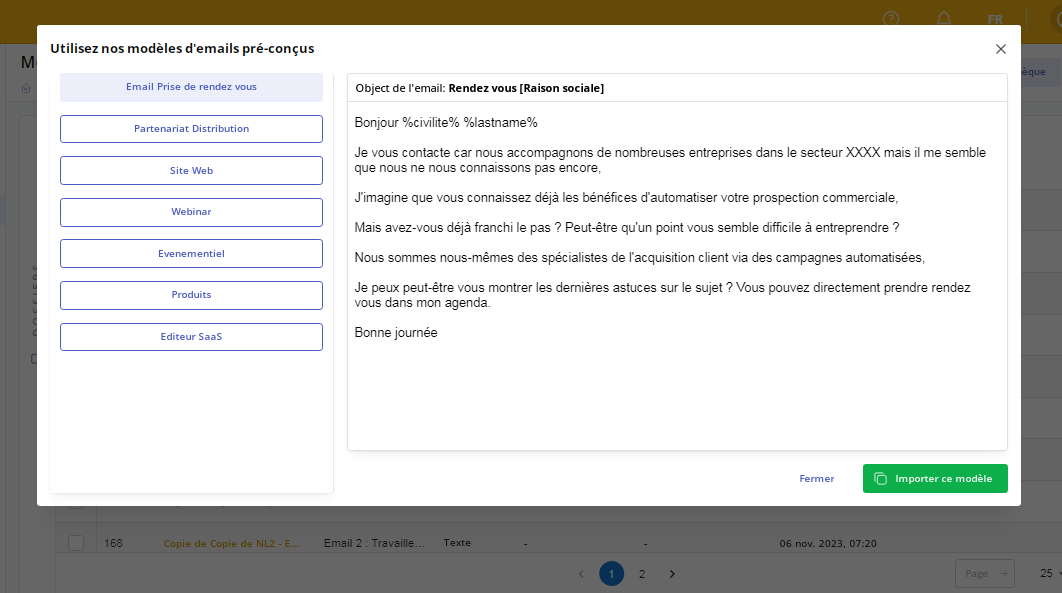
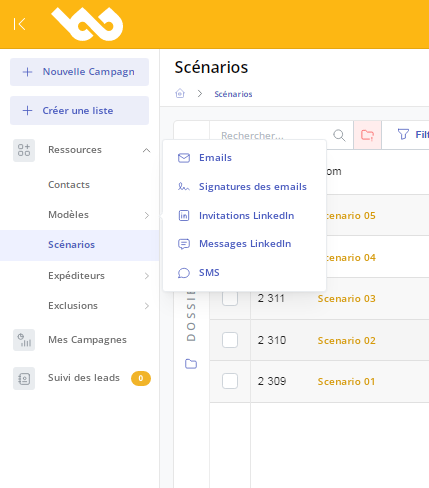
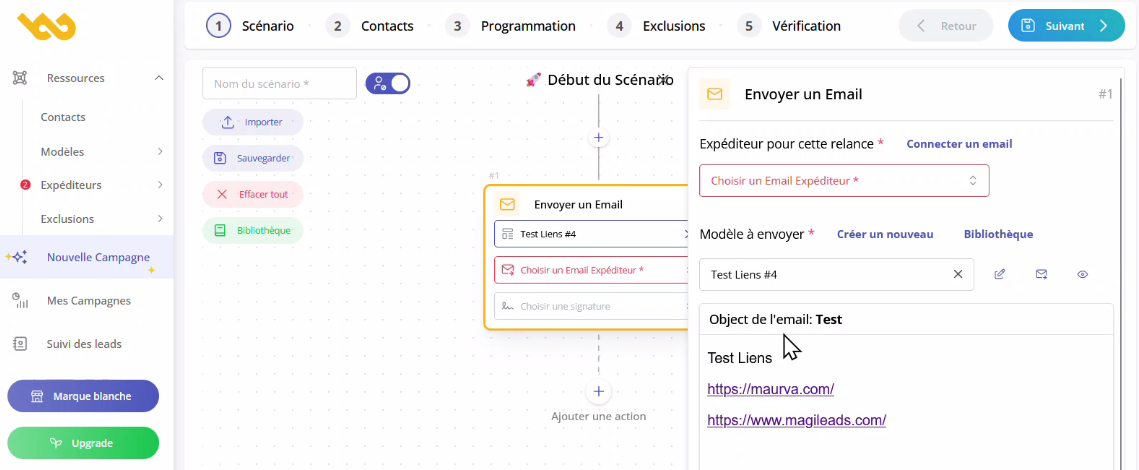
Create prospecting scenarios in Magileads
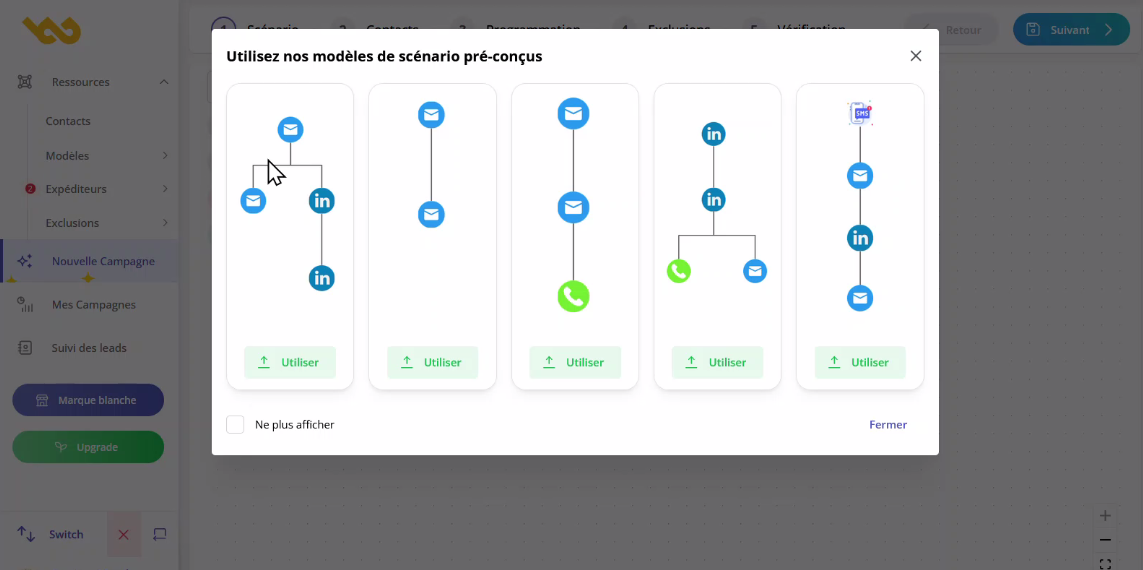
Depending on your strategy and target audience, you can choose the channels that best suit your campaign. You can choose or combine email, LinkedIn messages, and SMS.
To create your prospecting scenario, you can choose from our pre-defined templates.
You can also build more complex or customized scenarios yourself on this interface:
4 – Launch and monitor the campaign
It is now time to launch your prospecting campaign.
Launch the campaign
After configuring your messages and sequences, it's time to launch the campaign. Review all the settings and test your emails before sending to avoid errors.
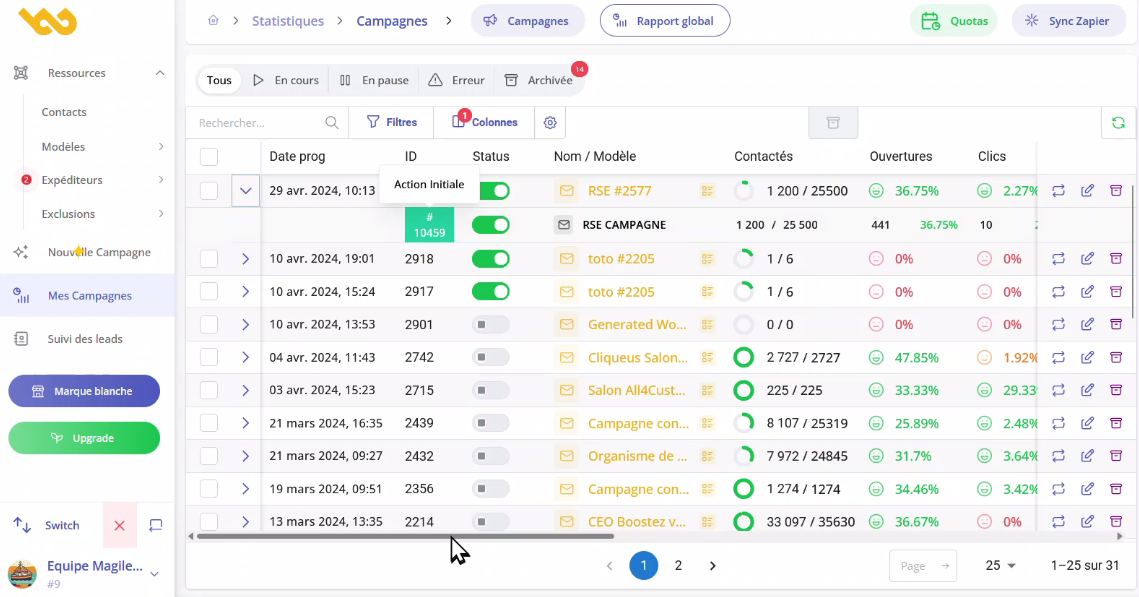
Performance tracking
Magileads V3.0 offers tracking tools to analyze your campaign's performance. Here are some key metrics to monitor:
- Open rate : Percentage of recipients who opened your emails.
- Click-through rate : Percentage of recipients who clicked on the links in your emails.
- Response rate : Percentage of recipients who replied to your emails.
- Conversions : Number of qualified leads generated or specific actions taken by prospects.
5 – Campaign Optimization
As you go along, you can optimize your strategy to achieve better results.
Analyze the results
Use Magileads V3.0 reports to analyze your campaign results . Identify the strengths and weaknesses of your emails and sequences.
Adjust the strategies
Based on the results obtained, adjust your prospecting strategy . This may include:
- Modify email subject lines to improve open rates.
- Further personalize email content to increase response rates.
- Review calls to action to maximize conversions.
By following the steps outlined in this article, you can fully leverage the tools offered by Magileads V3.0 to optimize your prospecting efforts and achieve your business objectives. Happy prospecting!
—————————
Magileads is a prospecting automation software that allows you to easily manage all the complex aspects of your marketing processes.
Try Magileads free for 14 days. Click here .
Or, visit our website to see how we work. Click here .






