

Tu cherches une solution pour gagner du temps et améliorer la gestion de tes données ? Synchroniser vos applications à Magileads te permet d’automatiser tes workflows sans effort. Tu peux connecter tes applications préférées, suivre tes leads plus facilement et garantir la fiabilité de tes informations. Les tarifs restent accessibles pour que chacun puisse profiter de cette technologie, même sans compétences techniques avancées.
Points Clés
Automatisez vos tâches répétitives avec Magileads pour vous concentrer sur des actions stratégiques.
Évitez les erreurs de saisie grâce à la synchronisation des données, ce qui vous fait gagner du temps.
Personnalisez vos messages pour mieux cibler vos prospects et augmenter votre taux de conversion.
Utilisez Zapier ou Make pour connecter facilement vos applications à Magileads sans compétences techniques avancées.
Surveillez régulièrement vos intégrations pour détecter rapidement les problèmes et garantir la fiabilité de vos données.
Pourquoi synchroniser vos applications à Magileads
Bénéfices pour la prospection
Tu veux améliorer ta prospection et gagner du temps chaque jour. Synchroniser vos applications à Magileads te donne accès à plusieurs avantages qui rendent ton travail plus simple et plus efficace.
Voici ce que tu peux attendre :
Tu automatises les tâches répétitives et tu te concentres sur les actions stratégiques.
Tu évites les erreurs de saisie grâce à la synchronisation des données, ce qui te fait gagner du temps.
Tu personnalises tes messages et tu cibles mieux tes prospects, ce qui augmente le taux de conversion.
Tu profites d’une prospection B2B plus fluide et productive, surtout si tu utilises Zapier avec Magileads.
Tu optimises tes processus de prospection et tu améliores la collaboration entre les équipes commerciales et marketing.
« L’API Magileads nous a permis de synchroniser en temps réel nos leads entrants avec notre CRM. Avant, nous perdions un temps fou à faire des exports manuels. Aujourd’hui, nos commerciaux reçoivent les bons contacts au bon moment, avec un contexte enrichi automatiquement. »
Magileads te donne aussi des outils d’analyse pour suivre tes campagnes en temps réel. Tu peux ajuster tes stratégies et trouver des clients plus facilement.
Le constat est clair : l’intégration des outils de prospection n’est plus un luxe technique, mais un impératif commercial. Selon une étude récente de McKinsey (2024), 73% des commerciaux affirment que l’automatisation de leurs outils améliore significativement leur taux de conversion, tout en réduisant la durée du cycle de vente .
Le coût caché de la désynchronisation
Avant d’aborder les bénéfices, il faut mesurer le problème. Les équipes commerciales perdent aujourd’hui un temps considérable en tâches manuelles de transfert de données. Selon HubSpot (2024), 43% des commerciaux passent entre 10 et 20 heures par semaine à intégrer manuellement des données dans leur CRM . Parallèlement, une étude Forbes révèle que les commerciaux consacrent 35,2% de leur temps à des actions sans rapport direct avec la vente, tandis qu’ils n’utilisent leur CRM que pendant 18% de leur temps de travail . C’est précisément ce goulot d’étranglement que Magileads élimine via ses connecteurs natifs avec Zapier et Make.
Impact immédiat sur la productivité et le ROI
L’automatisation des flux entre vos outils génère des gains mesurables dès les premières semaines :
+451% de leads qualifiés : L’intégration d’outils d’automatisation marketing peut augmenter le volume de prospects qualifiés jusqu’à 451%, selon les données consolidées par Affinco .
+14,5% de productivité commerciale : La synchronisation automatisée des données entre applications permet d’augmenter la productivité des équipes de vente de 14,5% en moyenne .
ROI multiplication par 8,71 : Selon Kixie, chaque dollar investi dans un CRM bien intégré génère en moyen 8,71 dollars de retour, avec une augmentation possible de 245% lorsque l’implémentation est optimale .
Réduction des cycles de vente : L’accessibilité unifiée des données raccourcit les cycles de vente de 8 à 14% et améliore la précision des prévisions commerciales de 32 à 42% .
L’alignement marketing-vente, clé de la conversion
Au-delà du gain de temps, synchroniser vos applications à Magileads crée une cohérence critique entre vos équipes. 78% des commerciaux s’accordent à dire que leur logiciel CRM permet d’améliorer l’alignement avec les équipes marketing, et 79% des professionnels utilisant un CRM sont plus susceptibles d’affirmer que leurs équipes sont fortement alignées . Cet alignement se traduit concrètement par une amélioration du taux de conversion des leads de jusqu’à 300% avec un CRM bien utilisé .
Concernant spécifiquement les workflows via Zapier, les chiffres sont tout aussi éloquents : 80% des utilisateurs d’automatisation génèrent plus de leads et 77% constatent des taux de conversion supérieurs . L’automatisation omnicanale peut même booster l’engagement de 250% en créant une expérience client sans rupture entre email, téléphone et réseaux sociaux .
Éliminer les tâches administratives pour recentrer sur la relation client
Comme le note le Harvard Business Review (2023), l’automatisation permet d’éliminer 20% des tâches administratives, libérant ainsi du temps précieux pour se concentrer sur la relation client . Salesforce confirme cette tendance : 66% des entreprises ayant intégré des outils d’automatisation observent une hausse notable de la satisfaction client .
“Les entreprises qui intègrent nativement leur CRM à leur pile technologique via des outils comme Zapier ou Make voient non seulement leur productivité exploser, mais surtout leur capacité à capitaliser sur chaque opportunité commerciale sans friction technique.” — HubSpot, State of Marketing Report 2024
“L’enjeu n’est plus technologique mais culturel : synchroniser ses outils, c’est synchroniser ses équipes autour d’une même vérité client en temps réel.” — Salesforce, étude sur l’expérience client 2024
Cas d’usage courants
Tu peux utiliser Magileads dans de nombreux cas pour simplifier la gestion de tes données commerciales.
Voici quelques exemples concrets :
Recherche et segmentation de prospects
Gestion des contacts
Automatisation des tâches
Intégration CRM
Analyse et reporting
Tu synchronises les nouvelles inscriptions dans Magileads avec ton système de gestion de l’apprentissage (LMS) pour automatiser le transfert des données.
Tu ajoutes automatiquement les nouveaux contacts de Magileads à ta liste Mailchimp pour garder tes campagnes e-mail à jour.
Tu crées des entrées dans Salesforce pour chaque nouveau donateur enregistré dans Magileads, ce qui facilite la gestion des relations.
« Grâce à l’API, on a pu intégrer Magileads directement dans notre tunnel de qualification maison. Résultat : moins de friction, une meilleure réactivité, et surtout, une vraie capacité à scorer les leads automatiquement. »
Synchroniser vos applications à Magileads te permet d’ajuster tes campagnes en fonction des données recueillies et d’augmenter l’efficacité de tes interactions avec les prospects.
Préparer la synchronisation
Comptes et accès nécessaires pour synchroniser vos applications à Magileads
Avant de commencer, tu dois vérifier que tu possèdes tous les comptes et accès indispensables pour connecter tes applications à Magileads. Voici ce qu’il te faut :
Un compte Zapier. Tu peux en créer un gratuitement si tu n’en as pas encore.
Un accès administrateur à ton CRM, comme Salesforce ou HubSpot. Ce niveau d’accès te permet de gérer les intégrations sans restriction.
Un compte Magileads actif. Tu auras besoin de tes identifiants pour relier Magileads à Zapier ou à d’autres outils.
Les autorisations nécessaires pour connecter tes applications via Zapier. Vérifie que tu as les droits requis pour éviter les blocages.
Astuce : Pense à protéger tes informations contre les accès non autorisés. Respecte les obligations légales pour le traitement des données personnelles. Élimine les doublons et corrige les erreurs pour garantir la pertinence des informations. Assure-toi que l’intégration reste facile avec ton CRM ou tes solutions marketing.
Pour renforcer la sécurité, tu peux suivre ces étapes :
Identifie les données sensibles dans tes outils.
Mets en place des mesures de chiffrement pour protéger les informations.
Automatise l’anonymisation des données non essentielles.
Respecte les droits des personnes concernées.
Documente les traitements de données pour garder une trace.
Limite l’accès aux données aux personnes autorisées.
Teste régulièrement la sécurité de tes connexions.
Applications compatibles
Synchroniser vos applications à Magileads fonctionne avec de nombreuses applications populaires. Tu peux connecter des CRM comme Salesforce et HubSpot, des outils de marketing comme Mailchimp, ou encore des plateformes de gestion de données comme Google Sheets. La compatibilité s’étend aussi à des solutions d’automatisation comme Zapier et Make.
Voici un aperçu des applications les plus utilisées pour synchroniser vos applications à Magileads:
Application | Type d’outil | Niveau de compatibilité |
|---|---|---|
Salesforce | CRM | Élevé |
HubSpot | CRM | Élevé |
Google Sheets | Tableur | Élevé |
Mailchimp | Marketing | Élevé |
Make | Automatisation | Élevé |
Tu peux aussi explorer d’autres intégrations selon tes besoins. Vérifie toujours la documentation Magileads pour connaître les dernières nouveautés et les applications compatibles.
synchroniser vos applications à Magileads
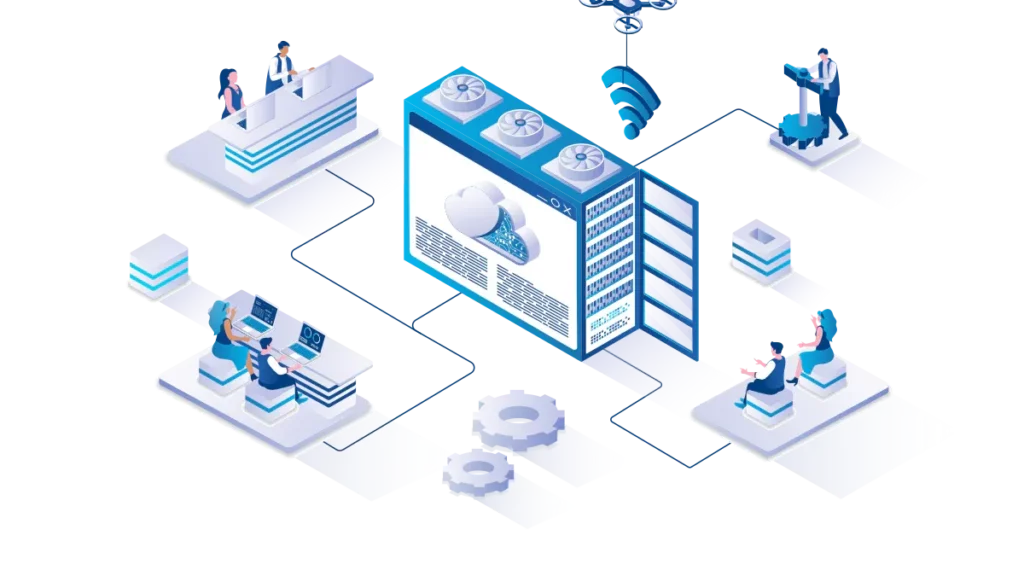
Tu veux automatiser tes tâches et gagner du temps ? Synchroniser vos applications à Magileads te donne accès à plusieurs méthodes pour connecter tes applications. Découvre comment utiliser Zapier, Make ou l’API Magileads pour simplifier ton quotidien.
Intégration via Zapier
Zapier te permet de relier Magileads à des outils comme Salesforce, HubSpot ou Mailchimp. Tu peux créer des automatisations sans coder. Voici les étapes pour connecter une application à Magileads avec Zapier :
Crée un compte Zapier.
Connecte Salesforce ou HubSpot à Zapier.
Configure un nouveau Zap.
Choisis l’action dans Magileads.
Mappe les champs de ton CRM à Magileads.
Teste et active le Zap.
Surveille et ajuste ton Zap selon tes besoins.
Astuce : Utilise les déclencheurs et actions pour automatiser tes workflows. Par exemple, quand un lead est segmenté dans Magileads, Zapier peut envoyer les nouveaux emails à Warmup Inbox. Quand un nouveau prospect est enrichi, Zapier l’envoie à Warmbox.ai pour commencer le warmup. Tu peux aussi envoyer automatiquement les emails à Mailwarm lors de la création d’une campagne.
Voici quelques déclencheurs et actions courants :
Un lead est segmenté dans Magileads : Zapier envoie les nouveaux emails à Warmup Inbox.
Un nouveau prospect est enrichi sur Magileads : Zapier l’envoie à Warmbox.ai.
Un nouveau contact est ajouté sur Magileads : Zapier envoie l’email à Folderly.
Une campagne est créée sur Magileads : Zapier envoie les emails à Mailwarm.
Synchroniser vos applications à Magileads grâce à Zapier te permet d’automatiser la gestion des leads et d’améliorer la réactivité de ton équipe.
Integration Make
Make te donne la possibilité de créer des scénarios d’automatisation avancés. Tu peux relier Magileads à plusieurs applications et personnaliser tes workflows. Les scénarios les plus utilisés avec Make et Magileads sont :
Génération de prospects en temps réel
Campagnes multicanales automatisées
Suivi et optimisation des campagnes
Personnalisation et segmentation précises
Intégration avec tes outils favoris
Tu peux configurer Make pour envoyer des données de Magileads vers ton CRM, ton outil marketing ou ton tableur. Synchroniser vos applications à Magileads via Make t’aide à suivre tes campagnes et à ajuster tes stratégies rapidement.
Utilisation de l’API Magileads pour synchroniser vos applications à Magileads
L’API Magileads te permet de connecter tes outils internes et de personnaliser l’intégration selon tes besoins. Voici les étapes techniques pour utiliser l’API dans ton projet :
Crée ton espace agence sur Magileads.
Personnalise l’interface à ton image.
Importe tes bases de données ou synchronise ton CRM.
Paramètre les accès pour ton équipe.
Lance tes campagnes et suis les performances.
Conseil : L’API Magileads te donne un contrôle total sur la synchronisation des données. Tu peux automatiser l’importation des leads, enrichir les contacts et suivre les résultats en temps réel.
Synchroniser vos applications à Magileads grâce à l’API te permet d’adapter la solution à tes processus internes et d’optimiser la gestion des leads.
Suivi et validation de la synchronisation
Magileads te propose un suivi en temps réel de la progression de la synchronisation. Tu peux voir l’état des transferts et des actions entre Magileads et tes autres applications. Voici ce que tu peux surveiller :
Synchronisation des prospects via Zapier ou Make
Transfert des données et actions automatisées
Vue complète des prospects et des tâches à réaliser
Note : Magileads affiche la progression de chaque synchronisation. Tu peux vérifier que les leads sont bien transférés et que les actions sont exécutées sans erreur.
Synchroniser vos applications à Magileads t’aide à garder le contrôle sur tes données et à garantir la fiabilité de tes automatisations.
Exemples d’intégrations réussies pour synchroniser vos applications à Magileads

CRM (HubSpot, Salesforce)
Tu peux connecter Magileads à des CRM comme HubSpot ou Salesforce pour automatiser la gestion de tes contacts. Cette intégration te permet de suivre chaque nouveau contact sans effort. Tu synchronises aussi les scores de tes leads pour optimiser tes campagnes marketing.
Tu ajoutes automatiquement les nouveaux contacts de Salesforce ou HubSpot dans Magileads. Tu gagnes du temps et tu évites les oublis.
Tu mets à jour les scores de tes leads entre le CRM et Magileads. Tu cibles mieux tes prospects et tu améliores tes résultats.
Une entreprise technologique a augmenté son taux de conversion de 40 % et réduit ses coûts de prospection de 30 % en moins de six mois grâce à cette intégration. Un cabinet de conseil B2B a doublé le nombre de rendez-vous avec des prospects qualifiés en trois mois.
Google Sheets
Magileads s’intègre facilement avec Google Sheets. Tu centralises toutes tes informations dans un seul tableau. Tu peux gérer tes données plus efficacement et garder une vue d’ensemble sur tes prospects.
La synchronisation avec Google Sheets se fait en temps réel. Tu vois les mises à jour dès qu’elles arrivent.
Tu utilises Google Sheets pour partager les informations avec ton équipe. Chacun accède aux données à jour.
Tu relies aussi Google Sheets à d’autres outils comme ton CRM pour une gestion complète.
Marketing automation
Tu peux automatiser de nombreuses tâches marketing avec Magileads. Tu envoies des emails, des invitations LinkedIn ou des rappels SMS sans intervention manuelle. Tu utilises des algorithmes pour cibler les meilleurs prospects.
Tu automatises la gestion des contacts et la synchronisation des scores de leads.
Tu gères les opportunités de vente plus facilement.
Tu suis chaque interaction et tu enrichis tes bases de données pour garder des informations à jour.
L’automatisation des workflows et le suivi des interactions te permettent de documenter chaque étape du parcours client. Tu augmentes le taux de réponse de 40 % en deux mois grâce à l’envoi coordonné d’emails, d’invitations LinkedIn et de SMS.
Conseils pour une pour synchroniser vos applications à Magileads optimale
Points de vigilance
Tu dois rester attentif à certains points pour garantir une synchronisation efficace avec Magileads. Plusieurs erreurs courantes peuvent ralentir tes résultats ou nuire à la qualité de tes campagnes :
Sur-automatisation : Si tu automatises tout, tes messages risquent de perdre en authenticité. Tes prospects préfèrent des échanges personnalisés.
Manque d’analyse des données : Tu dois examiner régulièrement les performances de tes campagnes. Sinon, tu passes à côté d’opportunités d’amélioration.
Mauvaise gestion des accès : Vérifie toujours qui peut accéder à tes outils connectés. Une mauvaise configuration peut exposer tes données sensibles.
Paramètres non adaptés : Si tu ne choisis pas les bons jours et heures d’envoi, tes emails risquent de ne pas être lus.
Astuce : Prends le temps de personnaliser chaque message. Adapte tes communications aux informations spécifiques de chaque contact. Tu rends chaque échange unique et pertinent.
Pour renforcer la sécurité et la fiabilité de tes synchronisations, Magileads applique des normes strictes. Voici quelques conseils essentiels :
Conseil | Détails |
|---|---|
Fiabilité des intégrations | Tes informations sensibles restent intactes et tes processus ne subissent aucune interruption. |
Application de normes de sécurité modernes | Magileads protège tes données avec des standards de sécurité avancés. |
Simulation de comportements humains réalistes | Magileads simule des actions naturelles pour éviter les risques liés aux extensions détectables. |
Astuces d’optimisation
Tu peux améliorer la rapidité et la fluidité de ta synchronisation avec quelques astuces simples :
Utilise Zapier pour automatiser tes processus. Tu gagnes du temps et tu minimises les erreurs humaines.
Ajuste les paramètres de segmentation des contacts. Tu optimises tes campagnes et tu cibles mieux tes prospects.
Choisis les jours et heures d’envoi des emails selon ton audience. Tu augmentes les taux d’ouverture et de réponse.
Personnalise tes messages pour chaque contact. Tu rends tes communications plus efficaces.
Surveille régulièrement tes intégrations. Tu détectes vite les problèmes et tu gardes le contrôle sur tes données.
N’oublie pas : Une synchronisation bien paramétrée te permet de gagner du temps précieux et d’améliorer la qualité de ta prospection. Tu assures la sécurité de tes informations et tu maximises tes résultats.
Tu gagnes du temps et tu améliores la gestion de tes leads avec Magileads. Tu choisis Zapier pour une intégration rapide ou l’API pour plus de personnalisation. L’automatisation rend ton travail plus efficace et tes campagnes plus performantes.
Utilise la documentation Magileads pour chaque étape.
Contacte le support si tu rencontres un problème.
Astuce : Tu peux tester différentes intégrations pour trouver celle qui convient le mieux à ton équipe.
FAQ pour pour synchroniser vos applications à Magileads
Comment puis-je connecter Magileads à mon CRM préféré ?
Tu peux utiliser Zapier ou Make pour relier Magileads à ton CRM. Tu choisis ton outil, tu suis les étapes de connexion, puis tu actives la synchronisation. Tu trouves des guides détaillés dans la documentation Magileads.
Est-ce que je dois savoir coder pour utiliser l’API Magileads ?
Tu n’as pas besoin d’être développeur pour utiliser Zapier ou Make. Pour l’API Magileads, tu dois connaître les bases de la programmation. Tu peux demander de l’aide à ton équipe technique si besoin.
Que faire si la synchronisation ne fonctionne pas ?
Vérifie tes accès et tes paramètres. Tu peux consulter la documentation Magileads ou contacter le support. Tu testes la connexion avec un exemple de données pour voir si tout fonctionne.
Quelles applications sont compatibles avec Magileads ?
Salesforce
HubSpot
Google Sheets
Mailchimp
Make
Tu peux explorer d’autres intégrations dans la documentation officielle. Magileads ajoute régulièrement de nouveaux outils compatibles. 🚀
Voir également
Exploration Complète Des Capacités Offertes Par Magileads
Manuel Pour Optimiser Votre Prospection Grâce À Magileads
Plongée Dans L’Application Magileads Pour L’Automatisation Des Ventes
Caractéristiques Essentielles De Magileads À Connaître Absolument
Comparaison Entre Magileads Et Lemlist : Quel Outil Préférer






