

Did you know that Google Maps is a powerful tool that can help you reach your target audience and generate high-quality leads?
Let's first recall some advantages for local businesses of using Google Maps.
By creating and optimizing a Google My Business listing, you will appear in Google search results and on Google Maps when a user searches for B2B products or services in your area.
Optimizing your Google My Business listing with relevant keywords and accurate information can improve your ranking in local search results , making you more visible to potential customers.
Also, a complete and up-to-date Google My Business listing with positive reviews and high-quality photos can also boost the company's credibility and the trust of potential customers.
In addition, Google Maps allows them to target their ads and marketing efforts based on location, industry, keywords and other criteria, ensuring that they reach the most relevant prospects .
Google Maps also allows interaction with potential customers by responding to reviews, posting photos and updates, and encouraging direct interactions.
Much more than a digital map, Google Maps is also and above all a goldmine of information! It constitutes an excellent database from which to create your B2B prospecting list.
To fully leverage the potential of Google Maps for B2B lead generation, businesses can implement the following strategies.
Strategy 1: Optimize your Google My Business listing
Here are 5 tips to optimize your Google My Business listing:
1 – Complete all the information on the form
Ensure that the company's Google My Business listing is complete and up-to-date, including the name, address, phone number, opening hours, website, business description, photos, and relevant categories.
2 – Use relevant keywords
Incorporate relevant keywords into the company name, description, and other fields of the listing to improve the company's ranking in searches.
3 – Add high-quality photos
Publish high-quality photos of the company, its products or services, and its team to make the listing more attractive and informative.
4 – Encourage reviews
Encourage satisfied customers to leave positive reviews on the company's Google My Business listing. Respond to all reviews, including negative ones, professionally and courteously.
5 – Manage updates
Regularly post updates to the company's Google My Business listing to inform customers about events, promotions, and new offers.
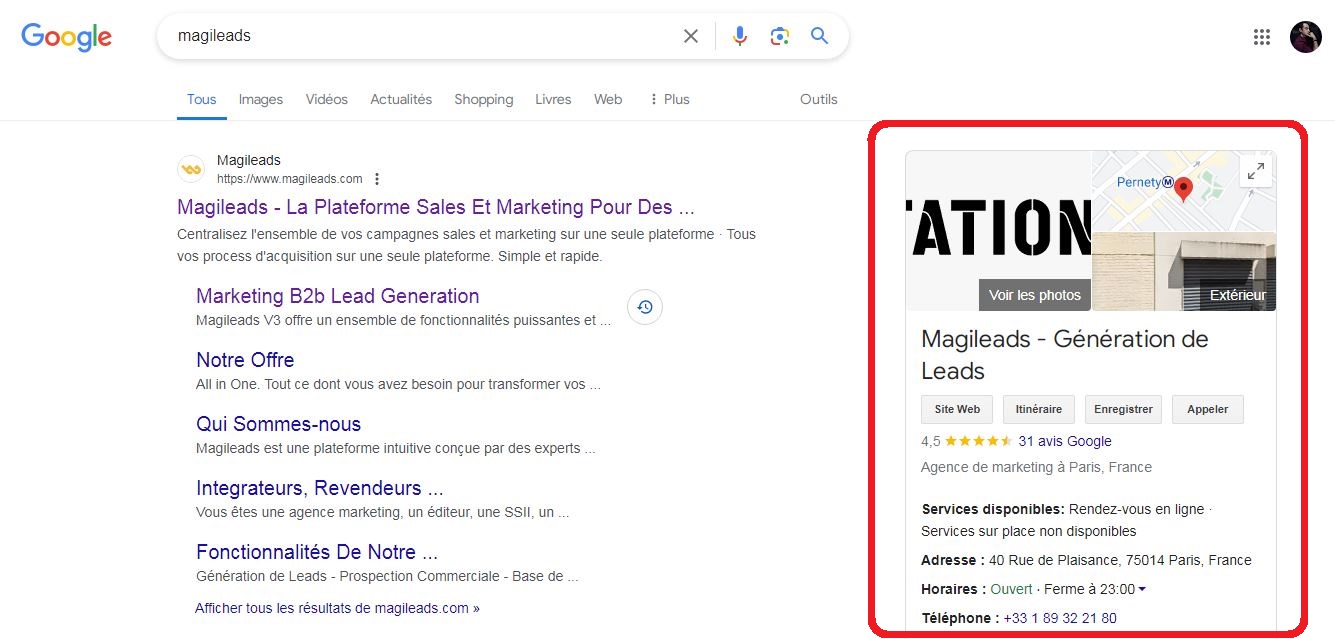
➡️ Click here for more details on how to optimize your Google My Business listing
Strategy 2: Use Google Maps search
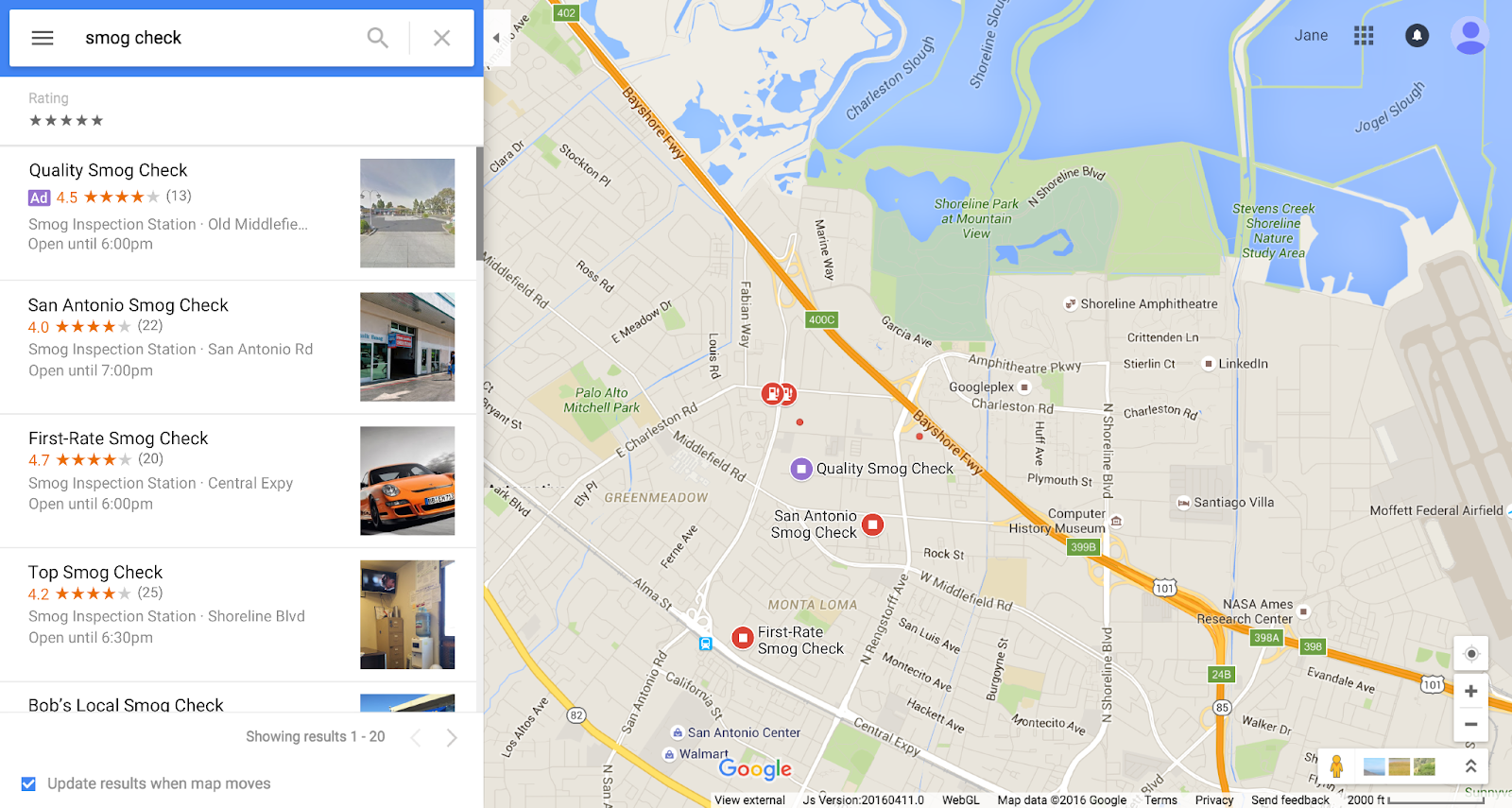
The search function of Google Maps can also be used to find B2B leads.
1 – Conduct keyword searches
Use the platform to search for B2B companies in your region that match your target audience. Analyze their profiles and strategies for inspiration.
2 – Explore the search filters
Use the advanced search filters of the digital map to refine your searches by sector of activity, neighborhood, opening hours and other criteria.
3 – Identify the competitors
Identify your local competitors and analyze their Google My Business listings to identify opportunities to improve your own listing.
Strategy 3: Leverage Google Maps ads
You can leverage Google Maps ads in 3 ways:
1 – Create targeted ad campaigns
Create ad campaigns to reach potential customers in your area based on their location, interests, and other criteria.
2 – Use clear calls to action
Include clear calls to action in your Google Maps ads to encourage potential customers to visit your website, call you, or contact you directly.
3 – Track the performance of the ads
Monitor the performance of your Google Maps ads and make adjustments based on the results to optimize your return on investment (ROI).
Strategy 4: Extracting leads from Google Maps
To scrape B2B prospect data from Google Maps, you generally have 2 options.
1 – Manual Lead Extraction Methods
Although more time-consuming, manual lead generation can be effective for small businesses or those that want more control over the process. This involves manually searching for businesses on Google Maps and copying and pasting their information into a spreadsheet or other lead management tool.
2 – Use a Google Maps scraping tool like Magileads
If you're looking for a practical and effective way to generate qualified leads from Google Maps, you can use data extraction tools and techniques. However, it's important to note that using these tools must comply with Google's terms of service and respect data privacy.
Creating your prospect list from Google Maps in Magileads couldn't be simpler.
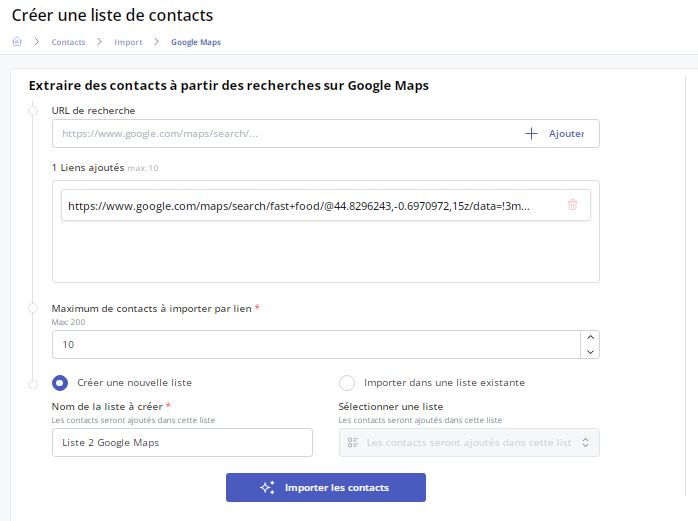
Here is the explanatory video:
Best practices for lead generation from Google Maps
It is important to note and respect these best practices to successfully generate leads from Google Maps.
1 – Comply with Google's terms of service
Make sure you comply with Google's terms of service when using Google Maps for lead generation. This includes not exceeding query limits and not using data that could harm Google's servers.
2 – Focus on lead quality
Don't just focus on generating the largest possible number of leads. Instead, concentrate on identifying high-quality leads who are likely to be interested in your products or services.
3 – Enrich your data
Once you've extracted leads from Google Maps, enrich them with additional information from other sources, such as social media and company websites. This will allow you to better understand your prospects and target them with more relevant messages.
Note: Magileads includes a feature that allows you to automatically enrich your database by filling in any gaps.
4 – Respect data confidentiality
Be sure to respect the privacy of the data of businesses and individuals you find on Google Maps. Do not use this information for illegal or unethical purposes.
Some points to remember
- It's important to remember that Google Maps is designed for public use, not for mass data mining. Misusing Google Maps for data mining can result in penalties , such as having your IP address blocked.
- There are third-party services that can help you generate leads from Google Maps. These services may be paid, but they can save you time and effort if you lack the skills or resources to extract data yourself.
- Always make sure to check local laws and regulations before collecting data on businesses or individuals.
Ultimately, generating leads from Google Maps can be an effective and cost-efficient way for local B2B businesses to reach new customers. By implementing the strategies and best practices outlined in this guide, businesses can maximize the potential of Google Maps to generate qualified leads and drive growth.







